
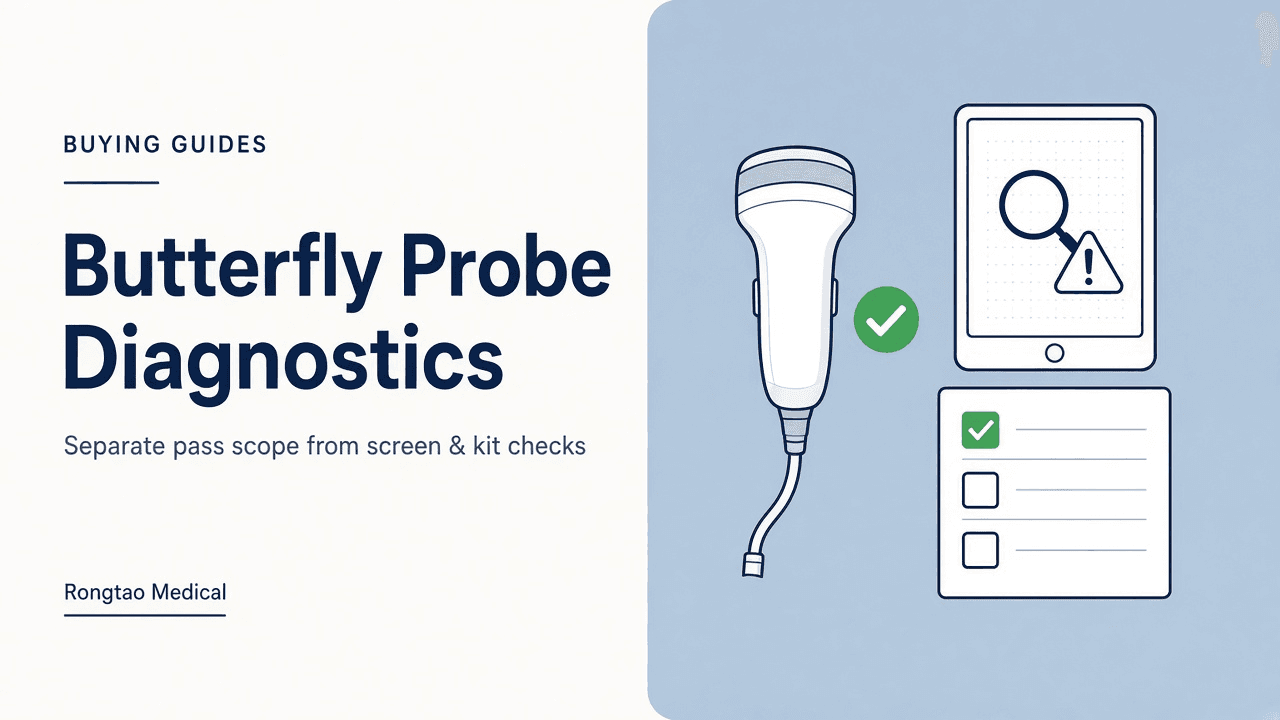
The incoming check: a green diagnostic pass beside a suspect screen
A pre-owned or recently checked Butterfly handheld kit arrives at biomedical engineering with a seller screenshot showing that probe diagnostics passed. When the receiving engineer pairs the probe with the accompanying tablet or phone, however, a dark patch, uneven brightness or persistent banding remains visible on screen. The practical procurement and QA question is straightforward: does that green diagnostic pass mean the kit is ready for clinical acceptance?
No. A passing Probe Diagnostic Test is useful serial-level evidence for the transducer itself, but it is not a blanket pass for the complete handheld ultrasound system. Both the October 2025 Butterfly iQ+ manual (Revision F, section 16.4) and the October 2025 Butterfly iQ3 manual (Revision E, section 16.4) draw a clear boundary: the system comprises three separate parts—the probe, the Butterfly iQ app and a separately purchased compatible mobile device—and the app does not have the ability to assess the mobile device's screen integrity.1 2
Treat the passed self-test as one line item inside a complete-kit acceptance ledger. Physical integrity of the sealed probe and cable, current host and OS compatibility, Butterfly Cloud activation and ownership status, display evaluation under facility QA policy, and any unresolved image symptom all require separate verification and named owners before a qualified clinician or QA reviewer clears the unit.1 4 9
What does a Butterfly diagnostic pass actually establish?
Unlike conventional cart transducers with piezoelectric crystal arrays, Butterfly iQ+ and iQ3 probes integrate an on-chip ~9,000-element capacitive micromachined ultrasonic transducer (CMUT) CMOS architecture and an internal rechargeable battery inside a sealed housing.1 2 Because the probe houses its own digital electronics and battery, the manufacturer builds three distinct layers of self-checking into the hardware and app ecosystem.1 2
In both the iQ+ Revision F and iQ3 Revision E user manuals, the user-initiated Probe Diagnostic Test performs a test of the digital and acoustic performance of the transducer elements, runs through a series of diagnostic checks and notifies the user when all tests have completed successfully. Separately, each time the probe powers on and while it is running, the system checks analog and digital subsystems, safety sensors and battery level, and every 25 hours of cumulative scanning it triggers an automatic diagnostic test.1 2
At the same time, receiving engineers should read what the manuals do not promise. In its February 2023 premarket guidance (Section 5.2.5.6 and compliance-policy factor 8 in Section 5.1.2.7), the U.S. Food and Drug Administration (FDA) recommends that manufacturers implement integrated transducer element checks at connection or activation, communicate results, identify compromised image regions and generate a documentation report generally listing the integrity of elements or smallest available patches of elements—noting that "should" in FDA guidance denotes a nonbinding recommendation rather than a legal mandate.7 Similarly, the American Institute of Ultrasound in Medicine (AIUM) recommends that manufacturers articulate the range of 3D image resolution and contrast possible from a probe that passes a self-test yet no longer performs at original quality.8
The opened Butterfly user manuals describe a pass/completion notification or failure escalation to Butterfly Support, rather than a user-exported per-element impedance map or quantitative contrast-degradation tolerance.1 2 Consequently, a pass establishes that the manufacturer's internal probe check completed without triggering a failure alert at that moment; it does not publish raw element sensitivity data, certify residual acoustic margin on a five-year-old probe, or inspect the mobile screen.1 2 8
| Check layer | Trigger and cadence | Documented scope in OEM manuals | What remains unverified after a pass |
|---|---|---|---|
| 1. Startup and running checks | Automatic each time the probe turns on and continuously while running.1 2 | Monitors analog and digital subsystems, safety sensors and battery level; detects and reports failures if a concern arises.1 2 | Does not establish mobile display condition, lens/cable physical safety, or phantom image uniformity. |
| 2. Automatic 25-hour diagnostic test | Initiated automatically every 25 hours of cumulative scanning.1 2 | Monitors overall probe health between manual runs; paired with the OEM statement that no scheduled maintenance or calibration is required.1 2 | Does not prove when the last 25-hour cycle occurred on an incoming used probe unless a current user-initiated test is also captured. |
| 3. User-initiated Probe Diagnostic Test | Started manually via app menu; recommended periodically, with monthly testing named best practice under normal use, plus unboxing check if packaging is damaged.1 2 | Assesses readiness for use by testing digital and acoustic performance of the transducer elements; notifies on completion; directs failures to Butterfly Support.1 2 | Explicitly excludes mobile device screen integrity; the manuals do not present it as evidence of host OS/hardware compliance, physical condition, remote deactivation status or facility QA release.1 2 4 |
Source: Compiled from Butterfly iQ+ User Manual 950-20053-00 Rev F (pp. 80, 85, 88), Butterfly iQ3 User Manual 950-20054-00 Rev E (pp. 77, 82, 85), and Butterfly Biomedical Engineering Guidance 980-22690-00 Rev A (p. 5).
Which manufacturer manual matches the probe generation?
Search results for Butterfly diagnostics often surface older combined manuals or third-party mirrors alongside current model-specific editions. Using the wrong revision creates two immediate errors: applying an outdated minimum OS floor to a modern host, or assuming that historical original iQ instructions still represent an actively supported clinical product.1 3 6
Always anchor acceptance paperwork to the physical model number printed on the probe label and the exact manual revision verified on the inspection date. The manuals record distinct model numbers: 850-20026 for Butterfly iQ3, 850-20014 for Butterfly iQ+, and 850-20003 for the historical original Butterfly iQ.1 2 3 Note also that the iQ+ Revision F document covers both general-purpose iQ+ and the iQ+ Bladder configuration (which operates only on USB-C Apple iPads and does not require login or save images), while separate veterinary manuals exist for animal use.1
| Generation & model number | Verified manual edition & section | Documented diagnostic & hardware notes | Dated OS / app support boundary |
|---|---|---|---|
| Butterfly iQ3 Model 850-200262 | 950-20054-00 Rev E (2025-10), §16.4 p. 82, §16.6–16.7 p. 85, §19.2 p. 90.2 | Digital and acoustic element test; startup/running and 25-hr auto checks; user-replaceable cable; passive RFID chip for servicing/fleet management; 5-yr probe / 3-yr cable-charger expected life.2 | Rev E lists iOS 17.0+ / Android 12+ (Pixel & Samsung). App Store listing checked Nov 25, 2026 requires iOS 18.0+; Butterfly supports current and two prior app releases.2 6 |
| Butterfly iQ+ Model 850-200141 3 | 950-20053-00 Rev F (2025-10), §16.4 p. 85, §16.5–16.7 pp. 86–88, §19.2 p. 94.1 | Same element-test and 25-hr auto-test wording as iQ3 Rev E; user-replaceable Lightning/USB-C cables (with O-ring wear warning); 5-yr probe / 3-yr cable-charger expected life.1 | Rev F lists iOS 17.0+ / Android 12+; live App Store listing (Nov 25, 2026) requires iOS 18.0+. Historical Rev BH (2023-09) listed iOS 15.0+ / Android 10+; always verify against current OEM list.1 3 6 |
| Original Butterfly iQ Model 850-200033 | Historical combined manual 950-20002-00 Rev BH (2023-09-11), §14.4 p. 74, Table 6 pp. 74–75.3 | Non-removable cable; historical 14.4 states readiness/screen exclusion without the newer Rev E/F element-performance paragraph; omitted from current whole-body probe navigation.3 5 | Developer responses on Apple App Store state the original 2018 iQ has reached end of supported life for clinical use; verify status with Butterfly Support before any acquisition.6 |
Source: Butterfly iQ+ Rev F (2025-10), iQ3 Rev E (2025-10), iQ/iQ+ Rev BH (2023-09-11), Butterfly iQ3 Technical Details page, and Apple App Store developer statements (checked Nov 25, 2026).
Notice how quickly host OS baselines shift across editions: Revision BH (September 2023) printed iOS 15.0 and Android 10; Revision F and Revision E (October 2025) moved to iOS 17.0 and Android 12 (for listed Google Pixel and Samsung devices); and the U.S. Apple App Store listing inspected on November 25, 2026 requires iOS 18.0 or later for app version 2.51.0.1 2 3 6 Because Butterfly warns against using the app on any mobile device below minimum requirements—noting that performance and image quality may suffer, potentially causing misdiagnosis—never freeze an OS floor from an old PDF. Record the live App Store / Google Play build and check Butterfly's current compatible-device list at acceptance.1 2
Why does a probe pass not establish mobile display integrity?
Every opened Butterfly manual edition—iQ/iQ+ Revision BH, iQ+ Revision F and iQ3 Revision E—repeats the same boundary sentence verbatim: the app does not have the ability to assess the mobile device's screen integrity.1 2 3 The reason is architectural. The mobile phone or tablet is a separate commercial off-the-shelf host supplied by the buyer or hospital, running its own operating system, display panel, backlight, touch digitizer and brightness controls.1 2
In conventional ultrasound quality assurance, display evaluation is its own distinct inspection category. The American College of Radiology (ACR) ultrasound quality-control guidance isolates Ultrasound Scanner Electronic Image Display Performance—covering gray scale response and luminance calibration, presence of pixel defects and overall image quality, typically evaluated with specialized test patterns and sometimes photometric equipment.9 Crucially, ACR also states that while transducer evaluation devices testing individual elements may be used, they may not replace required survey tests.9
Butterfly's own troubleshooting tables reinforce why the host display must be checked separately. When users report image degradation or artifacts, Table 14 tells the operator to confirm the preset and depth, verify that screen brightness is set to the recommended 65%, and run the probe self-test to determine whether the probe itself is damaged; a blank or frozen display is handled separately through app restart and probe reconnection.1 2 When a defect stays on the screen across menus or persists outside the ultrasound sector—or when luminance drop, dead pixels, cracked glass or burn-in affect readability—the probe self-test remains completely blind to it. Qualified QA or IT personnel must inspect or swap the host mobile device under facility policy rather than attributing display faults to the transducer.1 9
Which checks run automatically and which must be started by the user?
Understanding the distinction between automatic background checks and user-initiated diagnostics prevents two opposite mistakes during fleet intake: assuming no verification happened if no button was pressed, or assuming an annual preventive-maintenance (PM) regimen is required when the manufacturer explicitly states otherwise.1 4
- Startup and continuous runtime checks (automatic): Every time the probe powers on and while it is actively running, the system checks analog and digital subsystems, safety sensors and battery level, reporting failures if a concern is detected.1 2
- 25-hour cumulative scanning check (automatic): Section 16.6 in both Revision F (iQ+) and Revision E (iQ3) documents that the device initiates an automatic diagnostic test every 25 hours of cumulative scanning to monitor probe health.1 2
- User-initiated Probe Diagnostic Test (manual): Section 16.4 recommends running the diagnostic test periodically—naming monthly testing as best practice under normal use—and Section 16.1 specifies running it upon receipt if shipping packaging is damaged.1 2 In the opened Apple and Android editions, the documented sequence is: connect the probe to a supported mobile device with the Butterfly iQ app installed, log in with authorized credentials, open the Settings menu, tap My iQ to open the My iQ screen, and tap Run Diagnostics then Start Probe Diagnostics.1 2 3 (Exact control wording can change in future app builds; record the installed app version alongside the result.)
HTM teams aligning handheld devices with hospital CMMS schedules should also note Butterfly's explicit maintenance position. Both Revision F (p. 88) and Revision E (p. 85) state that no scheduled maintenance or calibration is required to keep the probe in good working order.1 2 Likewise, Butterfly's Biomedical Engineering Guidance Document (980-22690-00 Rev A, scoped to iQ and iQ+) states that Butterfly does not require an annual PM and recommends evaluating probe health by fully charging the probe, using the most recent app version, updating firmware if necessary and performing a Probe Diagnostic Test—adding that no other maintenance is required.4
Do not invent an arbitrary calibration cycle or annual bench teardown on top of that OEM rule. Instead, document the OEM's no-annual-PM statement alongside any facility- or accreditation-driven acceptance, display or QC expectations—for broader fleet context on how OEM rules interact with accreditation programs, see our ultrasound preventive maintenance and QA record guide.4 9
How should pass, fail, and unavailable tests be recorded?
A common receiving mistake is collapsing every blocked or incomplete diagnostic run into a "fail"—or worse, letting an unrun test pass because the probe powered on. Butterfly's troubleshooting tables distinguish genuine probe hardware alerts from host security gates, network lockouts and thermal protection states.1 2 Recording the exact state prevents unnecessary RMA returns while keeping unverified hardware off clinical floors.
| Observed state or alert | Manual basis (Rev F / Rev E Table 14) | How to record on intake | Required next step and owner |
|---|---|---|---|
| All diagnostic tests completed (no warnings or damage) | Section 16.4 completion notification; assesses probe readiness and element performance.1 2 | Probe test: Confirmed (Pass) with probe serial, date, app version, OS version and host ID. | Proceed to physical inspection, activation/ownership check, display QA and facility release.1 4 9 |
| Diagnostic test indicates a failure | Section 16.4 directs users to contact Butterfly Network for further support.1 2 | Probe test: Failed (quarantine from clinical use). | Do not attempt internal repair. Escalate serial and error details to Butterfly Support.1 2 |
| Cannot run: Device Passcode Required, Forced Log Out, Login Error, or missing supported host | Passcode required for patient data security (Table 14); login requires hospital cloud credentials and supported app release (4.3).1 2 4 | Probe test: Unavailable / Not Run (do not mark failed; do not share personal credentials). | IT/HTM supplies a compliant hospital-managed host with passcode, supported OS/app build and authorized login, then runs the test.2 4 |
| Probe Temporarily Disabled alert | Triggered when the mobile device has not been connected to the Internet within the last 30 days.1 2 | Connectivity state: Offline lockout (distinct from hardware failure). | Reconnect an authorized host to the Internet and tap Refresh per Table 14 before running diagnostics; if still blocked, check cloud deactivation.1 4 |
| Hardware Recall alert | Probe cannot be used for imaging when displayed; tap Contact Support and follow instructions.1 2 | Safety hard stop: Hardware Recall (quarantine immediately). | Block clinical use and contact Butterfly Support; a prior screenshot of a passed test does not override this alert.1 2 |
| Probe Temperature Alert (41.5°C) or auto-cool lockout (43°C / 109°F) | Section 17.2 describes an alert at an estimated 41.5°C and auto-cool at 43°C contact temperature; Table 14 states the system will not scan at or above 43°C until cooled.1 2 | Thermal state: log ambient conditions, continuous scan time and preset. | Allow probe to cool per safety limits; if overheating persists under normal ambient use, escalate to Butterfly Support.1 2 |
Source: Butterfly iQ+ User Manual 950-20053-00 Rev F (pp. 85, 89–90), Butterfly iQ3 User Manual 950-20054-00 Rev E (pp. 82, 86–87), and Biomedical Engineering Guidance Rev A (p. 2).
What evidence is missing when image problems remain?
Suppose the probe passed its diagnostic check on a verified host, yet an image problem or buyer concern persists. Four additional evidence domains determine whether the kit can be accepted, requires cable replacement, or must be rejected back to the seller or Butterfly Support.1 2 4
1. Physical condition and sealed-probe boundaries. All Butterfly manuals warn operators to inspect the lens face, cable, housing, seams and connector before and after cleaning, disinfection or use—and never to use a probe showing any sign of damage.1 3 Dangerous high voltages and currents are present inside, there are no user-serviceable parts, the probe is sealed and must not be opened, and the internal battery is not user-replaceable (Butterfly's iQ3 technical specifications list a 2220 mAh lithium-ion battery marked "Not replaceable," while Revision BH warns that battery replacement by anyone else may create heat, fire or explosion hazards).1 3 5 On iQ+ and iQ3, the cable itself is user-replaceable—Table 12 of Revision F even warns that excessive cable removal and installation wears the O-ring and permits water or dust ingress—so check both the cable and its O-ring seal when a connection symptom appears.1 2
2. Conventional bench protocols do not transfer directly. On traditional cart-based transducers, engineers isolate artifacts by swapping ports or running bench electrical-leakage baths and in-air element counts, as detailed in our conventional probe acceptance testing protocol and probe-versus-scanner artifact framework. Because a Butterfly probe integrates the beamformer electronics, CMOS/CMUT array and battery inside a single sealed handle connected to a consumer mobile host, there is no multi-port cart swap or standard console pin connector to probe on a bench.2 5 Do not improvise saline baths or unapproved adapters outside the manufacturer's instructions.1
3. Expected service life versus remaining life. Both Revision F (iQ+) and Revision E (iQ3) state an expected service life of 5 years for the probe and 3 years for the cable and charger, noting that actual life varies with usage patterns, environment and care.1 2 Expected service life is not a transferable warranty or a remaining-life guarantee on a used kit; Butterfly's iQ3 technical details page lists a 3-year standard warranty with an optional 2-year extension.5 As discussed in our handheld ultrasound fleet service planning analysis, a non-replaceable sealed battery means the age and cycle history of a pre-owned probe directly shape budget risk even when diagnostics pass.5
4. Unresolved non-patient image symptoms and QA disposition. If artifacts, unexpected sensitivity loss or preset anomalies remain in an approved non-patient phantom or baseline check after verifying gel, preset, depth and 65% screen brightness, keep the unit out of clinical service and route non-patient observations to the facility's qualified QA team and Butterfly Support.1 8 9
Can a used probe be remotely deactivated, and what should a buyer check?
Yes—for Butterfly iQ and iQ+ fleets, the manufacturer's Biomedical Engineering Guidance Document (980-22690-00 Rev A, December 2023) documents remote governance controls that can render a physically intact probe unusable until ownership is cleared.4 Any buyer, refurbisher or hospital receiving a pre-owned probe needs to verify activation and ownership before paying or issuing clinical release.
- Remote deactivation and ownership reactivation: Under Section 1.0 item 5 of the Biomedical Engineering Guidance, a facility can disable an unaccounted-for iQ or iQ+ probe remotely from Butterfly Cloud. When that probe next connects to the Butterfly mobile app, the app alerts the next user that the device was reported lost, and reactivation requires contacting Butterfly Support and verifying ownership.4
- Hospital login, SSO and MDM boundaries: Users must log in with authorized hospital credentials to scan in an organization's cloud, and enterprise deployments may enforce SAML 2.0 Single Sign-On (SSO) and Mobile Device Management (MDM) restrictions blocking non-hospital devices. Simply possessing a probe does not grant cloud access.4
- Wandering-probe fleet audits: Hospitals can request a quarterly "Wandering iQ" report to detect privately owned probes scanning in their domain, which requires maintaining a complete list of approved serial numbers.4
- iQ3 passive RFID and confirmation boundary: The iQ3 manual (3.2.2) notes that the iQ3 probe contains a passive RFID chip intended for servicing and fleet management.2 Because the December 2023 Biomedical Engineering Guidance explicitly names iQ and iQ+ only, buyers evaluating a used iQ3 should confirm current remote-deactivation and ownership-transfer rules directly with Butterfly Support rather than assuming identical portal workflows.4
How does the original iQ support boundary affect acceptance?
A subtle trap in the secondary market is confusing an original 2018 Butterfly iQ (model 850-20003) with a second-generation Butterfly iQ+ (model 850-20014).3 Historical combined manuals such as Revision BH remain searchable online and cover both models accurately for their 2023 publication date, while current Butterfly product navigation lists only iQ3 and iQ+ as whole-body probes.3 5
In first-party developer responses on the Apple App Store inspected on November 25, 2026, Butterfly Network states directly that the original Butterfly iQ has reached the end of its supported life for clinical use.6 Crucially, the developer explains that the probe hardware has not been disabled and can still produce an image using existing presets and modes, while certain app functions—including image and cine capture, upload and the action menu—are no longer available on the unsupported device, and advises contacting Butterfly Support to review the specific device.6
For HTM and pre-owned buyers, the operational takeaway is unambiguous: a live ultrasound image on screen, an old PDF manual, or a historical pass screenshot does not prove current clinical supportability for an original iQ. Check the physical model number (850-20003 has a non-removable cable, unlike the replaceable cables on iQ+ 850-20014 and iQ3 850-20026) and confirm current local support eligibility in writing with Butterfly Network before accepting an older unit.1 2 3 6
How should the receiving engineer document a complete kit?
To prevent a single screenshot from masquerading as full-kit acceptance, document every kit against a serial-specific ledger before clinical release or purchase settlement. This mirrors the evidence-first approach in our serial-specific used ultrasound acceptance framework, adapted specifically for a sealed handheld probe and separate consumer host.
| Evidence domain | Exact items to record | Status options | Primary owner & disposition rule |
|---|---|---|---|
| 1. Probe identity & manual match | Generation (iQ+ / iQ3 / original iQ), model number (850-20014 / 850-20026 / 850-20003), serial number, label photos, market, applicable manual revision and check date.1 2 3 | Confirmed / Unresolved | HTM / Buyer: Hold any original 850-20003 unit pending written OEM support confirmation.6 |
| 2. Host, app & OS compatibility | Mobile device model, OS version, Butterfly iQ app version, probe firmware status and OEM compatibility check date.1 2 4 | Confirmed / Failed / Unresolved | IT / HTM: Never rely on frozen manual OS tables; verify against current OEM compatible-device list.1 6 |
| 3. Probe Diagnostic Test (3 layers) | User-initiated test result and timestamp, startup/running alert state, and non-patient confirmation screenshot; note if test could not run and why.1 2 | Confirmed / Failed / Not Run | HTM & OEM: Route failed test or Hardware Recall to Butterfly Support; log missing login/passcode as Not Run.1 2 |
| 4. Physical & cable inspection | Lens face, seams, housing, replaceable cable jacket, O-ring, USB/Lightning plug and charging contacts.1 2 | Confirmed / Failed / Unresolved | HTM: Any visible damage keeps the probe out of use regardless of a diagnostic pass.1 3 |
| 5. Activation, cloud & ownership | No lost-device alert upon connecting to authorized cloud; 30-day connectivity refresh cleared; chain-of-custody/ownership transfer verified.1 4 | Confirmed / Failed / Unresolved | Buyer & OEM Support: The guidance routes reactivation of a remotely deactivated probe through Butterfly Support, with ownership verification.4 |
| 6. Mobile display QA | Screen brightness (65% check), pixel defects, uniformity, physical glass condition and facility display test results.1 9 | Confirmed / Failed / Not Run | Medical Physics / Qualified QA: Separate from probe self-test; follow facility display criteria.9 |
| 7. Unresolved image/thermal symptoms | Approved non-patient observation (gel, preset, depth), plus any thermal alerts (41.5°C warning / 43°C auto-cool).1 2 | Confirmed / Unresolved | Qualified QA Team: Do not diagnose clinically in intake notes; escalate persistent hardware anomalies to Butterfly Support.1 8 |
| 8. Qualified final disposition | Clear release, quarantine or return decision with date, named reviewer and OEM ticket ID if escalated. | Accepted / Quarantined / Rejected | Qualified Facility Team: Neither a probe pass nor a generic statement clears the system alone.1 9 |
Source: Editorial acceptance synthesis aligned to Butterfly iQ+ Rev F, Butterfly iQ3 Rev E, Butterfly Biomedical Engineering Guidance Rev A, ACR Quality Control guidance, and AIUM Transducer Testing and Repair.
The four fictional receiving scenarios below illustrate how this ledger prevents false confidence without inferring root causes or field failure rates:
- Scenario A — Probe diagnostics pass, but the tablet screen shows a discolored patch. The receiving engineer confirms an iQ3 (850-20026) completes Start Probe Diagnostics on a compliant iOS host, yet a corner tint persists across app menus. Mark Probe Diagnostic Test as Confirmed and Mobile Display QA as Failed / Unresolved, swap to an approved hospital-managed display host for comparison, and route the suspect tablet to IT/QA rather than ordering a new probe.2 9
- Scenario B — Diagnostics cannot start during receiving. An iQ+ arrives with a loaner phone lacking a device passcode and showing Probe Temporarily Disabled because the phone has been offline for more than 30 days. Record the probe test as Not Run (Unavailable)—not failed—provision a compliant, passcode-enabled hospital host with internet access, tap Refresh, and execute the test cleanly.1 4
- Scenario C — Seller provides a past pass screenshot, but intake finds a lens nick or Hardware Recall alert. A dated pass never overrides a physical damage warning or a Hardware Recall lockout. Quarantine the probe immediately, record the physical finding or alert verbatim, and contact Butterfly Support (or reject the unit back to the vendor).1 2
- Scenario D — A pre-owned original iQ still powers on and produces a live image. Physical inspection shows a non-removable cable and model number 850-20003. Even though the probe produces a live image with existing presets, Butterfly's developer statement notes the original iQ is past its supported clinical life with capture and upload disabled. Hold purchase acceptance and contact Butterfly Support with the serial number rather than releasing it under iQ+ documentation.3 6
Where Rongtao fits—and where it does not
Butterfly Network is outside Rongtao Medical's published repair-brand roster.10 Because Butterfly iQ+ and iQ3 probes are sealed units with no user-serviceable parts and non-replaceable internal batteries, failed probe diagnostics, Hardware Recall alerts, and remote cloud-deactivation reactivations must go directly to Butterfly Network Support.1 2 4 Rongtao Medical makes no claim of Butterfly authorization, affiliation, warranty coverage or reactivation access.
Where Rongtao fits is supporting distributors, refurbishers and HTM departments across their broader multi-brand fleets—cart-based and portable systems from GE HealthCare, Philips, Siemens Healthineers, Mindray, Samsung Medison, Hitachi, Aloka, Toshiba (Canon) and Biosound Esaote—through board and system repair, conventional transducer repair, and ISO 13485 / ISO 9001 quality-tracked testing.10
If your team is organizing a multi-brand service enquiry or needs confirmation on whether an item falls inside our independent scope, contact Rongtao Medical with a complete non-patient intake packet:
- OEM, exact probe model and model number: e.g., iQ+ (850-20014) or iQ3 (850-20026), or exact cart-system OEM and model.
- Serial number and clear label photographs: clear, non-patient photos of the probe body/label (and both sides of any board or part number if a separate cart component is involved).
- Host, app and OS versions: exact phone or tablet model, OS build, Butterfly iQ app version and manual revision checked.
- Exact symptom and diagnostic test state: whether diagnostics passed, failed or could not run, plus any app alert text or physical defect observed.
- Quantity and destination country: required to confirm logistics, customs feasibility and whether the item belongs to Butterfly Support or an independent multi-brand service path.
Frequently asked questions and scope limits
Does a passed self-test certify the mobile screen?
No. Both the iQ+ Revision F and iQ3 Revision E manuals state explicitly that the diagnostic test is only for the ultrasound probe and that the app cannot assess the mobile device's screen integrity.1 2
What does the monthly testing recommendation apply to?
Sections 16.4 of Revision F (iQ+) and Revision E (iQ3) call monthly user-initiated Probe Diagnostic Testing best practice during normal use to assess readiness for use, alongside automatic checks every 25 hours of cumulative scanning.1 2
Can diagnostics that could not start count as a failed probe test?
No. Missing device passcodes, missing authorized logins, unsupported hosts, or a 30-day offline Probe Temporarily Disabled lockout prevent the test from executing; record them as unavailable/not run and resolve the host or connectivity state first.1 2
Can a pass override physical damage or unresolved image problems?
No. Butterfly manuals warn against using any probe with visible damage to the lens, cable, housing, seams or connector, and require contacting support for Hardware Recall alerts or unresolved image degradation.1 2
Does Butterfly require annual preventive maintenance?
No. Manuals for iQ+ and iQ3 state that no scheduled maintenance or calibration is required, and the Biomedical Engineering Guidance Document (980-22690-00 Rev A) states that Butterfly does not require an annual PM for iQ or iQ+, recommending instead full charging, current app and firmware versions and a Probe Diagnostic Test.1 2 4
Can a used probe be remotely disabled, and who can reactivate it?
Yes. Per the Biomedical Engineering Guidance Document for iQ and iQ+, a probe can be deactivated remotely from Butterfly Cloud, alerting the next user that it was reported lost when connected; reactivation is requested through Butterfly Support and requires verifying ownership. Confirm current iQ3 procedures directly with Butterfly Support.4
Does an old iQ manual or usable image demonstrate current clinical support?
No. Butterfly's App Store developer statements confirm that the original Butterfly iQ has reached the end of its supported life for clinical use—even though hardware is not disabled and can still display live images—while capture, upload and action-menu features are unavailable.6
Who decides display verification and clinical-release criteria?
The facility's qualified biomedical/clinical engineering, medical physics or QA team owns display verification and clinical release under facility policy and applicable accreditation standards such as ACR.9
Method and scope note: This analysis compares primary manufacturer manuals (iQ+ Revision F, iQ3 Revision E, iQ/iQ+ Revision BH), Butterfly's December 2023 Biomedical Engineering Guidance Document, live Butterfly product and App Store statements checked November 25, 2026, FDA premarket ultrasound guidance, AIUM recommendations, and ACR accreditation QC guidance. No physical probe, mobile screen or phantom was tested for this article, no numeric display-QA pass threshold is imposed, and the acceptance ledger and scenarios are editorial synthesis rather than an OEM or accreditation standard.