
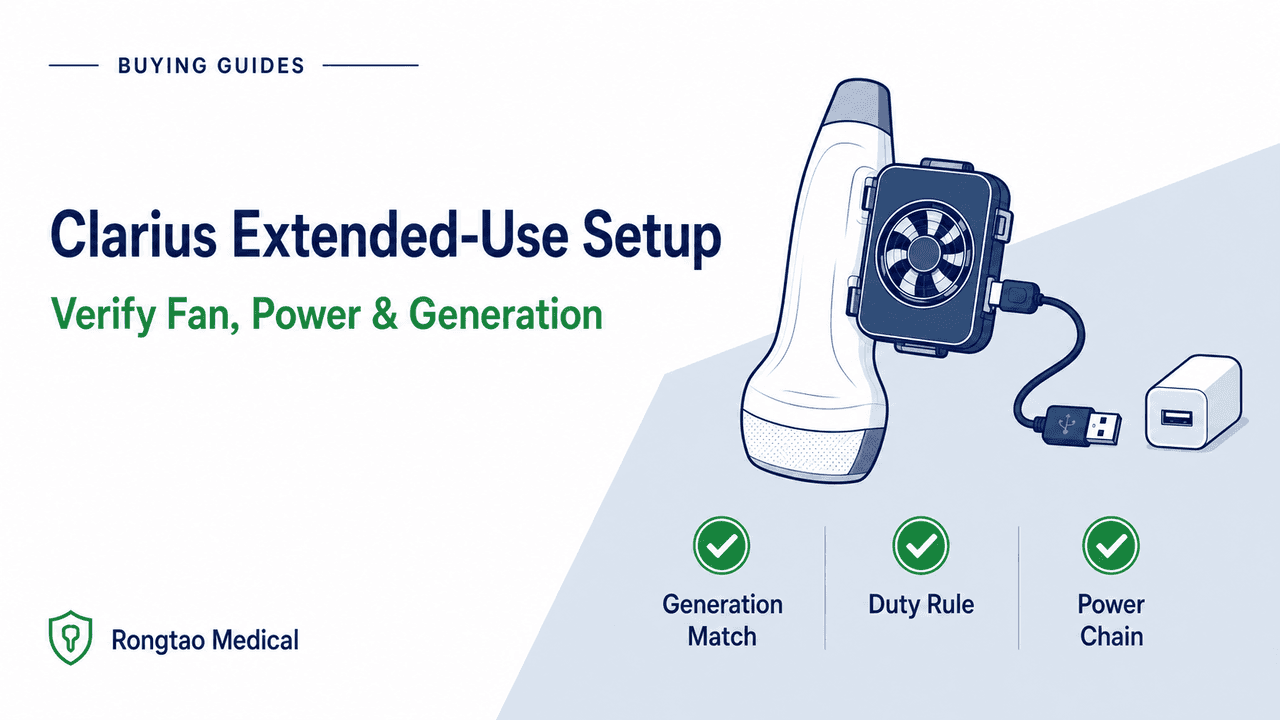
Which scanner generation do you have, and why does it change the accessory?
For an extended workshop or a long clinic list, start at the equipment bag. An older HD scanner and an HD3 both have clip-on fans, but matching the scanner name on a quote or checking that an accessory looks similar leaves out the generation. Read the scanner label and record the accessory identifier before signing off the kit.
The Scanner HD manual tells users to match the fan to the scanner type. The HD3 manual also rules out interchanging HD3 and non-HD3 accessories. Clarius manuals label the part identifiers in the table as CIDNs.1, 5
- Clarius Scanner HD (second generation): Uses a removable rechargeable Li-ion battery (Clarius Battery HD, CIDN
99-13-00010in revision 1). The Clarius Fan HD (CIDN50-02-00061) clips onto the heatsink for cooling. Charge the battery with the matching HD charger or dock documented for the kit.5, 12 - Clarius Scanner HD3 (third generation, built-in battery): The HD3 uses a built-in rechargeable battery and pairs with the
Clarius Power Fan HD3(fan assemblyCIDN 50-02-00077and Clarius Micro USB cableCIDN 10-18-00039). The fan provides cooling and allows the scanner to charge from an external source.1, 3
The January 2023 launch release referred to ten third-generation scanners. The current product overview and the revision 17 environmental table name different sets of eight models. For example, the overview lists Vet HD3, while the human-device manual table lists C7 HD3. Use the exact model and market documentation for the unit in hand, especially for veterinary models. The same check matters when verifying scanner generation before pairing probes or accessories.1, 8, 9
| Verification field | Clarius Scanner HD (earlier generation) | Clarius Scanner HD3 (third generation) |
|---|---|---|
| Battery architecture | Removable Li-ion battery. Revision 1 identifies Clarius Battery HD as CIDN 99-13-00010. | Built-in rechargeable battery. Clarius provides Battery Check in its app. |
| Documented fan accessory | Clarius Fan HD (CIDN 50-02-00061); attaches to built-in heatsink. | Clarius Power Fan HD3 (assembly CIDN 50-02-00077; removable cable CIDN 10-18-00039). |
| Power passthrough capability | Cooling only. The charging hardware is separate from the Fan HD. | Cooling plus external power when connected through the documented cable and supply. |
| Documented charging route | Battery Charger HD (CIDN 99-13-00008 in revision 1) takes the removed battery. Clarius also documents a separate 2-in-1 Charging Station HD for a docked scanner and spare battery. | Charge using only Clarius Charger HD3 or Clarius Power Fan HD3. |
| 15-minute fan rule | Must use fan when scanning more than 15 consecutive minutes (HD Manual Rev 1, p. 27). | Use the Power Fan HD3 when scanning more than 15 consecutive minutes (HD3 Manual Rev 17, p. 26). |
| Battery and exam duration | The HD manual gives no Fan HD runtime figure. Plan separately for battery charging and any cooling needs. | The Rev 17 manual gives approximately 45 minutes of typical battery scanning. The product overview lists more than 60 minutes of scan time and recommends a maximum exam time of 20 minutes. Confirm the model and conditions before planning around either runtime figure. |
| Primary source and as-of date | HD Manual 15-03-00064-MAN Rev 1 (October 2019) and Clarius 2-in-1 Charging Station HD announcement (December 2020). | HD3 Manual 15-03-00118 Rev 17 (October 2024), AccessGUDID and Clarius product and warranty pages. |
Source: Clarius HD manual Rev 1 (pp. 8–9, 27, 31–35), HD3 manual Rev 17 (pp. 26, 32, 34–36), AccessGUDID and Clarius scanner, charging station and warranty pages.
What does the HD3 manual actually require after 15 minutes of scanning?
Clarius’s HD3 manual puts the fan rule in the Imaging section. Revision 17 retains the same instruction as revision 9: use the fan when scanning for more than 15 consecutive minutes.1, 2
The manual describes typical use as five minutes of scanning followed by ten minutes in standby or off.1 That pattern describes the conditions behind typical use. The 15-minute fan threshold applies to one continuous stretch of imaging. The 20-minute recommended maximum exam time comes from the general product overview, alongside an advertised battery scan time of more than 60 minutes. Record those figures separately when planning a session. The manual estimates about 45 minutes of typical battery scanning, and neither battery figure establishes how long a single exam can run.1, 9
The manual also describes an automatic sequence for when a scanner is turned on and left untouched. Compare when imaging stopped with the intervals below before deciding whether a shutdown needs investigation.1
| Trigger or condition | Documented scanner or fan behavior | Operational interpretation |
|---|---|---|
| Typical-use duty baseline | Five minutes of continuous scanning followed by ten minutes in standby or off (HD3 Manual Rev 17, p. 26). | The manual’s typical-use pattern for intermittent operation. |
| Scanning >15 consecutive minutes | Power Fan HD3 required (HD3 Manual Rev 17, p. 26). | Hard setup gate for workshops, lengthy procedures, or continuous demonstrations. |
| Three seconds without use | Scanner automatically decreases frame rate. | Normal power/thermal conservation—not a processor lag fault. |
| 30 seconds at decreased frame rate | Scanner automatically freezes the image. | Normal progression; unfreeze to resume imaging. |
| 10 seconds in freeze mode | Scanner transitions to idle state. | Part of the expected sequence when the controls remain untouched. |
| 15 minutes in idle state | Scanner automatically shuts down completely. | Expected auto-off. The manual says startup can take up to 30 seconds. |
| Scanner reaches 35°C (95°F) | Attached Power Fan HD3 activates automatically. | The activation point is for the fan. Use the scanner’s own temperature indication to document a heat event. |
| Maximum scanner surface temperature | The scanner shuts down automatically at its model-specific limit. | A shutdown during active imaging warrants a setup review. Escalate recurring events with the operating and power record. |
Source: Clarius HD3 User Manual Rev 17 (pp. 25–26, 34, 70).
Revision 17 lists 0–40°C (32–104°F), 15–95% relative humidity, and 620–1060 hPa under normal operating limits for the scanner models and Power Fan HD3 named in its table. The general product overview gives an upper humidity figure of 90%, so use the documentation for the exact unit and region. Check the phone or tablet separately.1, 9 The manual puts its 20-minute footnote in the separate transient operating conditions column. It describes at least 20 minutes of operation immediately after leaving a 20°C environment with the Power Fan HD3, B-Mode and Eco Mode. The accompanying footnote excludes charging through the fan in those transient conditions. Keep that scenario out of the normal indoor power plan.1, 2
Which power chain is documented for extended scanning and charging?
The fan cable and the AC power supply are separate items. Revision 17 specifies a Clarius Micro USB cable between the fan and the supply’s USB connection, and calls for a Clarius-recommended supply for an AC outlet. Check the two parts separately on a used kit.1
| Component or parameter | Documented specification | Acceptance and setup rule |
|---|---|---|
| Power Fan assembly | Clarius Power Fan HD3, CIDN 50-02-00077. | Inspect housing, snap latches, and contact interface before attachment; verify no corrosion or cracked seals. |
| Removable cable | Clarius Micro USB cable, CIDN 10-18-00039. | Match the part to the fan and inspect the connectors and strain relief. |
| AC wall power supply | Input: 100–240 VAC, 50–60 Hz, 0.45 A. DC output: 5 V, 3.2 A. | Use a Clarius-recommended supply with the appropriate regional plug. The cable connects to its DC side. |
| Power Fan HD3 | Input and output: 5 V DC, 3.2 A. | Use the rating to verify the documented setup. A matching label by itself cannot establish that a substitute is supported. |
| Electrical protection class | Class II (double insulated), no applied part (fan itself). | Keep scanner-to-patient safety boundaries intact; inspect insulation and cable strain relief. |
| Approved scanner charging routes | Charge the Clarius Scanner HD3 using only the Clarius Charger HD3 or the Clarius Power Fan HD3. | Check battery status and the documented charging indications for the model before depending on the setup. |
| Portable external power | Clarius’s Power Fan product page and classroom tutorial show a portable battery pack as an option. | Verify the supported pack for the exact setup with Clarius and document it under facility policy. |
Source: Clarius HD3 User Manual Rev 17 (pp. 34–36), Power Fan HD3 product page and Clarius Classroom Power Fan tutorial.
The fan attachment handles cooling. The external supply and cable make the charging path. Clarius says imaging can continue while the HD3 charges through the fan. For a setup check, record the supply and cable, the documented charging indication and the battery status. Clarius describes the scanner LED’s charge bands and the app’s battery-level display. An observed power or charge indication documents that setup at that time.1, 6
Clarius shows the fan connected to a wall supply or a portable pack. Before taking a portable pack into the field, confirm the supported combination with Clarius for the model and region. Record the pack model and condition, the fan cable, how charging was verified and whom to contact if power drops. Include a separate power and operating-environment check for the tablet or phone.1, 6, 7
Check where the session will happen. The HD manual restricts use of its Battery Charger HD in air and road ambulances and other emergency medical service (EMS) environments. The HD3 manual restricts both the Charger HD3 and charging via Power Fan HD3 in those settings, and explicitly includes patient transport and home healthcare in those warnings. Confirm the manual’s environmental and power requirements before planning a mobile setup.1, 5
How should a fleet plan for an older Clarius HD scanner?
The Fan HD clips onto the HD scanner and extends scanning time. The HD manual gives no Fan HD runtime figure. Revision 1 describes charging a removed battery in the Battery Charger HD. Clarius later documented a 2-in-1 Charging Station HD with a dock for the scanner and a slot for a spare battery. Both are separate charging setups. Verify which one is included when buying used. For an unidentified or first-generation accessory, ask Clarius to confirm the model and match from its label.5, 12
Plan a long HD session around the condition and availability of its removable batteries and the scheduled gaps in imaging. If the job requires external power during scanning, confirm whether the exact scanner has a documented route for it. The distinction matters when comparing a second-hand kit with a current HD3 offer.
| Claim or rule topic | Vendor marketing / press framing (with date) | Operative manual & support constraint | Acceptance takeaway |
|---|---|---|---|
| Continuous duration | Jan 17, 2023 press release: '24/7 ultrasound scanning,' 'unlimited power and cooling,' 'all-day scanning,' and multiple weeks of continuous running at Clarius headquarters before field trials. | HD3 Manual Rev 17 (p. 26) requires the fan beyond 15 consecutive minutes. The manual separately describes a typical intermittent-use pattern. | For extended use, verify the configured scanner, power, duty and environment. Keep a plan for interruptions. |
| Environment and charging | The fan product page shows a wall supply or battery pack for heavy use. | Rev 17 (p. 71) lists normal operating limits separately from transient conditions. The 20-minute footnote applies to transient conditions. Charging through the fan is outside that transient rating. | Check the manual for the unit and planned location before approving a power configuration. |
| Battery endurance and exam time | The general Scanners page lists more than 60 minutes of scanning and a recommended maximum exam time of 20 minutes. | Rev 17 estimates approximately 45 minutes of typical battery scanning and requires a fan beyond 15 consecutive minutes. | Put the listed battery estimates, exam recommendation and fan threshold in separate fields. |
| Earlier HD fan | Used accessory listings can shorten generation names to Clarius Fan. | HD Manual Rev 1 (p. 34) specifies Fan HD for cooling and gives no runtime figure. The HD battery charges separately. | Match the exact model, fan and charger before scheduling the kit. |
| Vendor testing | Clarius reports that scanners ran continuously for multiple weeks at its headquarters before field trials. | The release gives no protocol or model-by-model duration table for those runs. | Treat the report as vendor experience. Record your own configuration and observed behavior for acceptance. |
Source: Clarius January 17, 2023 press release, Power Fan HD3 product page, Scanners overview, HD3 manual Rev 17 and HD manual Rev 1.
The launch report and tutorial explain the appeal of powered HD3 use for a long teaching day. The manual confirms that scanning can continue while charging through the fan. A prepared kit and an observed checkout support the session plan. Keep the manufacturer’s fan requirement and operating limits in that plan and log interruptions if they occur.1, 7, 8
When does a hot scanner stop being a setup problem and become a service problem?
The HD3 manual describes automatic fan activation when the scanner reaches 35°C. It also says the scanner shuts down at its maximum surface temperature. The fan activation threshold and the lens surface shutdown limit describe different events. Log the warning or temperature indicator as it actually appears instead of assuming every model gives the same countdown.1
If a scanner shuts down during active imaging, pause and record the issue under the facility’s equipment policy. Note the model, fan, power setup, imaging mode and room conditions. Revision 17 describes scanner status lights and audible alerts. Record their color, pattern or timing, plus any indicator you saw in the app. Send that record to Clarius or qualified service if the problem recurs with a verified configuration. Avoid repeatedly restarting a unit that shows a thermal warning.1
- Use Battery Check for warranty triage: Clarius lists a three-year standard warranty for new HD3 scanners and one year for refurbished scanners, excluding their built-in batteries. The terms list one year for new batteries and accessories and six months for refurbished ones. A built-in battery needs a failed Battery Check during its coverage period to be eligible for battery warranty service. Direct-purchase terms generally cover the original customer. Confirm the applicable terms for a used or distributor-sourced unit.10
- Check cleaning and disinfection records: Match the scanner, fan and cable to the relevant instructions. Revision 17 directs users to clean and disinfect the Power Fan HD3 after each use and gives separate cable instructions. The earlier HD manual directs removal of the Fan HD before high-level disinfection of the EC7 HD. Refer cracked housings or visible liquid damage to qualified service.1, 5
- Observe hard stops—do not improvise: Never open a sealed handheld housing, bypass thermal shutdown prompts, pack ice/gel packs onto an active scanner outside OEM instructions, use third-party power cables to force charging, or ship a blood- or biohazard-contaminated unit for service (explicitly excluded under Clarius warranty terms).10
If your team manages a mixed fleet that also includes cart-based consoles or traditional portables, keep the fault paths separate. Cart overheating follows our console overheating site, filter, fan, and board decision path, while laptop-style portable charging failures follow our portable battery charger versus DC board triage guide. Handhelds with sealed assemblies require generation-specific OEM warranty or qualified-service evaluation rather than console-style board swaps—a budget reality explored in our handheld ultrasound fleet service-gap report.
What should a fleet manager record before an extended-use session?
Follow the same discipline used in our OEM accessory acceptance record framework: verify the hardware chain on paper before the teaching day or procedure block begins, so any mid-session shutdown produces actionable evidence rather than guesswork. Use Table 5 as a pre-session sign-off sheet.
| Record field | Exact evidence to capture | Pass / Escalate gate |
|---|---|---|
| Scanner identity & generation | Exact model name and serial number as shown on the scanner label, plus the applicable manual revision. | Gate: Confirm HD vs. HD3 before selecting any fan or charger. |
| Fan & cable CIDN | Fan housing label (CIDN 50-02-00077 for Power Fan HD3 or 50-02-00061 for Fan HD) and the HD3 cable identifier (10-18-00039). Check the packaging or supplier documentation if a cable marking is absent. | Hold mismatched generations out of the kit immediately. |
| Power supply and charging check | Supply label or Clarius-supported external pack details, cable and observed charging indication. | For HD3, record whether charging is verified through the fan or through the separate Charger HD3. Escalate a failure on the documented path. |
| App, firmware & Battery Check | Clarius App version, iOS/Android OS version, scanner firmware revision, and Battery Check status (HD3) or battery cycle/age note (HD). | Failed Battery Check inside warranty routes to Clarius RMA per HD3 Warranty Terms. |
| Environment and mode | Room temperature and humidity against the applicable manual, location, expected imaging mode and separate tablet power plan. | Check EMS and transient-condition charging restrictions before approving any mobile setup. |
| Reprocessing handoff | Assigned owner and exact scanner, fan and cable cleaning and disinfection instructions, as applicable. | Hold a damaged accessory for qualified assessment. |
| Post-session fault log | Time, app temperature indicator, scanner status light or audible alert, active imaging mode, whether the fan ran, and room temperature at shutdown. | Escalate recurring heat events with the setup record attached. |
Source: Editorial worksheet based on Clarius HD3 User Manual Rev 17, HD User Manual Rev 1 and HD3 Warranty Terms.
Three synthetic worked scenarios
The following three fictional scenarios illustrate how the generation gate, power chain, and escalation boundary work in practice without relying on any real customer or serial record:
- Scenario A — An aesthetics workshop needs external power: A coordinator plans a six-hour workshop with an L20 HD3. Biomed records the exact fan and cable, confirms a Clarius-recommended wall supply and observes charging in the assigned room. The team records temperature, the planned imaging breaks and a separate tablet charger. The worksheet supports that setup. It also gives the coordinator a backup plan if the scanner warns or stops during the workshop.
- Scenario B — A used scanner arrives with the wrong fan: A used handheld’s label says HD3, but the seller packed the Fan HD with CIDN
50-02-00061. The technician photographs both labels and holds the kit. Ask the seller to supply a documented HD3 accessory and cable, then verify the setup before relying on it for an outreach session. - Scenario C — A scanner shuts down despite a verified setup: An L15 HD3 in a 21°C room repeatedly stops during active imaging while fitted with the documented fan, cable and wall supply. The team records what was on screen, whether the fan was running, the app and firmware versions and the timing of each event. It takes the unit out of the session and gives Clarius or qualified service the record. A Battery Check result can be included for warranty triage.
Where Rongtao can help
Rongtao Medical provides multi-brand ultrasound board repair, probe services and tested replacement parts for supported platforms. Its published board-repair terms include 48-hour testing in an ultrasound system, a typical turnaround of 5–8 business days and a typically 90-day warranty, confirmed per item.11
For Clarius fan procurement, battery warranty or a return authorization, contact Clarius or the distributor of record. The setup record in Table 5 gives them the scanner, accessory and power details to verify.4, 10
For a console, portable system or probe in the rest of your fleet, see our ultrasound repair services or request a quote. Include the following details for the affected equipment.
- Equipment: OEM, model, serial number and part number, with clear label photos. Include both sides for a board enquiry.
- Fault: What the system was doing, the exact warning or error, and the accessory or power setup in use.
- Logistics: Quantity affected and destination country. Leave patient identifiers and clinical images out of the enquiry.
Frequently asked questions and verification limits
Which fan should I order for an earlier scanner?
For a second-generation Scanner HD, read the scanner label and look for the Fan HD identifier 50-02-00061. For an HD3 covered by the referenced manual, the Power Fan HD3 uses identifier 50-02-00077. For a different generation or a model missing from the cited documentation, ask Clarius to confirm the match.1, 3, 5
What should I check before using an external battery pack?
Clarius demonstrates this option for the Power Fan HD3. Ask which pack is supported for your exact setup, verify the Clarius cable and record how you confirmed charging. The 5 V DC, 3.2 A specification describes the documented power path. A matching rating alone leaves the compatibility question open.1, 6, 7
What do the 15-minute and 20-minute figures refer to?
The manual’s 15-minute rule sets the point beyond which a fan must be used during consecutive scanning. Clarius’s product overview recommends a maximum exam time of 20 minutes. A separate 20-minute footnote in revision 17 concerns transient conditions after leaving a 20°C environment. Charging through the fan is outside that transient rating.1, 9
Why did my HD3 reduce frame rate, freeze, or shut down?
If the unit was untouched, compare the event with the idle sequence in Table 2. If it stopped during active imaging, document its temperature indication, power setup and any visible warning. Pass recurring events to qualified service for review.1
Verification scope (November 19, 2026): The guide uses manufacturer documents, public product information and a device identification record. The worked examples are fictional. Check the manual and local documentation for your model, serial number and market. Clarius’s Quick Start Guide gives a route to request the applicable printed manual.4