
Why "Compatible with Voluson" Is Not an Answer
Hospital biomedical engineering departments, independent service organizations, and equipment refurbishers regularly encounter an appealing opportunity: a high-end used or surplus ultrasound transducer offered on an equipment exchange or dealer portal at a steep discount. The listing headline appears promising, asserting broad compatibility such as "GE RAB6-D 3D/4D Probe – Compatible with Voluson." However, treating that single descriptive phrase as a buying green light is a common and avoidable purchasing error.
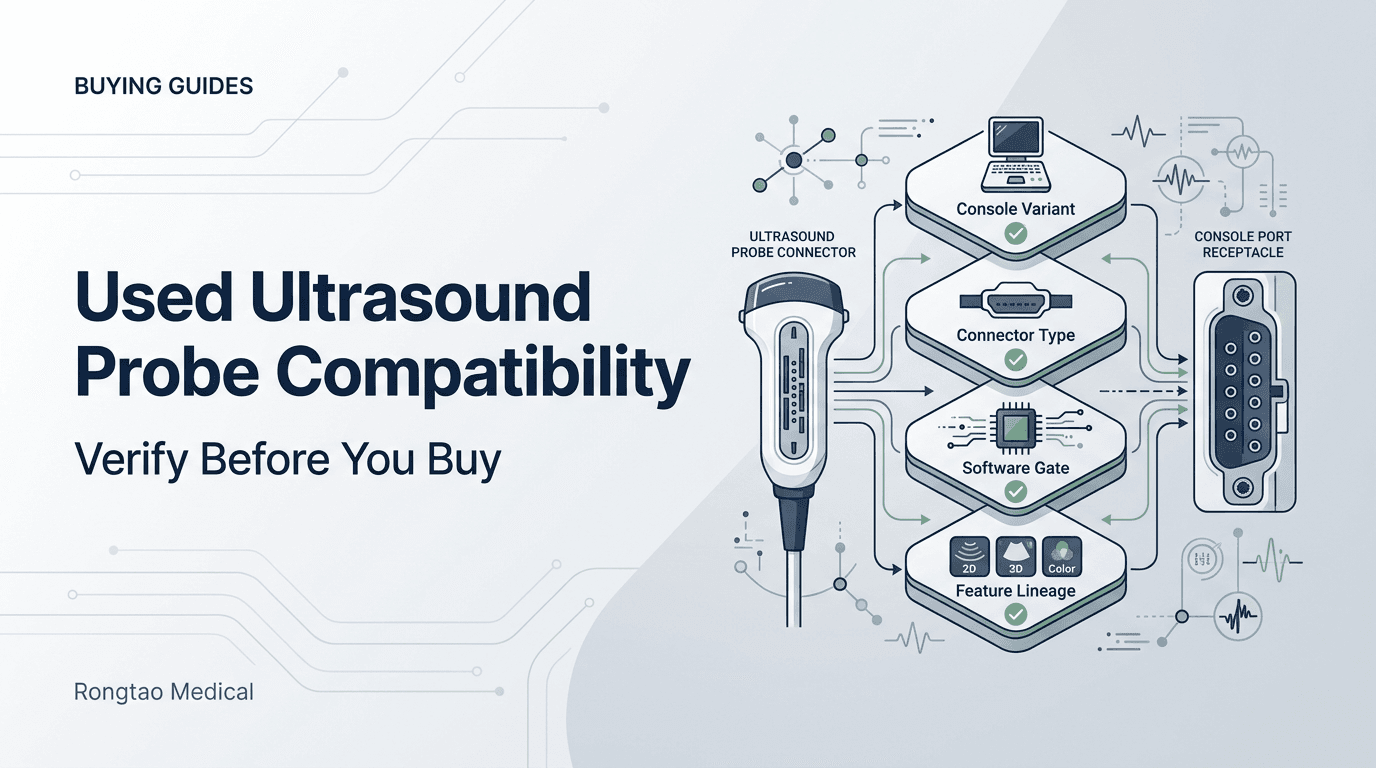
A transducer does not pair with a brand or a family name. It pairs with a specific console model and configuration, a specific version of the probe (which the suffix and the OEM catalog number identify), a software level that recognizes it and, for modes such as 4D or CW Doppler, console hardware and options that the probe alone cannot supply. Those are separate facts, and a typical listing states none of them.
When the pairing is wrong, what you see depends on which layer failed: a connector that does not seat, a console that reports the probe as unrecognized or unsupported, or a probe that images in B-mode while the mode you paid for stays unavailable. Seller guides themselves warn that an incompatible probe can mean poor image quality, system errors or complete failure to operate. 10 Field threads show the moment in practice: a buyer of a refurbished Voluson S8 reported that probes which worked on another machine produced 'an error connecting probe 106 to the port' on theirs. 8 The thread does not establish a cause, which is the point: without the pairing facts recorded in advance, nobody can tell quickly whether the probe, the port, the software level or the configuration is responsible. Replace seller assurances with a five-layer check before issuing a purchase order.
The Five-Layer Pre-Purchase Verification Workflow
Determining whether a second-hand or replacement transducer will successfully image on your facility's ultrasound machine requires answering five sequential questions. Each layer serves as a hard gate. If a candidate probe fails any single layer, the transaction must be placed on hold until engineering documentation clarifies the gap, or the buyer must walk away to avoid acquiring non-functional inventory.
The checks run from the console you own to the probe you are buying and then to independent records: first record the console identity and software level, second identify the exact probe version, third confirm the software and configuration gate, fourth confirm the modes you need are supported with that probe, and fifth corroborate the pairing against the public FDA record. 1 3
| Verification Layer | Target Parameter | Primary Verification Source | Pass/Fail Decision Boundary |
|---|---|---|---|
| Layer 1: Console identity | Exact model and variant, BT/software level and installed options (for example Voluson E8 BT06 versus BT08, or Voluson Expert 18 versus 20 versus 22). | System information screen, rating label, service records. | Record it before shopping; a marketing model name alone cannot be matched against an OEM transducer list. |
| Layer 2: Probe version | Full probe name with suffix or generation marker, and the OEM catalog/REF number from the connector label. | Connector-label photo; OEM probe guide or user manual that pairs probe names with catalog numbers. | The catalog number must match an entry the OEM lists for your system; no adapters, no forcing. |
| Layer 3: Software and configuration | Installed software level and model tier or configuration. | System information screen; OEM supported-transducer list for that software level; release notes. | The probe must be supported at your level and configuration, or the upgrade must be priced into the deal. |
| Layer 4: Feature prerequisites | Modes you need with this probe (4D, CW Doppler, elastography, specific presets) and the console hardware or options they depend on. | Option/licence screen; installed boards; OEM documentation; the probe's FDA indications form. | Each required mode must be supported for that probe and enabled on your console. |
| Layer 5: Public record | FDA 510(k) Indications for Use forms and recall records for the console and probe. | FDA 510(k) and recall databases. | Corroborates what the OEM cleared in the US at a point in time; absence is a reason to ask, not proof of incompatibility. |
Source: Rongtao Medical editorial synthesis of the OEM, FDA and vendor sources cited in this report.
This workflow integrates directly with the console purchase gate where the probe question belongs, ensuring that ultrasound systems and accessory transducers are evaluated under identical engineering rigor.
Layer 1: Pin the Exact Console Model, Generation, and Hardware Revision
Start by fixing the identity of the console you own. Manufacturers often keep one commercial model name across years of software and hardware revisions, so the name on the bezel is not a specification.
The GE Voluson E8 is a clear example. GE's preliminary service manual for the platform (KTI106056, revision 5, June 2009) is explicitly scoped to two software levels: Voluson E8 systems with SW 6.x.x (BT06) and Voluson E8 / E8 Expert systems with SW 7.x.x (BT08). 5 Later BT levels followed. The newer Voluson Expert line shows the same principle from another angle: GE's December 2024 510(k) summary states that Voluson Expert 18, 20 and 22 'are same in hardware', yet Expert 18 is a lower version in which 'not all probes or functions are available', and Expert 20 supports all probes except the eM6C G3, RIC6-12-D and RM7C, which Expert 22 supports. 3 Two consoles that look identical can therefore have different supported-probe lists.
Record the identity from the console itself: the system information (or equivalent) screen for model, BT/software level and installed options, and the rating label for the serial number. Keep a photo of both in the purchase file. For Voluson owners, our report on how to read the BT level that gates probe support explains where the level is shown and why it matters for parts as well as probes.
Layer 2: The Connector Generation the Listing Never Names
Even when the probe name looks right, the unit in the listing may be a different version of that probe built for a different system family. Sellers acknowledge this in their own guides: one dealer FAQ notes that GE compact RS-series connectors on the Logiq e and Logiq F8 differ from larger console connectors on older Logiq platforms, and that Philips iU22/iE33 connectors differ from EPIQ or Affiniti connectors. 12 Treat that as a seller's description rather than an OEM specification, but take the warning seriously.
In GE naming the suffix is part of the identity. Seller tables list ML6-15-D for the Logiq E9, Logiq S8, Voluson E8 Expert and Vivid E9, but ML6-15-RS for the Voluson S8/S10, Logiq P9 and Vivid iq. 11 GE's own Voluson E10 probe guide pairs each probe name with an OEM catalog number, for example C1-5-D H40452LE, C4-8-D H48681AS and eM6C H48681MJ. 7 The catalog number on the connector label is the identifier to match:
- Read the full probe name, including any suffix (-D, -RS, Compact) or generation marker (G2, G3), from the connector label, not from the listing title.
- Ask for a clear photo of the label showing the OEM catalog/REF number and serial number, plus both faces of the connector.
- Match the catalog number against the OEM probe guide or user manual for your exact system and software level.
- If the listing omits the suffix or catalog number, treat the probe as unidentified until the seller supplies the label photo.
A listing titled 'RIC5-9 transvaginal probe' shows why. GE has used RIC5-9 as a family name across several versions: the 2016 Voluson E-series clearance lists the RIC5-9-D on the Voluson E6/E8/E10, 1 while GE's 2024 Voluson Expert filing records data acquired with RIC5-9A-RS and RIC5-9 probes as well as the RIC5-9-D. 3 Which version is in the box decides whether it fits your console. Do not use improvised adapters or force a connector to make a mismatched probe fit.
Philips' own documentation shows the same pattern. Its 2017 disinfectant-compatibility manual lists V6-2 (HD11 XE, HD15, iU22) and V6-2 (Affiniti, ClearVue, EPIQ, HD5) as separate entries, and does the same for C5-1 and 3D9-3v. The manual notes that where no system is designated, 'all versions of the transducer' share the same entry, and it directs readers to the system user manual for the list of transducers each system supports. 4 The document does not describe connectors, so on its own it does not prove two versions cannot interchange. It does show that Philips treats them as distinct versions, which is reason enough to confirm the exact version before buying.
Layer 3: The Software Gate That Hides Inside Probe Listings
Even when the console model is right and the connector seats, the console may not offer the probe. Support for a given transducer depends on the installed software level and, on tiered product lines, on the model configuration.
Ultrasound systems recognize connected transducers and apply probe-specific presets and operating limits through their system software. That is why a probe introduced after a console's software release may be reported as unrecognized or unsupported, and why a software update can add probe support. The mechanism varies by manufacturer and is not something a buyer needs to test. What matters is whether the OEM lists the probe as supported at your software level and configuration.
The OEM evidence for this gate is clearest on tiered systems: GE's 2024 Voluson Expert summary says the three models share hardware but differ in which probes are available (see Layer 1). 3 For older platforms, GE scopes documentation by software level; the preliminary Voluson E8 service manual covers BT06 (SW 6.x.x) and BT08 (SW 7.x.x) systems. 5 The supported-probe list you check must be the one for your installed level, not the newest brochure. GE's current Voluson E8 product page presents today's probe line-up, including the XDclear C2-9-D and C1-6-D and the RAB6 volume probe, but not which software level each probe needs on an older unit. 6
In practice: record your software level before you shop, ask the seller which software level the probe was tested on, and if the probe is newer than your software, ask the OEM or your service provider whether a supported update exists, what it costs and what else it changes on the system. Do not install unofficial software or patches to make a probe appear.
Layer 4: Features That Need More than the Transducer
A common misunderstanding among equipment buyers is assuming that acquiring an advanced probe automatically unlocks advanced imaging modes on their scanner. In reality, modern diagnostic modalities depend on an intricate balance between transducer array capabilities, internal hardware boards, and installed software license keys.
Volume probes add dependencies. A mechanical 4D probe such as the RAB6-D needs the console's volume-acquisition hardware and the relevant options, and an electronic matrix probe such as the eM6C has its own support requirements. If those are missing, the probe may still produce 2D images while volume modes stay unavailable. Our guide on what a volume probe needs besides a socket covers how to separate a motor-drive fault from a probe fault.
CW Doppler is similar: it depends on the console's CW capability as well as a CW-capable probe. Our analysis of when the missing function is not the probe at all shows how a missing CW function can come from the board, the probe or the software, and why it is often misread as probe incompatibility.
The FDA record shows feature gating at clearance level. In K162269, the Voluson E-series system form notes '4D color Doppler (only with eM6C probe)', and the eM6C and eM6C G2 forms repeat '4D color Doppler (only with eM6C, eM6C G2 probe)'. The same summary states that the Fetal Cardio preset was already cleared with the eM6C, eM6C G2, RM6C, C1-5-D and C4-8-D, and that this filing added it to the C1-6-D and C2-9-D. 1 A probe can therefore be a legitimate pairing for the console and still not carry a mode or preset you expect. Check the mode against the probe, not only against the console.
Layer 5: What Free Public 510(k) Records Actually Prove
When seller tables disagree, the OEM's supported-transducer list for your system and software level is the primary answer. The public FDA record maintained by the Center for Devices and Radiological Health (CDRH) is a free, independent check on it.
Diagnostic ultrasound systems and transducers are classified under FDA product codes including ITX (diagnostic ultrasound transducer), IYN (pulsed Doppler imaging system) and IYO (pulsed echo imaging system). Ultrasound system 510(k) submissions commonly include a Diagnostic Ultrasound Indications for Use form for the system and for each transducer cleared with it, listing clinical applications and modes.
K162269, decided October 3, 2016 for the GE Voluson E6, E8 and E10, is a useful worked example. 1 It contains 21 transducer-specific Indications for Use forms, one for each of these probes: 1
RAB2-5-D, RIC5-9-D, 4C-D, IC5-9-D, RSP6-16-D, RIC6-12-D, 9L-D, 11L-D, C1-5-D, ML6-15-D, RM6C, 3Sp-D, C4-8-D, RAB6-D, eM6C, S4-10-D, IC9-D, eM6C G2, C2-9-D, C1-6-D and IC4-10-D (listed in the order the forms appear).
Twenty of the forms name the systems explicitly as 'GE Voluson E6 / Voluson E8 / Voluson E10'; the IC4-10-D form uses 'GE Voluson E Series'. The record also shows lineage: the C1-6-D and C2-9-D forms carry the note 'E = added under Appendix E (cleared on LOGIQ E9 K152309)'. 1 That tells you those probes were first cleared on the LOGIQ E9 and then added to the Voluson E series. It does not tell you which software level a particular used Voluson needs to recognize them.
The forms also differ in content. In K162269 the 11L-D and ML6-15-D forms carry an elastography note that the 9L-D form does not, and the IC4-10-D is the only transducer whose applications are marked as new (N) indications. 1 Newer filings remain useful in a different way: GE's December 2024 summary for the Voluson Expert 18/20/22 lists the probes carried over from the predicate, names one new probe (the RAB7-D, described as substantially equivalent to the RAB6-D) and spells out which probes each model tier supports. 3
Know the limits. A 510(k) is a point-in-time US clearance; it does not show the licensed options, software level or condition of a specific used console. A probe absent from an older filing is not proven incompatible, because later software releases and later clearances can add transducer support. OEM product pages present the current line-up without legacy software dependencies, and OEM probe guides carry the manufacturer's reservation that specifications may change. 6 7
Same Name, Different Probe: Suffix and Generation Traps
Listings often compress model names and drop the suffix or generation marker that determines which version is in the box.
Philips' own reprocessing documentation makes the point. Its disinfectant-compatibility tables list several transducers separately by system group: 4
- V6-2 (HD11 XE, HD15, iU22) and, separately, V6-2 (Affiniti, ClearVue, EPIQ, HD5).
- C5-1 (CX50, HD15, iE33, iU22) and, separately, C5-1 (Affiniti, EPIQ, Sparq).
- S12-4; S12-4 Compact (CX50); and S12-4 Compact (Affiniti, EPIQ).
- 3D9-3v (HD11, HD15, iU22) and, separately, 3D9-3v (Affiniti, ClearVue, EPIQ).
So if a seller decommissioned an iU22 and lists a 'Philips V6-2', do not assume it is the version listed for EPIQ. Ask for the connector label with the Philips part number and check it against the transducer list in your EPIQ's user manual, which is where Philips directs readers for supported transducers. 4
| Probe family | Versions documented | What the documents show | Evidence level |
|---|---|---|---|
| GE ML6-15 | ML6-15-D; ML6-15-RS | Seller table lists -D on Logiq E9/S8, Voluson E8 Expert and Vivid E9, and -RS on Voluson S8/S10, Logiq P9 and Vivid iq 11; K162269 clears ML6-15-D on Voluson E6/E8/E10 1 | Seller-reported system lists; FDA record for the -D version on the Voluson E series |
| GE RIC5-9 | RIC5-9-D; RIC5-9A-RS; RIC5-9 | K162269 clears RIC5-9-D on Voluson E6/E8/E10 1; the 2024 Voluson Expert filing records data acquired with all three names 3 | FDA records; the 2024 data tables describe AI training data sources, not cleared pairings |
| GE eM6C | eM6C; eM6C G2; eM6C G3 | K162269 clears eM6C and eM6C G2 on the Voluson E series 1; within Voluson Expert 18/20/22, only Expert 22 supports eM6C G3 3 | FDA records |
| Philips V6-2 | (HD11 XE, HD15, iU22) versus (Affiniti, ClearVue, EPIQ, HD5) | Separate entries in Philips' 2017 disinfectant manual 4 | OEM document; connector details not stated |
| Philips C5-1 | (CX50, HD15, iE33, iU22) versus (Affiniti, EPIQ, Sparq) | Separate entries 4 | OEM document; connector details not stated |
| Philips S12-4 | S12-4; S12-4 Compact (CX50); S12-4 Compact (Affiniti, EPIQ) | Three entries 4 | OEM document; connector details not stated |
Source: FDA 510(k) records K162269 and K242168; Philips manual 4535 618 90761 (2017); seller tables as labelled. This is an identity-trap list, not a compatibility matrix.
Seller tables are useful starting points and often the quickest way to find candidate pairings, but they are commercial documents without stated methods or dates. 11 Treat them as leads to check against the OEM list for your system, not as the answer.
What Evidence a Seller Must Provide Before You Pay
To protect your clinical engineering budget against unpriced risk, establish a formal pre-purchase documentation policy. Before executing a wire transfer or signing a purchase contract, require the seller to submit verifiable evidence confirming physical integrity, electrical safety, and actual operational pairing.
A supplier that genuinely tests pre-owned probes can usually provide these artifacts. If a seller dismisses the requests or answers with generic assurances such as 'working when removed from service', treat the listing as unverified and price the risk accordingly. Hold the claim to the standard a compatibility claim must meet.
| Deliverable | What it should establish | Acceptable seller artifact | Red-flag response |
|---|---|---|---|
| 1. Tested-on platform | Live imaging on the same console model and software level as yours. | Written statement naming console model and software level, ideally with a photo of the system information screen and the probe connected and imaging. | "Tested on our bench; fits all Voluson systems." |
| 2. Element health | Current element dropout, stated as a number. | Result from the seller's stated test method (for example a phantom image or probe-tester report), not 'images fine'. 9 | "Powers on; no image captures available." |
| 3. Label and connector photos | The exact probe version and the connector's physical condition. | Clear photos of the connector label (model with suffix, OEM catalog/REF number, serial) and both connector faces. | Stock catalog photos or blurry distant images. |
| 4. Lens and strain relief | Integrity of the acoustic lens, housing seams and cable strain reliefs. | Close-up photos showing no lens bubbling, peeling or cable splitting. | "Normal cosmetic wear for age; does not affect function." |
| 5. Electrical safety | A safety result appropriate to the probe type; insulation and leak integrity matter most for TEE and endocavity probes. | Test record from a calibrated analyzer with the method stated. Your own facility test on arrival still applies. | "Untested; buyer responsible for biomedical testing." |
| 6. Return terms | Time to complete your own arrival test, explicitly covering failure to pair with the stated console. | Written return window and remedy on the quote or invoice. | "As-is, where-is; all sales final; no returns for compatibility." |
Source: Rongtao Medical editorial checklist; the tested-on and element-count questions follow the used-probe guidance cited in this report.
One recent used-probe guide puts the distinction plainly: a probe verified on a matching live system is a different claim from one that passed a continuity check on a bench. 9 Pairing evidence and condition evidence are separate, and you need both.
The Day It Arrives: The Acceptance Protocol
Return windows on secondary-market equipment vary by seller and are often short, and carrier damage claims usually have their own deadline. Check both on the invoice before the box arrives, and test inside them, not just before first clinical use. 9
Clinical engineering should then run the acceptance test you run the day the probe arrives. The pairing-relevant parts of that intake are:
- Identification: connect the probe to the target console and confirm the system identifies it by the correct model name and offers the expected presets and modes.
- Visual and tactile inspection: examine the lens under magnification for pinholes, erosion or edge delamination, and flex the cable along its length while checking the strain reliefs at both ends.
- Connector examination: confirm the contacts are clean, undamaged and free of corrosion, and that the locking mechanism engages smoothly.
- Electrical safety: perform leakage testing with a calibrated safety analyzer under your facility's procedure before any clinical use.
- Imaging check: run an air scan and, where available, a phantom scan to establish an element-dropout baseline on your own system. 9
The "Probe Not Recognized" Rule-Out Sequence
What should an engineering team do when a newly received transducer is plugged in, but the console reports it as unrecognized or unsupported (the exact wording varies by manufacturer)? Rather than immediately assuming the probe is defective or initiating an abrasive dispute with the vendor, execute a systematic diagnostic triage sequence.
| Step | Diagnostic Check | Engineering Action | Differential Outcome |
|---|---|---|---|
| Step 1 | Seating and latch | Confirm the connector is fully seated and the lock fully engaged; reseat once. | Rules out an incompletely seated connector. |
| Step 2 | Port cross-check | If the console has more than one probe port, try another port. | If the probe works on another port, suspect the console port or its connector board rather than the probe. |
| Step 3 | Software level | Compare the installed software level with the OEM's supported-transducer list for that probe. | If the level is below what the OEM lists, the remedy is an authorized update, not a probe return, unless the seller warranted it for your level. |
| Step 4 | Options and model tier | Check installed options and, on tiered lines, whether your model tier supports that probe. | If the probe connects but modes or presets are missing, configuration is the first suspect. |
| Step 5 | Reference console | Test on a second console of the stated model and software level, if one is available. | If the probe fails on a known-good matching console, the probe is the likely fault; document it and invoke the return. |
Source: Rongtao Medical editorial triage sequence, ordered from least to most invasive. Qualified personnel only.
Keep strict boundaries during triage: never force an ill-fitting connector, never bridge connector contacts or defeat interlocks, and never install unverified software on clinical systems. If a known-good probe fails on one port only, the console side is the suspect; our Voluson S6/S8/S10 board decision path shows how port-specific symptoms are traced.
What Regulatory Recall Records Reveal About System-Transducer Pairing
Recall records show how narrowly a problem can be scoped to one combination of system, transducer, software and even port.
FDA recall Z-1007-2026 (Class 2, status completed) was initiated by Philips on July 14, 2022 and posted on December 31, 2025. It covers 'Philips EPIQ Ultrasound Systems (various models) used in conjunction with the X5-1c transducer', lists seven REF numbers with UDIs and software versions 9.0, 9.01 and 9.02, references 510(k) K231190 under product code IYN, and reports 1,721 systems in commerce with worldwide distribution. 2
The stated reason was that the system 'may experience an unexpected automatic reboot, resulting in damage to transducer'; FDA recorded the cause as a software design change. Philips' interim instruction was specific: 'If the X5-1c transducer is connected to the right-most port (when viewing from the front), this problem will not occur', and the X5-1c was to stay on that port until software update FCO79500561 had been installed. 2
Two lessons follow for a used-probe buyer. First, whether a pairing operates safely can depend on software level and even on which port is used, facts no listing states. Second, if you are buying an X5-1c for an EPIQ, or an EPIQ that came with one, ask for evidence that the correction has been installed; more generally, search the FDA recall database for both the console and the probe before purchase. A recall record says nothing about other transducers or software levels, so it is a check, not a compatibility list. For the wider picture, see our analysis of why transducer paperwork got heavier in 2025.
When the Answer Is No: Repair, Exchange, or Keep Looking
When the verification workflow reveals that a prospective transducer cannot pair with your console—or when an existing fleet probe fails—clinical engineering faces an economic crossroads: should you search for a different second-hand replacement, or should you repair the probe you already own?
If you already own a probe of the right version that has failed, repairing it can carry less risk than buying a used replacement: its pairing is already proven on your console, whereas a used probe brings unknown history and an unverified pairing. Whether repair is also cheaper depends on the fault and the quote, so compare written quotes rather than assuming.
Depending on the probe and the damage, qualified probe repair can address faults such as:
- Acoustic lens damage: replacing peeled, bubbled or chemically eroded lens material.
- Cable and strain-relief damage: repairing split or kinked strain reliefs and damaged cable sections that cause noise or intermittent images.
- Element-level faults: diagnosing and repairing disconnected or failing channels where the array itself is repairable.
- Volume-probe mechanics: servicing 3D/4D drive assemblies where the fault is mechanical rather than in the array.
When a probe you already own develops a physical or imaging defect, look at when the probe you already own is the problem before committing capital to speculative replacement inventory.
Where Rongtao Fits—and Where It Does Not
Guangzhou Rongtao Medical Technology Co., Ltd. is an independent repair and parts provider for hospitals, biomedical service companies, refurbishers and distributors, working across supported brands including GE, Philips, Siemens, Canon/Toshiba, Samsung and Mindray.
Where this decision touches our work:
- Probe repair: fault diagnosis and element-level repair of linear, convex, phased-array, endocavitary, TEE and volumetric (4D) probes, quoted per probe.
- Replacement transducers: aftermarket and original probes across supported OEM brands. Warranty is typically 90 days; final terms are confirmed per item.
- Console board repair: board-level diagnosis and repair with a typical 5 to 8 business-day turnaround, confirmed per job.
- Pairing review before a quote: we check the console model, software level and connector-label photos you send against available documentation and our case records, and we state ambiguity instead of guessing. This is a pre-sale check, not an OEM compatibility certification.
Maintaining clear boundaries is equally essential to our engineering integrity. Where Rongtao does not fit:
- Not an Authorized OEM Representative: Rongtao Medical is an independent service and parts provider. We are not affiliated with, endorsed by, or authorized representatives for GE HealthCare, Philips, Siemens, Canon, Samsung, or Mindray. OEM names and model designations are used exclusively for equipment identification.
- No Unverified Compatibility Matrices: We do not publish universal, speculative compatibility matrices that guarantee cross-brand or cross-revision compatibility without inspecting exact part numbers and software revisions.
- No Software Option Bypassing: We do not crack software option keys, bypass manufacturer security interlocks, or alter regulated medical device software code.
- No Clinical Prescriptions: We do not provide clinical advice regarding which transducer array or frequency should be selected for specific patient diagnostic procedures.
When requesting a pairing review or quote, send the pairing facts, not just a probe name: console OEM and exact model, software/BT level from the system information screen, probe model with full suffix and catalog number, photos of the connector label and both connector faces, the modes you need, quantity and destination.
Frequently Asked Questions
Will a probe with the same model number always work on the same brand of console?
No. A shared family name does not guarantee compatibility across a manufacturer's line-up. GE uses suffixes such as -D and -RS for different system families, and Philips lists separate V6-2 and C5-1 versions for different system groups. 4 11 Verify the full suffix and OEM catalog number against the supported-transducer list for your system.
Can a software update add support for a probe my system does not recognize?
Sometimes. Software updates can add support for newer probes, but support can also depend on model tier and hardware, as GE's Voluson Expert 18/20/22 filing shows. 3 Ask the OEM or your service provider which software level supports the probe and whether your system can run it. An update cannot fix a wrong probe version or connector.
Do I need the 510(k) number to buy a used probe?
Not to complete a purchase, but it helps. When seller tables conflict, the 510(k) Indications for Use forms independently corroborate which systems the manufacturer cleared a transducer with in the US at that time. They are a check on the OEM's supported-transducer list, not a record of what is configured on a specific used console.
The probe connects and images, but one function is missing. Compatibility or configuration?
When a transducer connects and scans in B-mode but a mode such as 4D, CW Doppler or elastography is unavailable, the cause is most often console configuration, options or hardware rather than a probe defect. First confirm the mode is supported with that probe at all (see Layer 4), then check the console's option screen and the hardware the mode needs.
What does a recall notice tell me about a probe-console pairing?
A recall can show that safe operation is scoped to a specific system, transducer, software range and even port. In Z-1007-2026, EPIQ systems on software 9.0 to 9.02 used with the X5-1c could reboot unexpectedly and damage the transducer, and the interim instruction was to use the right-most port until an update was installed. 2 Use recall records to ask whether a required correction has been installed; they are not compatibility lists.
Are third-party "compatible" probes safe to buy for a clinical system?
It depends on the manufacturer and the evidence. Ask for the manufacturer's identity, any regulatory clearance or registration that applies in your market, its quality-system certificate, and the same tested-on, element and electrical-safety evidence you would ask of a used OEM probe. Without that, you cannot judge acoustic output, safety or pairing, and the purchase should wait.
Limits and Recheck Triggers
This guide supports technical due diligence in pre-owned probe procurement. It is based on public FDA records, OEM documents and seller and community sources reviewed on October 26, 2026. 1 2 FDA records reflect US clearances at a point in time and do not show later software releases, other markets' approvals or the options installed on a specific console. The guide does not measure how often used probes arrive mismatched, and seller and forum sources are used only as labelled.
Clinical engineering departments should trigger a formal re-verification whenever a console undergoes major operating system updates, when internal electronic boards are exchanged or upgraded, when equipment is relocated across clinical departments, or when manufacturer field safety notices alter transducer operating guidelines. Final acceptance and clinical release must always be verified on the physical machine by qualified biomedical personnel prior to patient use.