
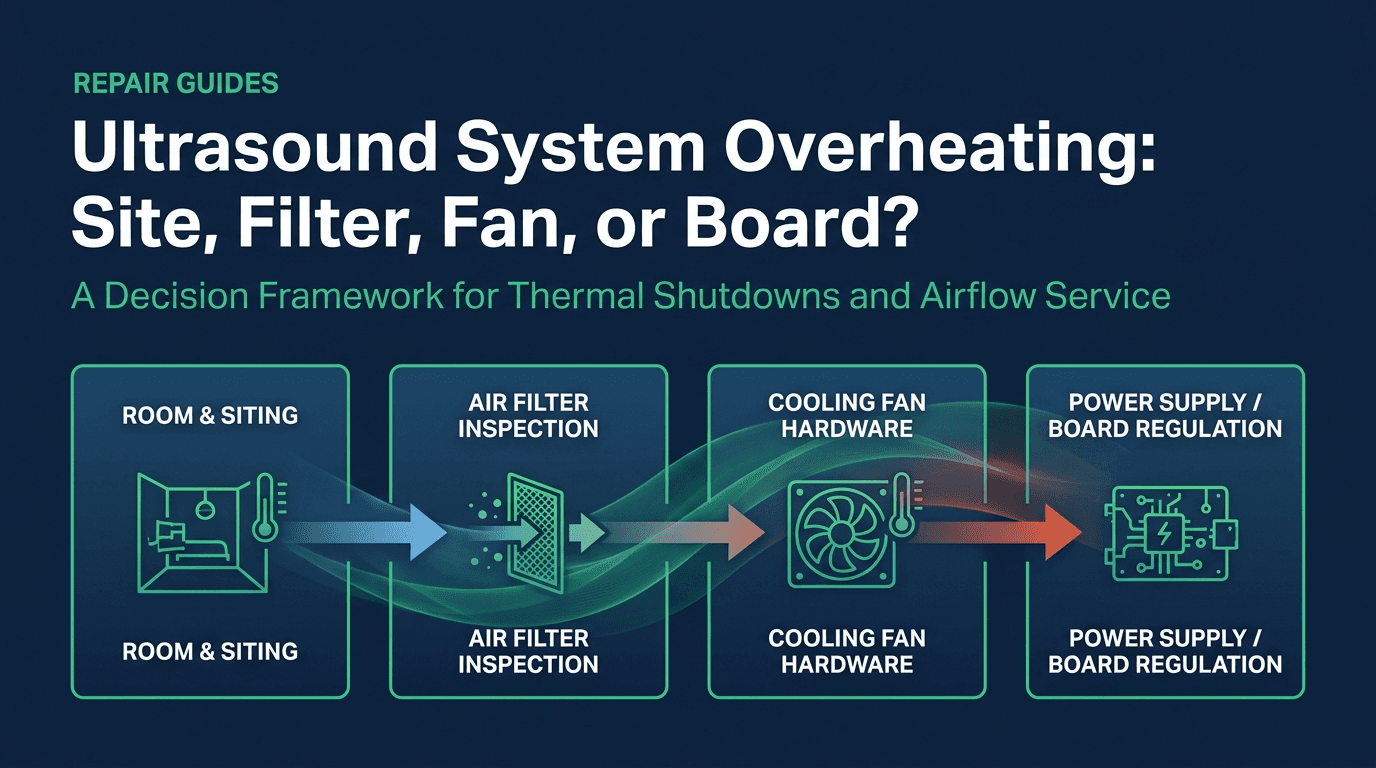
- 1. What does a system-overheating or fan message actually indicate?
- 2. Which room conditions are already outside the manual?
- 3. How often do the manuals require air-filter service?
- 4. When does the path move from the filter to a fan?
- 5. When does the quote move to a power supply or a board?
- 6. When is heat a patient-safety hard stop?
- 7. What evidence closes each tier?
- 8. Where Rongtao fits, and where it does not
- 9. Frequently asked questions
What does a system-overheating or fan message actually indicate?
An on-screen overheating message, a cooling-fan message, or a shutdown during a list is a symptom. It names a protection event. It does not name the failed part. The same cart can be sitting outside its ambient limit, pulling air through a loaded filter, running with a fan that the controller no longer accepts, or shutting down because the power supply or the host drops out. This page sorts those layers with the sentences the manuals print. It does not publish a model-by-model error-code table, because a lawful code corpus for this symptom was not available for the platforms below.
Two timing patterns are useful as intake notes, and neither one is a temperature specification. A cart that starts cleanly and then shuts down after a period of scanning is the pattern in Rongtao case A00138A1: a Philips EPIQ 7 crashed again about two hours after restart, the startup was normal, and the self-check database had no error record. Repeated observation found the bottom fan still running after the host had shut down, a high internal temperature, and a small amount of dust in the bottom filter. Cleaning and drying that filter stopped the crashes in the record. The case does not say the filter was packed solid, and it does not name a processor junction temperature. 12
A clean filter does not end the sort. On the April 2016 MedWrench LOGIQ E9 thread, the opening report is an E9 that reboots during procedures, with poor notes and a request for service logs. One reply says to verify that the filters are clean and to remove dust from the fan assembly, and treats overheating as the probable problem. The original poster answers that this had already been done two weeks earlier and that the fans and filters were clean. Later replies move to the back-end processor, its power supply, dust under a heatsink, and the power-cord clip and corrosion at the inlet. One reply also says that when the back-end processor or its power supply is the cause, the error may not be logged. The thread never records a filter cleaning that ended the reboots. Read it as a field argument, not as a prevalence. 13
The exact-query search result that currently leads this symptom is a DOTmed service thread titled for a GE Vivid 7 overheat and shutdown. The result description pairs a voltage-out-of-specification message with a system-overheated message. That pairing is enough to keep the overheat dialog from being treated as an airflow diagnosis by itself. This page does not reconstruct a root cause from the thread title. The next page for a no-power, boot-loop, or rail complaint is the power-supply failure and boot-loop decision path.
Which room conditions are already outside the manual?
Table 1 is limited to documents read for this page. Several are third-party-hosted copies and may lag the revision for a given serial. Use the manual that matches the system in front of you. Humidity and temperature cells are copied from the cited page, including the pressure condition on EPIQ 7. Where a manual prints no rate-of-change figure, the cell says so.
| Document and system | Operating temperature | Operating humidity | Change or acclimation sentence | Ventilation sentence in that document |
|---|---|---|---|---|
| Voluson E8 / E8 Expert basic user manual, H48681MM Rev 2 | 18°C to 30°C, printed as 64°F to 86°F | 30% to 80% RH, no condensation | After a move from a cold environment, allow several hours before the first power-on. No degrees-per-hour limit is printed. | Do not cover the ventilation holes. Do not operate near a heat source. 5 |
| Voluson 730 typical installation drawings, project tpVOLUSN, sheet date 12/05/02 | 15°C to 30°C (59°F to 86°F) | 5% to 85% non-condensing; maximum change 10% per hour | Maximum allowable temperature change of 15°F per hour. Converted, that rate is 8.3°C per hour. The sheet states the rate; it does not state a failure mechanism. | The environment must be controlled so these limits are not exceeded. The cover sheet says the drawings are typical and are not the construction document. 6 |
| Philips EPIQ 7 user manual, 4535 617 25341 Rev B | Low: 10°C (50°F) from 700 hPa to 1060 hPa. High: 40°C (104°F) between 1060 hPa and 795 hPa, decreasing linearly to 35°C (95°F) at 700 hPa (525 mmHg). | 15% to 80% | If the system has been below 10°C, Philips recommends 24 hours for complete normalization before connecting or turning it on. Brief exposure can require less. The stated risk is condensation inside the device. | Do not operate the flat-panel display in direct sunlight. A separate caution says not to store the system where ambient temperature exceeds 65°C, to avoid damaging that display. The storage-temperature range printed in specifications is −20°C to 60°C. 3 |
| Philips Affiniti series user manual, 3000 147 82951_C, April 2025 | 10°C to 40°C (50°F to 104°F) | 15% to 80% non-condensing | Same 24-hour normalization caution if the system has been below 10°C, with a shorter time allowed after brief exposure. Storage above 60°C can deform the casters. | When the system is on, do not block the fan-exhaust vent above the upper peripheral tray. The manual says this may result in the system overheating. 2 |
| ACUSON X300 instructions for use, 10348702 Rev 01, February 2008 | System: +10°C to +40°C | 10% to 80%, non-condensing | No degrees-per-hour acclimation figure is printed in the environmental table. | After a move, do not position the system against walls or hard surfaces that impede ventilation. Do not allow linens, bedding, or hanging curtain partitions to block ventilation. The manual says obstructed fans can cause overheating, performance degradation, or failure. 4 |
| LOGIQ e / LOGIQ i / Vivid e basic service manual, 5370626-100 Rev 7 | 10°C to 40°C | 30% to 75%, non-condensing | After transport, allow one hour for each 2.5°C the unit is below 10°C or above 40°C. The manual says turning the system on without that acclimation may damage it. | There are no operator-serviceable components. To prevent shock, do not remove covers or panels. Only qualified service personnel should service the unit. 7 |
| Vivid 7 service manual, FC091194 Rev 11 | 10°C to 35°C (50°F to 95°F) | Below 90% relative humidity, non-condensing | No degrees-per-hour limit is printed in the environmental table. | Cooling requirement is 3500 BTU/hr for the scanner. That figure excludes lights, people, and other equipment. The manual adds 300 BTU/hr for each person in the room. 8 |
The practical gate is the row for the model on the work order. A Voluson E8 at 32°C is already outside H48681MM. An Affiniti at 32°C is still inside 10°C to 40°C, and the next Affiniti check is whether the exhaust vent above the upper peripheral tray is blocked. An EPIQ 7 at altitude needs the pressure note, because 40°C is the high limit only between 1060 hPa and 795 hPa. Shared branch circuits, grounding, and UPS continuity are a separate decision, covered in the site power and UPS decision guide.
How often do the manuals require air-filter service?
Table 2 keeps each interval next to the document that prints it. The LOGIQ E9 steps below come from the 2016 Conquest training manual. That extract states the quarterly recommendation, the two locations, and the reason. It does not print a soap recipe or a brake step, so those are left off this row. Affiniti, EPIQ 7, X300, and Vivid 7 are taken from the user or service manuals named in the last column.
| System and document | Interval the document prints | Location the document prints | Cleaning method the document prints | Cautions in that section |
|---|---|---|---|---|
| LOGIQ E9, Conquest / Strata training manual, 2016 | GE recommends quarterly cleaning | Two filters. The top filter is on the back of the LOGIQ E9 below the power cord. The bottom filter is underneath. | The training extract states why to clean the filters. It does not print the wash steps. Use the user manual for that serial. | A clogged filter can cause the system to overheat and can reduce performance and reliability. 1 |
| Affiniti series, 3000 147 82951_C, April 2025 | Inspect every week and clean as needed | One description places the filter in a slot at the bottom left. The procedure then removes a second tray: the handle below the User I/O. | The removal steps say vacuum, or rinse with water. If the filter is worn out or cannot be cleaned, replace it. If it is cleaned with soap and water, a spare may be installed while the other filter dries. Additional filters can be ordered from Philips. | Turn the system off and disconnect power before maintenance. Do not turn power on without the filter installed. Install only a dry filter. Lock the brakes before cleaning. 2 |
| EPIQ 7, 4535 617 25341 Rev B | Inspect every week and clean as needed | The filter is in a slot at the bottom left side. The removal steps printed here are for that one location. | Vacuum, or rinse with water. Replace the filter if it is worn out or cannot be cleaned. A spare may be installed while a filter washed with soap and water dries. | Turn the system off and disconnect it from the wall outlet. Do not turn power on without the filter installed. Install only a dry filter. A wet or damp filter can damage the system. 3 |
| ACUSON X300, 10348702 Rev 01, February 2008 | Remove and check weekly, and clean as needed, to maintain system cooling | The location is marked with the air-filter symbol. The filter sits in a tray that pulls out of the system. The text does not add a bottom-or-rear measurement. | Rinse with running water and let the filter dry completely. Shaking it, or blotting it with a clean lint-free cloth, is allowed to hasten drying. | Power off and unplug before removal. Do not scrub, stretch, or bend the filter, and do not apply heat to it. Do not insert a wet filter. 4 |
| Vivid 7, service manual FC091194 Rev 11 | Frequency varies with the environment. No monthly interval is printed. | Filter and filter cover. Removal is section 8-5, through the upper rear cover. | Sprinkling water, or dusting with a vacuum cleaner. A metal filter may be washed and/or vacuumed. A fiber or plastic filter is vacuumed or replaced. | Replacement filters are available. Section 8-5 prints GE Vingmed part FB307903 for a new or cleaned filter, and Chapter 9 is the renewal-parts cross-reference. 8 |
Affiniti and EPIQ 7 also keep a software counter, and the menu path is not the same in the two revisions read here. On Affiniti, April 2025, the path is Support, then Philips SupportConnect, then Test/Utilities, then Service Messaging, then Check Filter Status. The user types a number of days under Filter Cleaning. After cleaning, Filter Cleaned is reset with Done. On EPIQ 7, revision B, the path is Support, then Test/Utilities, then Check Filter Status, with the same day interval and the same Done control. That revision does not insert a Service Messaging step. Neither manual prints a fixed 30-to-90-day factory interval. The day count is whatever was typed into Interval. 2 3
The shared user-level rules are the ones these manuals actually repeat. Power off and disconnect before the filter comes out. Put back a filter that is dry. On Affiniti and EPIQ 7, leave the filter installed before power returns. On X300, leave a wet filter out. Where Philips offers a spare, the spare is the way to keep scanning while the washed filter dries. A scheduled program that assigns these checks to an owner, and that keeps the chassis task separate from a repair quote, is the ultrasound preventive maintenance checklist.
When does the path move from the filter to a fan?
Move past the filter when the filter for that model has been cleaned and dried, the room is inside Table 1, and the message or the shutdown remains. What happens next depends on who the manual allows to open the cart.
The LOGIQ e service manual draws two airflow paths. Path A is bottom front, then the CPU assembly, then bottom left, for what the manual labels TMST and CPU assembly cooling. Path B is bottom front, then the TX64/RX64 boards, then bottom right. The fan section then names one fan assembly on the left for path A and one on the right for path B. The same paragraph also says the scanner contains four fans. This page does not collapse those two sentences into a single count. The installation warnings on the same platform say there are no operator-serviceable components and that covers and panels stay on. Qualified service personnel do that work. 7
For GE Vivid and LOGIQ E9, Avante's 14 April 2026 note describes a three-step field sequence for a System Overheating message, and it presents that message as one of the most common calls that team receives. That is Avante's call mix, not a measured share of all ultrasound failures. The sequence is:
- Shut the system down and clean the external filter under the system. The handle is near the right caster. Avante's method for the dust is a soft brush or a vacuum, then reinstall the filter.
- If the message remains, a service engineer removes the cosmetic panels and cleans the fan-tray assembly. Avante's reason is dust that passes the separate external filter and slows the fans.
- If the message still remains, check the fan on the back-end processor, on the internal left side of the computer, for dust or improper operation.
Before that panel comes off, Avante says to export logs. From the main screen, Alt+D opens the error-reporting screen. The export can go to a USB drive, a CD, or a DVD, and it can take several minutes. The page says to send those logs to a qualified service engineer. It does not say that the file contains fan RPM, a named thermistor, or a card-cage sensor identity. Treat Alt+D as Avante's export step for Vivid and LOGIQ E9, and confirm the keystroke in the service manual for that software revision before you rely on it. 9
This page stops at that handoff. It does not describe spinning a rotor by hand, measuring a tachometer wire, defeating a fan interlock, or running the cart with covers removed. Those steps belong in the OEM service manual, done by someone qualified to follow it.
When does the quote move to a power supply or a board?
Send the power supply or a board when the room is inside the model's row, the filter steps for that model are done, and a qualified check has not found a fan that is stopped or rejected by the controller. Two observations from the sources above are enough to justify that quote. They are not a map of rail voltages.
- The MedWrench LOGIQ E9 thread continues after the original poster reports clean filters. The later replies name the back-end processor, its power supply, and the power-cord connection, and one reply says that fault may leave no error log. 13
- The leading search result for this symptom is a Vivid 7 thread whose description places a voltage-out-of-specification message next to a system-overheated message. Capture both messages in the quote packet and route the power complaint through the power-supply decision path.
- A shutdown that the site staff see only after Color Doppler, CW Doppler, or 4D is a useful intake note. It says the failure showed up when the scan was demanding more from the system. It does not, by itself, identify a capacitor, a rail, or a dried thermal pad. Those parts get named after the log and the label photo are in front of a bench.
If the exported log or the etched label points at a known GE or Philips assembly, the platform pages take the next sort: the Vivid E9, E80, E90, and E95 board path, or the EPIQ, iU22, and iE33 board path. Match the label before using either page as a parts list.
When is heat a patient-safety hard stop?
Stop the exam when the heat is on the probe face, the lens, or a TEE tip, or when the system itself reports a transducer temperature limit. That event is not closed by washing the console filter. Three manuals read for this page print their own transducer limits, and the limits are not one number:
- Voluson E8, H48681MM Rev 2, says software settings limit the power dissipated by the transducer and by the motor drive so that operating temperatures stay below 43°C. 5
- ACUSON X300 displays transducer temperature and freezes the image when the transducer reaches 43°C, which turns off transmit power until the array returns to the level the manual calls safe. The same chapter shows a warning as the reading approaches 43°C. 4
- EPIQ 7's TEE chapter says the system shuts down if the patient-applied part of the TEE transducer exceeds 42.5°C when the entered patient temperature is 37°C. If the entered patient temperature is higher, the shutdown temperature adjusts. A separate warning says that if Auto-Cool safety logic fails, distal-tip temperature in a hyperthermic patient (40°C to 41°C) could reach 46.5°C before scanning stops, and that esophageal burns may occur. 3
The recall check uses one export and one keyword method. The FDA device-recall file dated 24 July 2026 contains 58,785 rows. Product codes IYN, ITX, and IYO account for 298, 147, and 82 distinct recall numbers, 527 in total. That is the same denominator as the 527-recall fleet guide. Inside those 527 numbers, a case-insensitive match on overheat, over-heat, over heat, thermal shutdown, cooling fan, excessive temperature, too hot, or temperature exceed, searched in the reason, the root-cause text, the product description, and the firm name, returns nine recalls. All nine have root cause Software design in that export, all nine describe probe or transducer overheating, and the export status on all nine is Terminated. Keyword search misses other wording. It is not a rate, and it is not a ranking of brands.
| Recall number | Product named in the record | Class on openFDA | Root cause in the 24 July 2026 export | Reason, shortened from the record |
|---|---|---|---|---|
| Z-2276-2019 | NeuroLogica WS80A diagnostic ultrasound system, listed software versions | Class II, Terminated | Software design | Potential for probes to overheat when the user decreases Doppler sample-volume size in Doppler Only mode. 10 11 |
| Z-2275-2019 | NeuroLogica HS70A diagnostic ultrasound system, listed software versions | Class II, Terminated | Software design | Same Doppler sample-volume reason as Z-2276-2019. 11 |
| Z-1488-2014 | GE Vivid E9. Probes named: C1-5-D, C2-9-D, IC5-9-D, and M5Sc-D. | Class II, Terminated | Software design | Probe power-surveillance settings for those four probes are incorrect, and the probes can overheat. 11 |
| Z-0204-2019 | Esaote MyLab Alpha, model 7400 | Class II, Terminated | Software design | Probe power-monitoring settings are not appropriate under specific operating conditions and may overheat the probe head. 11 |
| Z-0205-2019 | Esaote MyLab Gamma, model 7410 | Class II, Terminated | Software design | Same probe power-monitoring wording as Z-0204-2019. 11 |
| Z-0206-2019 | Esaote MyLab Seven, model 6400 | Class II, Terminated | Software design | Same probe power-monitoring wording as Z-0204-2019. 11 |
| Z-1137-2018 | Esaote MyLab models 6100, 6150, 6200, and 6250, with PA023E probe 7.5/10 | Class II, Terminated | Software design | Certain settings may overheat the ultrasound probe head. 11 |
| Z-1138-2018 | Same MyLab models 6100, 6150, 6200, and 6250. The record names probes BL433, C 18, CA541, EC1123, EC123, IH 618, IOT332, IOT342, L 415, LA332E, LA435, LA523, LA533, SI2C41, SL2325, and TRT33. | Class II, Terminated | Software design | Certain settings may overheat the ultrasound probe head. 11 |
| Z-1961-2011 | Siemens auxiliary 2 MHz CW transducer, model 8251046, used with ACUSON Sequoia at software revision 12.X | No openFDA record on 27 September 2026, so no class is stated here. The export status is Terminated. | Software design | A software bug may cause the transducer to overheat with certain transducer models. The transducer can become noticeably hot within a few minutes and may cause discomfort or burns. |
Two recalls outside that keyword list keep the nine rows from being read as the whole thermal record. Z-0788-2019, Class II and Terminated on openFDA, describes increased probe-head surface temperature on LOGIQ P6 models BT07 and BT09 with specific scans and probes. The 24 July 2026 export lists its root cause as Device Design, so a probe-heat recall in this set is not always tagged Software design. Z-0136-2025, Class II and Ongoing, covers bk3000, bk3500, bk5000, and bkActive systems with a battery option. The reason is loose internal power connections at the power inlet, with potential excessive heat, a thermal event, or an inoperable device. That is a console power-inlet recall, and it does not use the word overheat, so the nine-row list missed it. 11
Inside the same 527 numbers, the phrase air filter does not appear. The word fan appears once, on Z-2782-2011, a Site Rite Vision purchasing recall for the wrong fan part. That row is not a cooling-failure event, and it is not one of the nine. The absence of an air-filter recall in this keyword pass is a statement about the file that was searched. It is not a claim that clogged filters never take a cart down. Case A00138A1 is a service record of that downtime, and it is not an FDA recall. 12
If the probe face is hot, stop scanning, take the probe out of use, and write down the system model, probe model, and software revision. Follow the manufacturer field action for a listed recall. Rongtao does not issue those acoustic-output software updates. A probe that is already out of clinical use, with a cracked lens, a damaged strain relief, or an element fault, can be quoted separately through probe repair.
What evidence closes each tier?
Table 4 is the handoff. Stay on a tier until its evidence gate is met. The operator steps are the ones the user manuals assign: room conditions, power off, and the filter. Opening covers, measuring rails, and returning a system to clinical use stay with qualified service and the facility's own acceptance test.
| Tier | What to record or do | Evidence that closes the tier | Boundary |
|---|---|---|---|
| 1. Room | Read the model row in Table 1. Measure room temperature. On EPIQ 7, note whether the high limit is 40°C or the derated 35°C. Look for the ventilation item that manual names: covered Voluson holes, a blocked Affiniti exhaust vent, an X300 cart against a wall or draped with linens, bedding, or curtains. | The room is inside the printed temperature and humidity for that model, and the named ventilation caution is clear. | If the room is outside the row, the facility fixes the room. The console stays closed. |
| 2. User filter | Power off and disconnect, using the warning in that manual. Lock the brakes where the manual says so. Clean only by the method in Table 2. Reinstall a dry filter, or install the Philips spare while the washed filter dries. On Affiniti or EPIQ 7, reset Check Filter Status if the counter is in use. | The filter is dry, installed, and not torn or loaded, and the message or shutdown is still present on the next list. | Affiniti and EPIQ 7: do not turn power on without the filter installed. X300: do not insert a wet filter. |
| 3. Qualified service | On Vivid and LOGIQ E9, export the error screen with the Alt+D step Avante documents, if that keystroke matches the service manual for the software on the cart. Photograph the on-screen message, the model, and both sides of any removed assembly label. Hand the packet to someone who is allowed to open that system. | A qualified inspection has identified a fan assembly, a power supply, or a board, with the label photo attached. Or the log is inconclusive and the quote asks for diagnosis rather than a named part. | Operators leave covers on. LOGIQ e states this directly. Do not bypass a fan sensor or a thermal stop, and do not run the system to reproduce a fault after a burning smell, discoloration, or a tripped breaker. |
Where Rongtao fits, and where it does not
Rongtao Medical is an independent service and parts provider for hospitals, independent service organizations, and distributors. The company fact used on the site is service across 140 or more countries and regions. OEM names on a quote identify the equipment. They do not mean Rongtao is GE HealthCare, Philips, Siemens Healthineers, Canon, Samsung, or Mindray.
Rongtao fits when tier 3 has already pointed at a board or a power supply, and the label photos are available. Published board-repair turnaround is 5 to 8 business days from intake to sign-off. 15 The quality page says every repaired board runs for 48 hours inside an actual ultrasound system before release, with photo or video evidence where applicable, and that the usual warranty is 90 days, confirmed by product category and service type. 14 Probe repair is a separate service, quoted per probe, for element-level work on linear, convex, phased-array, endocavitary, TEE, and volumetric probes. The quality system cited on the site is ISO 13485:2016 and ISO 9001:2015.
Rongtao does not fit a room that is outside Table 1, a filter that has not been serviced to the manual, or an OEM software field action such as the WS80A Doppler sample-volume recall. Those updates come from the manufacturer. Rongtao also does not publish bypasses for fan sensors or thermal stops.
Send the quote through the contact form. The packet that makes the quote specific is:
- OEM, model, and the hardware or software revision printed on the system.
- Photographs of the etched label on both sides of the board, power supply, or fan assembly, if one has already been removed by qualified staff.
- The symptom and the timing, including whether the cart runs in 2D and fails in Doppler or 4D.
- The on-screen wording, and the Alt+D export if the platform is a Vivid or LOGIQ E9 and that export was made.
- Room temperature against the Table 1 row, and a note that the filter was cleaned and dried.
- Quantity and destination country, for the intake and freight steps.
Frequently asked questions
Why does the console shut off partway through a list?
Use that timing as an intake note, then check Table 1 and Table 2 before a board is ordered. Case A00138A1 was an EPIQ 7 that crashed again about two hours after restart, with no error record, and the record closed after the bottom filter was cleaned and dried. The April 2016 LOGIQ E9 thread shows the opposite outcome: the filters were already clean, and the discussion moved to the back-end processor and its power supply. The timing alone does not select which of those two records you have. 12 13
How often should the air filter be cleaned?
Follow the row in Table 2 for that model. LOGIQ E9 training material says quarterly. Affiniti and EPIQ 7 say inspect weekly and clean as needed. X300 says check weekly. Vivid 7 says the frequency varies with the environment. Affiniti and EPIQ 7 also store a day count that someone typed into SupportConnect. Dusty rooms are a reason to inspect sooner than a quarterly recommendation when the manual already says "as needed" or "varies with the environment." They are not a reason to invent one interval for every brand.
Can the system run while the filter dries?
Affiniti and EPIQ 7 say do not turn power on without the filter installed, and they allow a spare filter to be installed while the washed one dries. X300 says do not insert a wet filter. Use the spare where the manual offers one, and wait for a dry filter where it does not. 2 3 4
What should a sonographer do with a cooling-fan message?
Confirm the room and the external filter with the system powered off and unplugged, then stop. LOGIQ e states that covers are not an operator task. On Vivid and LOGIQ E9, the documented user-side addition is the Alt+D log export, sent to a qualified engineer with the message text. Measuring fan supply wires and opening the chassis are service-manual work.
Is console overheating a recall?
In the nine-row keyword list, the recalls describe probe or transducer overheating, and eight of them are Class II on openFDA. Z-1961-2011 has no class on this page because the API returned no record. A hot probe face stops the exam. Separately, Z-0136-2025 is an ongoing Class II recall for excessive heat from loose power-inlet connections on named BK Medical systems. That recall is outside the nine-row list because its wording does not match the overheat keywords. Check the recall number against the system you have, and use the manufacturer notice for the corrective action. 11
Do compact systems use a different ambient limit?
The LOGIQ e, LOGIQ i, and Vivid e service manual prints 10°C to 40°C and 30% to 75% non-condensing humidity. After transport outside that band, it requires one hour of acclimation per 2.5°C. It also says the operator does not remove covers. Those are the compact-system sentences this page can stand on. A carrying-case or bedding time limit is not printed there. The X300 ventilation caution about linens, bedding, and curtains is a cart caution from that IFU, and it is quoted in Table 1. 4 7