
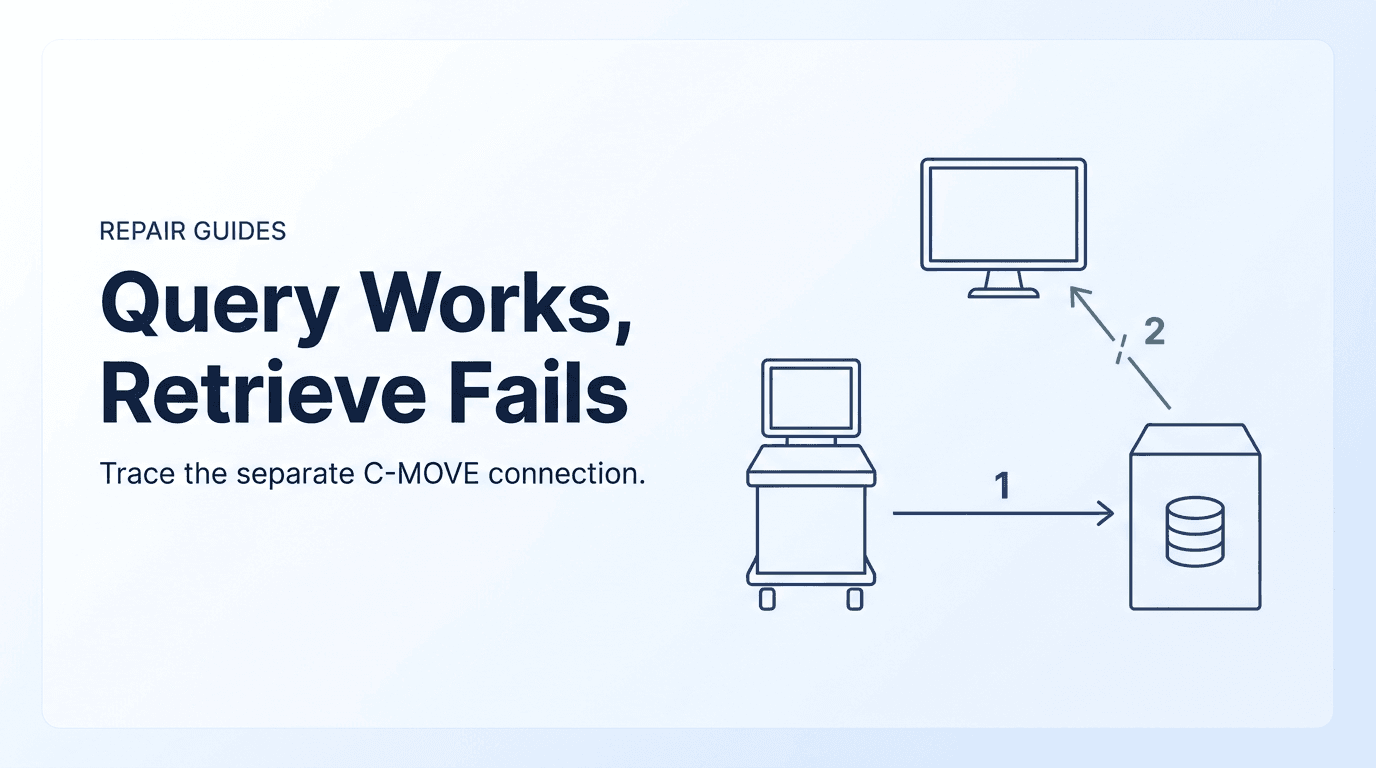
Why can the query succeed while every retrieve fails?
Few network symptoms confuse service teams more than an ultrasound system that can search the hospital Picture Archiving and Communication System (PACS) without error but fails every time a sonographer tries to retrieve a prior study. The console lists the patient's studies, the operator selects one and presses Retrieve, and after a pause the system reports a generic transfer or retrieve failure. The exact wording varies by manufacturer and software release.
The intuitive assumption is that network connectivity is symmetrical: if the scanner can search the archive, the pipeline works, so a retrieve failure must mean an internal scanner fault, a corrupted software option or a failing network input/output (I/O) board. For DICOM (Digital Imaging and Communications in Medicine) retrieve by C-MOVE, that assumption is wrong. Query and retrieve use different operations and, for C-MOVE, different network associations opened in opposite directions. 1 5
When an ultrasound system runs a query, it acts as a Service Class User (SCU) of the Query/Retrieve Service Class and uses the C-FIND operation. 9 The scanner opens a TCP connection to the archive's configured IP address and listening port. Port 104 is the well-known DICOM port, but ports are site-configured; on the Philips family cited below, the listening port defaults to 104 and changes to 2762 when Secure DICOM is enabled. 3 The scanner requests an association using its own (calling) AE Title and the archive's (called) AE Title, sends the C-FIND request with search keys such as Patient ID, name or study date, and receives the matches over that same association.
When the sonographer presses Retrieve, the scanner does not download files over that association. It sends a C-MOVE request asking the archive to deliver the selected instances to a named Move Destination AE Title. DICOM PS3.4 Section C.4.2 states that the C-STORE sub-operations “shall always be accomplished over an Association different from the Association that accomplishes the C-MOVE operation,” with the Query/Retrieve SCP acting as the Storage SCU. 1
The reason is in the same section: the application entity that receives the stored instances “may or may not be the originator of the C-MOVE operation.” C-MOVE is designed so a requester can send a study to a third system, such as a review workstation. That is why the archive, not the requester, opens the delivery connection, even when the scanner asks for the images to come back to itself. 1
So a successful query proves only that the scanner can reach the archive's listening port. It does not prove that the reverse path, from the archive back to the destination's listening port, is configured, allowed by firewalls or accepted by the scanner's DICOM receiver. Before suspecting hardware, separate scanner-side store failures from retrieve-direction failures by tracing each association separately.
What are the three endpoints and two associations in an ultrasound retrieve?
To diagnose a C-MOVE failure accurately, an engineer must recognize that a DICOM retrieve involves three distinct logical endpoints and two independent network associations, even when the ultrasound system is requesting that images be delivered to itself. DICOM PS3.4 Section C.4.2 defines these roles with technical precision: 1
- Requesting SCU (Ultrasound Console): The system that initiates association 1 to the archive, issues C-FIND query requests, and issues the C-MOVE retrieve command. It identifies which studies, series, or instances to transfer and designates the Move Destination AE Title.
- Query/Retrieve SCP (PACS archive or VNA): accepts association 1, matches the query, receives the C-MOVE, looks up the Move Destination AE Title in its own configuration and acts as Storage SCU to send the instances.
- Move Destination (Storage SCP): the node named in the C-MOVE request to receive the images. It is often the same scanner that asked, but the standard allows any storage node, such as a review workstation. On the Philips family cited here, the scanner names its own AE Title as the destination. 1 3 5
Because the Move Destination can be a third-party node, the C-MOVE protocol was deliberately designed so that the archive initiates the delivery connection. This creates two distinct network associations with opposite connection directions:
Association 1 (Forward Request Association): Initiated by the Ultrasound SCU to the PACS Q/R SCP. This association handles the A-ASSOCIATE handshake, the C-FIND query exchange, the C-MOVE request, periodic C-MOVE pending status responses, and the final C-MOVE completion response. If this association fails, the ultrasound cannot search for patients or send the initial retrieve command.
Association 2 (reverse storage association): opened by the archive, acting as Storage SCU, to the Move Destination, acting as Storage SCP, after the archive receives the C-MOVE request. It carries one C-STORE request per instance, whether image, cine or structured report. If this association cannot be opened, is blocked by a firewall or is rejected by the receiver, the sub-operations fail while association 1 still works. 1 2 6
PS3.2 Annex F illustrates the same split in an informative example conformance statement for a fictional query-retrieve server. There, the QUERY-RETRIEVE-SCP application entity “will never initiate Associations”; on a C-MOVE it commands a separate STORAGE-SCU application entity “to initiate an Association with the Destination DICOM AE.” Its Table F.4.2-8 shows that a timeout, abort or socket loss on that delivery association is reported back and an appropriate status is sent in the C-MOVE response. Real products implement this differently, but the direction of the second connection is the same. 2
| Association | Originating Node (Initiator) | Target Node (Receiver) | DICOM DIMSE Services | Direction & Ports | Primary Failure Modes | Responsible Technical Owner |
|---|---|---|---|---|---|---|
| Association 1 (Query & Retrieve Request) | Ultrasound Console (Q/R SCU) | PACS Archive / VNA (Q/R SCP) | C-FIND-RQ / RSP, C-MOVE-RQ / RSP | Outbound from the ultrasound to the archive's listening port (site-configured; 104 is the well-known DICOM port) | Wrong PACS IP/port; incorrect Called AE Title; outbound firewall block; PACS Q/R service offline | Clinical Engineering (scanner config) & PACS Administrator |
| Internal Lookup (Destination Resolution) | PACS Archive Internal Process | PACS Local Node Configuration Table | None (Internal database / node lookup) | Internal server operation within PACS software | Move Destination AE Title not defined in PACS table; typo in AE Title; port/IP mismatch in node record | PACS Administrator |
| Association 2 (Image Storage Delivery) | PACS Archive (Storage SCU) | Move Destination (Storage SCP: Ultrasound or Workstation) | C-STORE-RQ / RSP (one per instance) | Outbound from the archive to the destination's listening port (site-configured) | Inbound block toward the scanner subnet; scanner DICOM receiver not listening; scanner rejects the archive's calling AE Title or IP | Hospital IT / Network Team & Clinical Engineering (scanner config) |
Source: DICOM PS3.4 C.4.2 and the informative PS3.2 Annex F example; owner assignments are Rongtao's editorial routing guide, not a standard requirement.
What does the final C-MOVE response actually tell you?
Most consoles show only a short pop-up when a retrieve fails. More useful evidence is in the C-MOVE response returned over association 1, usually visible in the archive's DICOM log and sometimes in the scanner's service log. PS3.4 Table C.4-2 lists the C-MOVE statuses under Failure (refused, error or unable to process), Cancel, Warning, Success and Pending. 1
PS3.4 also defines sub-operation count attributes. Pending responses must carry them. Final responses may carry some of them, so a missing count is not by itself an error:
- Number of Remaining Sub-operations (0000,1020): instances still to be sent. Required in Pending responses, optional in Cancel, and not included in Warning, Failure or Success responses.
- Number of Completed Sub-operations (0000,1021): C-STORE sub-operations that completed successfully. Required in Pending responses, optional in final responses.
- Number of Failed Sub-operations (0000,1022): C-STORE sub-operations that failed. Required in Pending responses, optional in final responses.
- Number of Warning Sub-operations (0000,1023): sub-operations that ended with a warning status.
- Failed SOP Instance UID List (0008,0058): in Cancel, Failure or Warning responses, the identifiers of instances whose C-STORE failed. It is absent when no sub-operation failed. 1
Read the status and counts together. A failure with zero completed and every instance failed means nothing was delivered. That usually points to the association itself, but an archive can produce the same pattern when the destination refuses every object type. Completed and failed both above zero means the reverse path works for at least some instances, and the problem is with particular objects, encodings or destination resources. The counts narrow the search; the archive's log shows the reason. 1 5
The Failed SOP Instance UID List (0008,0058) is often the most useful attribute after the status. For a partial transfer, compare the failed UIDs with the archive's record of each object. If every failed item is a multiframe cine clip while single-frame images arrived, a transfer-syntax or presentation-context mismatch is a strong candidate. Confirm it in the archive's association log before changing anything.
| Status | PS3.4 meaning | Implementation label example | Related fields listed in PS3.4 | Likely failing point | First diagnostic action |
|---|---|---|---|---|---|
| A801 (Failure) | Refused: Move Destination unknown | Canon HCBA-01: destination AE named in the request is unknown to the Q/R SCP | Error Comment only; no sub-operations attempted | Archive destination lookup, or the requester sent an unexpected destination AE Title | Compare the destination string the scanner sends with the archive's node record, character by character |
| A701 (Failure) | Refused: Out of resources – Unable to calculate number of matches | — | Error Comment | Archive resources | Ask the PACS administrator to check archive load and logs |
| A702 (Failure) | Refused: Out of resources – Unable to perform sub-operations | Canon HCBA-01: sub-operations cannot be performed because an association request or C-STORE request failed | Completed, Failed, Warning counts | Reverse association or destination acceptance (as documented by Canon); other archives may differ | Read the archive log for the delivery attempt; then check reachability, listener and accepted callers |
| A900 (Failure) | Error: Data Set does not match SOP Class | Canon HCBA-01: Identifier does not match SOP Class | Offending Element, Error Comment | Requester's C-MOVE identifier (level or unique keys) | Check Query/Retrieve Level and the UID keys sent at that level |
| Cxxx (Failure) | Failed: Unable to process | Implementation-specific; Canon HCBA-01 uses it when the Move Destination AE Title is missing from the request | Offending Element, Error Comment | Depends on the archive's own code assignment | Look up the exact code in that archive's conformance statement or log |
| FE00 (Cancel) | Sub-operations terminated due to Cancel indication | — | All four counts | The requester sent a cancel (for example, the user pressed Cancel) | Confirm who cancelled; an aborted association is an A-ABORT, not a cancel |
| B000 (Warning) | Sub-operations Complete – One or more Failures | — | Completed, Failed, Warning counts; Failed SOP Instance UID List | Destination refused some objects or ran short of resources | Read the failed UIDs and compare their SOP Class and transfer syntax with what the destination accepts |
| FF00 (Pending) | Sub-operations are continuing | Canon HCBA-01 sends one per instance successfully sent | All four counts | Transfer still in progress | Wait for the final response before retrying |
| 0000 (Success) | Sub-operations Complete – No Failures | — | Completed, Failed, Warning counts | Delivery finished | If nothing appears, check where the destination AE points and how the scanner lists received studies |
Source: Status meanings and related fields: DICOM PS3.4 Table C.4-2 (2026d). Implementation labels: Canon HCBA-01 Table 4.2-30. Endpoint and action columns are an editorial triage guide, not standard text.
What does Refused: Move Destination unknown (A801) identify?
Status A801 (Refused: Move Destination unknown) is one of the most specific codes you can get, and a neutral PACS training lesson describes an unknown destination as the most common cause of failed moves. It means the archive could not resolve the AE Title named as the destination. 1 4 5
The C-MOVE request carries the destination only as an AE Title in Move Destination (0000,0600), with no IP address or port. 1 The archive must translate that AE Title into an address and port from its own configuration. Medical Connections, a DICOM toolkit vendor, notes that however onerous this seems, “no alternative is allowed by DICOM.” 6
If the archive finds no matching entry, it has no address to connect to and refuses the request with A801. No sub-operations are attempted. PS3.4 lists only an error comment as a related field for this status, so do not expect meaningful sub-operation counts. 1 4
Common clinical causes of status A801 include:
- New or reloaded scanner: the scanner was configured to send studies to PACS, but nobody added its AE Title, IP address and port as a retrieve destination in the archive.
- Exact-string mismatch: an AE Title is at most 16 characters, and PS3.5 treats leading and trailing spaces as non-significant. 12 Embedded characters still matter. Compare the strings character by character, including case, underscores versus hyphens and the letter O versus zero, rather than assuming either system will normalize them.
- Different AE Titles for sending and receiving: some systems let the console use one AE Title when storing and name another as its retrieve destination. If only the sending title is registered in the archive, the destination title is unknown.
- Wrong destination entered at the scanner: the console names a destination that differs from the record the PACS administrator created. In that case the correction is on the scanner side, under change control.
An A801 gives no reason to replace network hardware or change switch ports. The fix is to make the destination AE Title the scanner sends match a node record in the archive with the scanner's current IP address and listening port. The archive record belongs to the PACS administrator; the scanner's own destination setting belongs to whoever services the scanner.
What does it mean when the destination rejects the archive's association?
If the archive resolves the destination, it tries to open association 2 to that IP address and port. How it reports a failure here depends on the implementation. The Canon HCBA-01 data management system, for example, documents A702 when “C-STORE sub-operations cannot be performed due to failure of an Association Request or a C-STORE Request.” Other archives may use a different status, so read the code against that archive's own conformance statement. 4
A failure at this stage breaks down into two distinct engineering scenarios: network transport blockage and application-level association rejection.
1. Network Transport Blockage (TCP Connection Refusal): The PACS server attempts to send a TCP SYN packet to the ultrasound IP address on its configured listening port, but receives either a TCP RST (connection refused) or no response at all (SYN timeout). This occurs when:
- The ultrasound scanner's DICOM listener service is stopped or disabled in software.
- A host firewall on the console, where the platform has one, blocks inbound connections on the listening port.
- Departmental network firewalls or virtual local area network (VLAN) access control lists (ACLs) permit outbound traffic from medical modalities to PACS, but block inbound traffic initiated from the server room back to clinical ultrasound carts. 5
2. Application-level association rejection (A-ASSOCIATE-RJ): the TCP connection succeeds, but the destination refuses the DICOM association. Philips documents this as the query-works, retrieve-fails mechanism for the EPIQ Elite, Elite Advanced, E7, E5, CVx, CVxi and Affiniti 70/50/30 Release 6.0.x family (000737000000163 Rev A, Section 4.1.2.1): 3
“A second ‘DICOM Storage Server’ device on the ultrasound system must be used to add the server’s sending AE Title for the C-Store association initiated by the C-Move request sent to the Query Retrieve server. Without this second device, the query will be succesful, but retrieve will fail because the ultrasound system will reject any association request from an ‘unknown’ AE Title.”— Philips EPIQ/Affiniti Release 6.0.x DICOM Conformance Statement, 000737000000163 Rev A, Section 4.1.2.1 (spelling as in the source)
The same document's configuration section adds two details that matter during service. First, the archive “will usually use a different AE Title” for the C-STORE than the one the scanner queries, so the scanner needs an additional Storage Device entry with that sending AE Title and the archive's IP address or hostname. Second, because the archive sends from no fixed port, Philips says a placeholder port such as 9999 may be entered, and the automatic verification after saving that entry is expected to fail; “That is not an error.” For unsolicited pushes, the document likewise requires the sender's AE Title and IP address to be configured in advance. 3
On that family the scanner accepts up to five simultaneous storage associations (Table 4.4), a value the configuration table lists as not configurable. If an archive opens more parallel delivery associations to one destination than the destination accepts, the extra associations can be refused, so compare the archive's per-destination concurrency setting with the destination's documented limit. Do not assume that limit applies to other models or releases. 3
On the same family, Query/Retrieve is an option: the overview footnote says it “Requires option ‘Ultrasound Query Retrieve’ or ‘Multi-Modality Query Retrieve’.” Confirm that the option is present on the exact system before troubleshooting the network, particularly after a software reload or on a used system whose options may differ from its original order. 3
Decoding association rejection: PDU telemetry and diagnostic codes
When association 2 is rejected, a capture or archive log shows how. DICOM PS3.8 Section 9.3.4 defines the A-ASSOCIATE-RJ PDU, which carries one-byte Result, Source and Reason/Diag. fields. 11
Understanding these diagnostic codes prevents unnecessary hardware replacements by distinguishing security policy rejections from network transport faults:
- Result:
1is rejected-permanent;2is rejected-transient. 11 - Source:
1is the DICOM UL service-user (the receiving application);2is the UL service-provider (ACSE-related function);3is the UL service-provider (presentation-related function). - Reason/Diag.: with Source 1,
1no-reason-given,2application-context-name-not-supported,3calling-AE-title-not-recognized and7called-AE-title-not-recognized. With Source 3,1temporary-congestion and2local-limit-exceeded. 11
A rejection with Source 1 and Reason 3 (calling-AE-title-not-recognized) is strong evidence that the TCP path works and the destination application refused the archive's calling AE Title. Whether a given scanner sends that exact reason code, or a less specific one, depends on its implementation, so read the code from the capture or log. Either way, replacing network cards or cables will not fix it.
Other ultrasound platforms: read that release's conformance statement
The Philips details above are specific to one documented release family. Other manufacturers and releases configure query/retrieve, accepted callers and listening ports in their own ways, and this guide does not generalize one system's menus or error messages to another. For any other scanner, get the DICOM conformance statement for the exact model and software release and look for these points:
- Option status: whether Query/Retrieve is standard or a licensed option.
- Destination identity: which AE Title the scanner names as Move Destination and whether it can differ from the AE Title it uses when storing.
- Accepted callers: whether storage senders must be pre-registered by AE Title, IP address or both.
- Listening port and security: the default and configurable port, and whether a TLS (secure DICOM) mode changes it.
- Association limits: how many simultaneous storage associations the scanner accepts.
- Accepted objects: the SOP Classes and transfer syntaxes the scanner accepts as a Storage SCP.
If the conformance statement does not answer a point, record it as unknown and ask the manufacturer's service channel. Do not fill the gap with assumptions from another brand.
When is the request itself wrong (A900 and level errors)?
Not all C-MOVE failures are caused by connectivity or routing issues. When the archive returns status A900, the fault lies within the structure of the C-MOVE request itself. DICOM PS3.4 Section C.4.2 Table C.4-2 defines status A900 as “Error: Data Set does not match SOP Class.” The Canon HCBA-01 conformance statement (Table 4.2-30) labels it “Identifier does not match SOP Class.” 1 4
A C-MOVE request carries an Identifier dataset that specifies the query information model and the target instances. Status A900 occurs when this identifier violates the normative rules of the Query/Retrieve Service Class:
- Missing QueryRetrieveLevel (0008,0052): The request identifier must state the hierarchical level of retrieval:
PATIENT,STUDY,SERIES, orIMAGE. If this attribute is omitted or carries an unsupported string, the archive rejects the command. 1 - Missing required unique keys: in the Study Root model, a STUDY-level retrieve needs Study Instance UID
(0020,000D); a SERIES-level retrieve also needs Series Instance UID(0020,000E), and an IMAGE-level retrieve also needs SOP Instance UID(0008,0018). 1 - Information model mismatch: the identifier does not fit the information model negotiated for the C-MOVE, for example keys built for Study Root sent under a Patient Root context.
- Patient ID ambiguity: PS3.4 notes that the issuer of Patient ID is implicit in a C-MOVE request, with “no provision to send the Issuer of Patient ID,” and that “a STUDY level retrieval should be used instead of a PATIENT level retrieval” when the Patient ID may be ambiguous. For multi-site identity problems, see when the same Patient ID exists under two issuers. 1
Do not confuse Modality Worklist with Query/Retrieve. Worklist uses C-FIND against a scheduling source to fetch today's orders; Query/Retrieve searches an image archive for completed studies. A scanner can receive its worklist correctly and still fail every retrieve, because the two services often run on different hosts with different AE Titles. Keep worklist state separate from archive query/retrieve during the investigation.
Why did some images arrive and others fail (warning B000 and counts)?
A warning status of B000 (Sub-operations Complete – One or more Failures) means some sub-operations succeeded and some failed. In practice, the sonographer opens the retrieved study and finds single-frame images present but some cine loops, volumes or reports missing. 1
B000 is good evidence that both associations can be established: the archive reached the destination and at least some C-STORE requests succeeded. The failure is with particular instances or SOP Classes, or with resources at the destination.
The primary causes of partial retrieval failures include:
- Transfer syntax mismatch: the archive holds a clip in an encoding the destination does not accept (for example MPEG-4 AVC/H.264 or JPEG-LS), and it cannot or does not convert it. Archives differ: the Canon HCBA-01 statement, for example, describes a configurable transfer-syntax list per destination AE Title and attempts at transcoding when the destination does not support the stored syntax. 4
- Non-image objects refused: studies can include Structured Reports, Encapsulated PDF or presentation states. A receiver that accepts only ultrasound image SOP Classes refuses the rest. Acceptance is not the same as display: the Philips Release 6.0.x statement says the system accepts and can import SR objects with a study but does not display imported SR. 3 To check report objects, reconcile the instances that actually arrived against the original acquisition.
- Destination storage space: if the console runs short of local space during a large retrieve, its receiver may refuse later instances. Before clearing space, verify retained instances before relying on or deleting local copies.
For B000, start with the Failed SOP Instance UID List (0008,0058). Matching those UIDs to the archive's records shows which SOP Classes and transfer syntaxes failed, so the fix can be targeted.
Step-by-step diagnostic workflow for clinical engineers
To avoid uncoordinated changes across clinical engineering, PACS and IT, work through the same sequence each time a retrieve fails. Each step names who normally performs it:
- Step 1 — Capture the status and counts: get the final C-MOVE status (for example A801, A702, A900 or B000) and any reported counts from the archive's DICOM log (PACS administrator) or the scanner's service log where it shows them. Match the pattern against Table 2.
- Step 2 — Record the scanner's DICOM identity: its sending AE Title, the AE Title it names as Move Destination, its listening port and its current IP address (scanner service).
- Step 3 — Check the archive's destination record: with the PACS administrator, confirm that a node entry exists for that destination AE Title with the scanner's current IP address and port, comparing strings exactly.
- Step 4 — Test reachability from the archive side: the network or PACS team tests whether the archive can reach the scanner's listening port, using their approved tools. Note that ICMP ping may be blocked by policy even when the DICOM port is open, so a failed ping alone proves little.
- Step 5 — Check accepted callers on the scanner: on systems that pre-register storage senders, such as the documented Philips family, confirm that the archive's sending AE Title and IP address are entered (scanner service).
- Step 6 — Confirm the option: check that the Query/Retrieve option the manufacturer requires, if any, is present on the system (scanner service).
- Step 7 — Reconcile objects and encodings: for partial transfers, check whether the failed objects share a SOP Class or transfer syntax the destination does not accept (PACS administrator and scanner service).
Complex network topologies: NAT, VLANs, and wireless DHCP carts
In modern hospital enterprise networks, ultrasound systems increasingly operate on dynamic or segmented infrastructures, introducing routing complexities that do not affect stationary imaging modalities like CT or MRI:
1. Network address translation (NAT): if the scanner sits behind NAT, for example on a segmented wireless network, the archive sees the gateway's address, while its node record for the destination AE Title may point to an address it cannot reach directly. Unsolicited inbound connections to that address are dropped unless the network is designed for them. Medical Connections' knowledge base describes routers, NAT and software firewalls as common blockers of the reverse C-MOVE connection; its desktop-oriented workarounds of disabling firewalls or opening router ports are not appropriate on a hospital network. 6
2. Changing IP addresses: portable scanners that move between departments may receive new addresses by DHCP. If the archive's node record holds a fixed address for the scanner's AE Title, any change sends association 2 to the old address and it times out. Scanners that need retrieve generally require a stable address, such as a static assignment or DHCP reservation, decided by the network team.
3. Stateful Inspection and Asymmetric Routing: Enterprise firewalls often implement stateful inspection that automatically permits inbound return packets for connections initiated from within a protected zone. While Association 1 (ultrasound to PACS) is recognized as an active stateful flow, Association 2 is an entirely new TCP connection initiated by the PACS server in the opposite direction. Unless the firewall administrator creates an explicit bi-directional policy or an inbound rule permitting traffic from the PACS server to the ultrasound listening port, the firewall will drop Association 2 as an unauthorized inbound probe.
Presentation context negotiation and syntax mismatches
When Association 2 establishes a TCP socket, the PACS archive (acting as Storage SCU) proposes a list of Presentation Contexts to the ultrasound cart (acting as Storage SCP). Each proposed context pairs an Abstract Syntax (the SOP Class UID) with one or more Transfer Syntaxes (the encoding format and compression codec). The ultrasound evaluates each proposal and returns an acceptance or rejection code in its A-ASSOCIATE-AC response.
Ultrasound systems handle a unique combination of high-frame-rate cine loops, multi-zone color flow mappings, and complex structured measurements. The table below details the most common Presentation Context collisions encountered during C-STORE sub-operations:
| Object | SOP Class (UID) | Example archive transfer syntax (UID) | What to check at the destination | Typical symptom | Owner question |
|---|---|---|---|---|---|
| Single-frame 2D images | Ultrasound Image Storage (1.2.840.10008.5.1.4.1.1.6.1) | Explicit VR Little Endian (1.2.840.10008.1.2.1) or JPEG Baseline (1.2.840.10008.1.2.4.50) | SOP Class and syntax listed as accepted in the destination's conformance statement | Usually the reference case that does arrive | None if these succeed; use them as the baseline |
| Cine loops | Ultrasound Multi-frame Image Storage (1.2.840.10008.5.1.4.1.1.3.1) | MPEG-4 AVC/H.264 High Profile / Level 4.1 (1.2.840.10008.1.2.4.102) | Whether the destination accepts that video syntax | B000; stills arrive, clips listed as failed | Can the archive offer an accepted syntax for this destination? |
| Lossless multiframe | Ultrasound Multi-frame Image Storage (1.2.840.10008.5.1.4.1.1.3.1) | JPEG-LS Lossless (1.2.840.10008.1.2.4.80) or JPEG 2000 Lossless Only (1.2.840.10008.1.2.4.90) | Whether those syntaxes are accepted | Failed UID list contains the multiframe objects | Is uncompressed or another accepted syntax available for this destination? |
| Measurement reports | Comprehensive SR Storage (1.2.840.10008.5.1.4.1.1.88.33) | Explicit VR Little Endian (1.2.840.10008.1.2.1) | Whether SR is accepted, and separately whether it is imported or displayed | Images arrive; prior measurements absent | Is SR acceptance configured, and does the system display it? (Philips 6.0.x accepts SR but does not display imported SR) |
| PDF reports | Encapsulated PDF Storage (1.2.840.10008.5.1.4.1.1.104.1) | Explicit VR Little Endian (1.2.840.10008.1.2.1) | Whether the SOP Class is listed at all | B000 with the PDF object listed as failed | Should the archive leave non-image objects out of moves to this destination? |
Source: SOP Class and transfer syntax UIDs from the DICOM registry (PS3.6). Check and remediation columns are an editorial checklist, not a compatibility claim for any model; Philips SR behavior from its Release 6.0.x statement.
Packet-level diagnostics and non-intrusive traffic capture
Do not install packet-capture tools, port scanners or other software on the ultrasound console. It is a medical device under the manufacturer's software control and the facility's change control, and unapproved software can affect its validated configuration and security.
Where a capture is justified, the network team can take it from the infrastructure, for example with a switch port mirror (SPAN) or a passive network TAP, and analyze it on a separate authorized workstation. Captures of unencrypted DICOM traffic contain patient data, so they must be authorized, minimized, stored and deleted under the facility's privacy and security policy. If secure DICOM (TLS) is in use, the capture shows the TCP connection but not the DICOM messages inside it; use the archive and scanner logs instead.
In Wireshark, a display filter such as dicom || tcp.port == <listening port>, using the site's configured ports, isolates the relevant traffic. Then check both associations in order:
- Association 1 Verification: Locate the TCP three-way handshake (SYN, SYN-ACK, ACK) originating from the ultrasound console's ephemeral port to the PACS listening port. Immediately following the handshake, verify the
A-ASSOCIATE-RQPDU (Type 01H) containing Proposed Presentation Contexts for Study Root Query/Retrieve Information Model - FIND and MOVE. Confirm that the PACS server returns anA-ASSOCIATE-ACPDU (Type 02H) accepting both contexts. - C-MOVE Request Dispatch: Trace the
P-DATA-TFPDU containing theC-MOVE-RQcommand. Verify the Message ID, the QueryRetrieveLevel (e.g. STUDY), the StudyInstanceUID matching key, and the Move Destination AE Title attribute (0000,0600). Confirm that the destination string matches the expected ultrasound listening AE Title exactly. - Association 2 Initiation & Handshake: Watch for a new, independent TCP SYN packet arriving from the PACS server's IP address targeting the ultrasound cart's static IP and listening port. This is the critical diagnostic pivot point. The behavior of this packet identifies the root cause immediately.
| Observed Packet Capture Pattern | TCP / Protocol State | Underlying Failure Mechanism | Immediate Diagnostic Conclusion | Remediation Procedure |
|---|---|---|---|---|
| PACS sends TCP SYN; Ultrasound immediately returns TCP RST/ACK | TCP Connection Refused (Port Closed) | Ultrasound operating system is running, but no application is listening on the target TCP port | Local scanner DICOM storage service stopped or listening on a different port | Verify ultrasound local DICOM setup; confirm listening port matches PACS node table |
| PACS sends TCP SYN; repeated SYN retransmissions with zero response | TCP SYN Timeout (Packet Dropped) | Inbound packets silently dropped by an intermediate firewall, departmental VLAN ACL, or local OS firewall | Network infrastructure blocking unsolicited inbound connections to ultrasound subnet | Ask the network team for a scoped, approved rule from the archive's sending address to the destination port |
| PACS sends TCP SYN; Ultrasound completes 3-way handshake; PACS sends A-ASSOCIATE-RQ; Ultrasound returns A-ASSOCIATE-RJ | DICOM Association Rejected (Application Level) | The destination accepted the TCP connection but refused the association; the Source and Reason fields show why (for example Source 1, Reason 3) | Ultrasound does not recognize the PACS server's Calling AE Title as an approved storage server | Add the archive's sending AE Title (and, where required, IP address) to the destination's accepted storage senders |
| Association 2 establishes; PACS sends C-STORE-RQ; Ultrasound returns C-STORE-RSP with status 0x0000; study fails to display | Successful DICOM Transfer, Local Processing Fault | Images successfully delivered to scanner storage disk, but internal database failed to index them | Delivery succeeded; the study is filed or listed somewhere unexpected on the scanner, or local storage or indexing failed | Check the scanner's received-study list, local storage capacity and service log |
Source: Generic TCP behavior and DICOM upper-layer PDUs (PS3.8 9.3.4); mapping is an editorial triage guide.
Concurrency, queue management, and socket timeouts
In high-throughput clinical imaging departments, retrieve failures often manifest intermittently under heavy workload conditions. An ultrasound cart that retrieves a five-image thyroid study without difficulty may consistently fail when attempting to import a complex 600-frame echocardiography examination or a comprehensive peripheral vascular study. These volume-dependent failures are driven by network queue limits and socket timeout configurations.
1. Archive throttling and client timeouts: archives often limit concurrent outbound transfers. If several users request large studies at once, sub-operations may queue. If the requesting scanner applies its own timeout to the overall retrieve, it may give up and report a failure while the archive is still sending. Compare the archive log's timeline with the time the scanner reported the error.
2. Slow writes at the destination: a destination that cannot write data as fast as it arrives slows the transfer. If a stall exceeds the archive's message or network timeout, the archive aborts association 2. The informative PS3.2 example describes exactly this: an A-ABORT on a message-level or low-level timeout, with an appropriate failure status returned in the C-MOVE response. 2
3. Repeated retries: each press of Retrieve sends a new C-MOVE request, which can queue duplicate transfers and bury the first failure in the logs. Capture the status of the first failure, then retry once in a controlled way after the cause has been addressed.
Post-retrieval validation: local database indexing and study split prevention
A final status of 0000 (Success) means every C-STORE sub-operation was delivered and acknowledged. It does not guarantee that the study is where the sonographer expects to find it on the scanner.
Ultrasound systems differ in how they file and list received studies, and the conformance statement or operator manual for the exact release is the authority. Received objects are usually grouped by their identifying attributes, such as Patient ID (0010,0020), Study Instance UID (0020,000D) and Accession Number (0008,0050), so differences in those values change where a study appears.
If retrieved images do not appear on the console display despite a status 0000 confirmation, engineers should investigate three common database ingestion anomalies:
- Open examination: some systems may not refresh their study list while an examination is in progress. Check the review or received-studies screen described in the operator manual.
- Filed under a different patient record: if the archived study carries a different Patient ID or accession than today's order, the scanner may list it under a separate patient entry. Search by Study Instance UID or date before concluding the retrieve failed.
- Local storage or indexing failure: if local storage is nearly full or the import process failed, the scanner's service log usually shows it. Clear space only through the manufacturer's approved procedure and the facility's retention policy.
Who owns each fix: scanner service, PACS administrator or network team?
Clinical engineering service teams play a crucial triage role in the healthcare technology management lifecycle. When clinical sonographers report retrieve failures, biomedical technicians are often the first responders on the hospital floor. Rather than immediately escalating to external IT help desks or filing an equipment breakdown return authorization, clinical engineers should establish a formal DICOM connectivity baseline during initial machine commissioning. This baseline should document the verified static IP address, subnet mask, default gateway, physical MAC address, local Storage SCP AE Title, listening port, and software build of the ultrasound cart, along with the date and change ticket number of any network modifications. Maintaining this connectivity baseline record within the hospital Computerized Maintenance Management System (CMMS) ensures that future IP reassessments, switch port reconfigurations, or software updates can be instantly reconciled against a known working state, drastically cutting diagnostic turnaround time and preventing unnecessary service calls.
Because a DICOM retrieve crosses institutional boundaries—spanning medical device firmware, hospital network switches, firewalls, and enterprise PACS databases—troubleshooting frequently degenerates into cross-departmental finger-pointing. Clinical engineers blame hospital IT for blocking ports, IT blames the PACS vendor for software bugs, and PACS administrators blame the ultrasound cart for defective hardware.
To eliminate wasted downtime, hospital technical teams must enforce clear ownership boundaries based on objective protocol evidence. Each layer of the retrieve chain belongs to a specific professional discipline:
| Technical Domain | Configuration Parameter | Ultrasound Scanner Setting | PACS / Archive Setting | Diagnostic Verification Test | Primary Technical Owner |
|---|---|---|---|---|---|
| Network Layer (Layer 3/4) | IP Address, Subnet Mask & Default Gateway | Static IP assigned on clinical medical VLAN; valid default gateway | Static IP on server VLAN; reachable via institutional routing | Bi-directional ICMP ping between PACS server and ultrasound cart | Hospital IT / Network Engineering |
| Firewall & Security | Inbound Port Filtering (Association 2) | Local OS firewall permits inbound TCP on configured listening port (site-configured) | Outbound traffic permitted from PACS to clinical VLANs | TCP port connection test from PACS server to ultrasound IP:port | Hospital IT / Network Security |
| PACS Node Configuration | Move Destination Node Record | Local AE Title entered in Scanner Identity setup (e.g. US_EPIQ01) | Node table contains matching entry: exact AE Title, ultrasound IP, listening port | Examine C-MOVE status: A801 indicates node record missing in PACS table | PACS Administrator |
| Application Security | Calling AE Title Acceptance (Storage SCP) | Archive's Calling AE Title pre-configured as authorized storage server | Archive sends C-STORE using its standard Storage Calling AE Title | Check ultrasound error log for 'unknown Calling AE Title' or A-ASSOCIATE-RJ | Clinical Engineering (Scanner Service) |
| Software Licensing | DICOM Query/Retrieve Option | Valid licensed Q/R option enabled in ultrasound system options menu | PACS license covers multi-modality query/retrieve clients | Verify ultrasound software options screen displays active Q/R license | Clinical Engineering & Equipment Refurbisher |
| Format Compatibility | Storage Presentation Contexts & Syntaxes | Scanner configured to accept required SOP classes (US Image, Multiframe, SR) | Archive configured to decompress or negotiate supported transfer syntaxes | Inspect Failed SOP Instance UID List (0008,0058) on status B000 | PACS Administrator & Clinical Engineering |
Source: Editorial ownership checklist built on DICOM PS3.4 C.4.2 and the cited conformance statements; not a standard requirement.
What should be recorded before anyone changes a setting?
Record every change: what was changed, by whom, under which work order, and the result of the before-and-after tests. If a later retrieve fails, that log shows whether the cause is a recent infrastructure change or a new equipment fault. Where the manufacturer provides a supported configuration export, take one before changing scanner settings, and store it under the facility's policy so the change can be rolled back.
When an ultrasound fails to retrieve studies, service personnel must resist the urge to randomly alter configuration parameters, toggle firewall settings, or order replacement network I/O boards. Uncoordinated trial-and-error troubleshooting creates severe security risks and frequently introduces secondary faults that complicate recovery.
Routing errors are also a privacy risk. If someone tries to fix an A801 by guessing destination AE Titles, or by pointing the Move Destination at another known node without confirming what it is, the archive will send patient studies to that device. In many jurisdictions that may be a reportable privacy incident; the facility's privacy officer decides how it must be handled.
Before modifying any configuration file, opening a support ticket, or requesting replacement components, clinical engineers must capture a structured, sanitized service-intake evidence packet:
| Evidence Parameter | Field Description / Example | Technical Source Location | Diagnostic Purpose | Safety & Privacy Boundary |
|---|---|---|---|---|
| Console Identity & Release | OEM: Philips, Model: EPIQ 7, Software Release: 6.0.2 | System Information / Maintenance screen | Identifies model-specific conformance rules, association limits, and licensed options | Confirm system is supported; never attempt unapproved software downgrades |
| Scanner Network Parameters | IP: 10.240.12.45, Subnet: 255.255.255.0, Gateway: 10.240.12.1 | Network Configuration / TCP/IP setup | Verifies correct VLAN assignment and subnet routing | Keep IP address documentation internal; never publish external routable IPs |
| Scanner DICOM Identity | Local AE Title: US_EPIQ_RAD01, Listening Port: 104 | DICOM Local Settings / Storage SCP setup | Defines the expected Move Destination identity and listening port | Must match PACS node table character-for-character, including capitalization |
| PACS Server Identity | PACS IP: 10.100.5.20, Q/R AE: PACS_ARCHIVE, Port: 104 | DICOM Server Settings / Query-Retrieve entry | Defines Association 1 target destination | Confirm server is reachable via outbound ping and port test |
| C-MOVE Response Status | Status code: A801, A702, A900, B000 or an implementation-specific Cxxx | Ultrasound system error log / DICOM transaction log | Isolates the exact failure stage according to DICOM PS3.4 Table C.4-2 | Sanitize log: record status code, hex value, and error text without patient data |
| Sub-Operation Counts | Remaining: 0, Completed: 0, Failed: 12, Warning: 0 | DICOM response header / PACS transaction log | Differentiates total connection failure from partial instance format rejection | Sub-operation counts contain numerical telemetry only; zero PHI risk |
| PACS Archive Server Log | “Connection refused to 10.240.12.45:104” or “Unknown AE US_EPIQ_RAD01” (wording varies by archive) | PACS application / DICOM engine log files | Provides archive-side proof of why Association 2 aborted or was refused | Obtain directly from PACS administrator; sanitize any patient names from snippet |
Source: Editorial service-intake template; example values are fictitious.
Controlled simulation tools: synthetic verification without risking patient data
When an ultrasound retrieve fails intermittently or when network teams dispute whether a firewall port is truly open, clinical engineers need an objective, repeatable method to isolate the failing endpoint without repeatedly sending real patient examinations across clinical subnets. In regulated hospital environments, repeatedly triggering failed transfers of live clinical studies creates audit noise and heightens the risk of accidental protected health information disclosure.
To establish ground truth, clinical engineering teams can deploy standardized DICOM verification suites (such as DCMTK toolkit utilities or DVTk test tools) running on a dedicated, IT-authorized test workstation within the same clinical subnet:
- Testing the reverse path with a test listener: run a temporary DICOM storage listener on the authorized test workstation, on a port agreed with the network team, and ask the PACS administrator to register its AE Title as a destination. If a C-MOVE of a designated test study reaches the listener, the archive can reach that network segment, and attention moves to the scanner's own configuration.
- Verifying the Ultrasound Storage Listener from the Network: Conversely, an engineer can send a synthetic, de-identified ultrasound test study from the test laptop directly to the ultrasound cart's listening IP and port using C-STORE. If the ultrasound accepts the association and ingests the test image, the cart's local Storage SCP service, local OS firewall, and internal database are proven fully operational. If the cart rejects the association with
A-ASSOCIATE-RJ, the scanner's accepted Calling AE Title configuration is immediately confirmed as the root cause. - Safety & Compliance Boundary: Testing utilities must never be connected to clinical VLANs without formal authorization from hospital information security. Furthermore, test images must consist entirely of phantom acquisitions or synthetically generated DICOM objects containing zero patient demographics or protected health information.
Post-service acceptance testing and clinical sign-off
After any board replacement, software reload, network change or configuration change, retest DICOM functions before returning the scanner to clinical use. Service checks often stop at sending one image to PACS, leaving retrieve untested until a sonographer needs a prior study.
Use the facility's designated test-patient procedure, so no real patient record is created or altered, and verify each configured function:
- 1. Verification (C-ECHO): Perform a ping/echo test from the ultrasound console to all configured DICOM nodes (PACS Archive, Worklist Server, Storage Commitment Server, and DICOM Printers). Confirm successful acknowledgment.
- 2. Modality Worklist (C-FIND): Query today's scheduled patient orders. Select a scheduled patient, populate the patient demographics on the acquisition screen, and confirm that accession numbers, study descriptions, and performing physician names map correctly.
- 3. Acquisition & Storage (C-STORE): Acquire a multi-frame color Doppler loop and static 2D images using a tissue-mimicking phantom. Send the completed examination to PACS. Confirm that all instances transfer without errors and that the archive acknowledges storage.
- 4. Query and retrieve (C-FIND, C-MOVE): query the test study just stored, retrieve it back to the scanner, and confirm that images and cine loops open and that no warning status such as B000 is logged. Check measurement reports only where the system is documented to import and display them.
Sign off the service event only when every configured function passes, so sonographers can rely on prior studies during examinations.
Frequently Asked Questions
Does a successful C-ECHO or query prove retrieve should also work?
No. A DICOM Verification (C-ECHO) or Query (C-FIND) tests only the forward network path initiated by the ultrasound scanner to the PACS archive's listening port (Association 1). A C-MOVE retrieval requires the PACS archive to initiate a separate, reverse network connection back to the ultrasound's listening port (Association 2). Because firewalls, network routing tables, and local scanner security policies frequently treat inbound connections differently from outbound connections, success on C-ECHO or C-FIND provides zero guarantee that Association 2 will succeed. 1 5
Is the move destination always the machine that sent the request?
Not necessarily. In DICOM PS3.4 Section C.4.2, the Move Destination attribute specifies the Application Entity Title of the system that will receive the C-STORE sub-operations. While clinical sonographers typically retrieve examinations to the cart they are operating, the C-MOVE protocol explicitly permits a requester to designate any third-party DICOM storage node as the destination—such as a dedicated workstation, a 3D visualization server, or an offline review station. The archive always resolves the Move Destination AE Title independently, regardless of which client initiated the request. 1
The move reports success but no study appeared — what should be checked first?
If the C-MOVE response indicates status 0000 (Success) and the Number of Completed Sub-operations matches the expected number of images, the network transfer succeeded completely. If images do not appear on the ultrasound screen, check two immediate factors: first, verify the ultrasound's internal patient database index—some systems store retrieved studies in a local archive or patient directory that must be manually refreshed or opened from an “Imported Studies” tab. Second, check whether the Move Destination AE Title in the request was inadvertently set to a different physical machine (such as another scanner or review workstation), in which case the images were successfully delivered to that other device. 1 6
Can we just open the firewall or forward a port to make retrieve work?
No. In clinical hospital environments, ultrasound scanners are mobile medical devices processing protected health information (PHI). Opening indiscriminate firewall rules, disabling host security software, or configuring unmanaged port forwarding violates healthcare cybersecurity standards and institutional security policies. Network changes must be formally coordinated with hospital IT and network security teams, restricting traffic to specific source IPs (the PACS server), target IPs (the ultrasound cart), and designated DICOM listening ports without exposing clinical subnets to unauthorized traffic.
Would C-GET or DICOMweb avoid this reverse-connection problem?
In principle, yes. With C-GET (PS3.4 Section C.4.3), the C-STORE sub-operations run on the same association as the request, and the receiver is always the requester. DICOMweb retrieval is likewise initiated by the client over HTTP. Neither needs the archive to open a connection back to the scanner. 10 But both ends must support the alternative. Medical Connections' knowledge base, written some years ago, observed that very few commercial DICOM servers supported C-GET. 6 Check both conformance statements. Switching protocols is a planning question for the PACS owner, not a fix for a C-MOVE failure today.
Does a failing retrieve mean the ultrasound network board is bad?
Unlikely, if the scanner can query, verify or send studies to PACS over the same interface. Network hardware carries packets without regard to whether they hold a C-FIND query or a C-STORE image. If the interface were failing, outbound traffic would normally suffer too. With outbound DICOM working, a retrieve-only failure is much more likely to be an AE Title, accepted-caller, routing or firewall issue. Intermittent link drops or a dead interface are different symptoms, covered in the network I/O board guide linked above.
What if patient studies were pushed to the wrong destination?
Treat it as a potential privacy incident. Stop testing, record the time, the Study Instance UID and the destination AE Title used, and notify the PACS administrator and the facility's privacy officer. They decide how the receiving device is checked and how misrouted copies are removed.
Where does Rongtao fit — and where does it not?
Rongtao Medical is an independent ultrasound repair and parts company based in Guangzhou, China, serving distributors, service organizations and hospital engineering teams. Being clear about where we can help saves everyone time.
Where Rongtao Fits:
- Hardware fault isolation: when the problem really is hardware, for example no Ethernet link, intermittent link loss or a failing I/O or main board, Rongtao provides board-level diagnosis and repair. Every repaired board runs for 48 hours inside an actual ultrasound system before release. 7
- Replacement boards and parts: board repair and parts for supported OEM systems. Stock changes, so confirm a specific part number through the live catalog or a quote. 8
- Probe repair: fault diagnosis and repair of linear, convex, phased-array, endocavitary, TEE and volumetric probes, with a typical 90-day warranty confirmed per item and service. 8
- Service intake guidance: help working out whether a symptom points to hardware or to configuration elsewhere, so you can prepare scanner-side service evidence before ordering parts.
Where Rongtao Does Not Fit:
- Hospital Network & Firewall Administration: Rongtao does not configure hospital departmental network switches, administer enterprise firewalls, modify VLAN access control lists, or manage hospital Active Directory domains.
- PACS Archive Node Administration: We do not manage, license, or configure hospital PACS archives, Vendor Neutral Archives (VNAs), or radiology information systems. Modifications to PACS destination tables and server-side AE Title mappings remain the exclusive responsibility of hospital PACS administration.
- OEM authorized representation: Rongtao Medical is an independent service provider and is not an authorized agent, distributor or representative of GE HealthCare, Philips, Siemens Healthineers, Canon Medical Systems, Mindray or Samsung Medison.
When requesting technical hardware support or replacement parts for persistent communication faults, please send the sanitized DICOM evidence and model facts to our technical team: OEM brand, exact model family, software release, hardware part numbers, and a sanitized summary of the error symptoms. Never send patient health information, patient images, or clinical identifiers through technical quotation channels.