
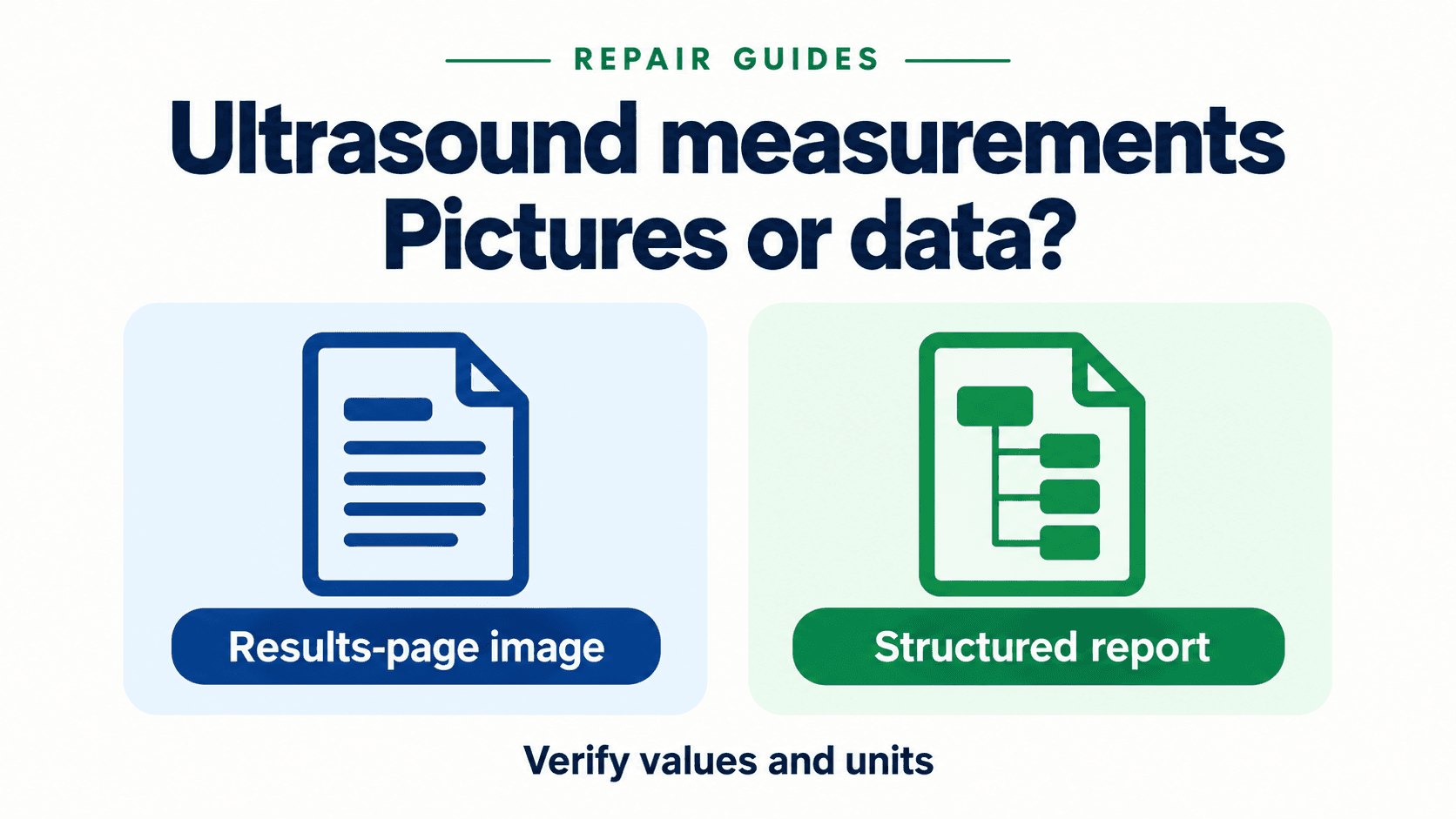
In which form can measurements leave an ultrasound system?
The service ticket is familiar: the scanner displays measurements, the images reach PACS, and the reporting form remains empty. That observation leaves several possibilities. The values may have left only as visible text on an image; the required calculation package may not have produced an SR; or an SR may have arrived without being mapped into the reporting application. Start with the exported objects rather than a replacement-board order.
DICOM (Digital Imaging and Communications in Medicine) supports several object types. For this ticket, distinguish three common delivery forms. They can coexist in one examination and are not an exhaustive list of every vendor interface: a separate approved reporting interface may also deliver data. The question here is what the DICOM export contains.
- Burned-in image annotations. Numeric labels and calipers can be embedded in Pixel Data. A reviewer can read the displayed number, but those pixels are not themselves coded measurement fields. Do not infer that the original value has been destroyed or that the study contains no other data; inspect the complete exported set.
- Secondary Capture results pages. A calculation summary can leave as an image under Secondary Capture Image Storage. This can preserve a readable summary, but a reporting application cannot treat its printed numbers as NUM content items without a separate extraction workflow.
- DICOM Structured Reports. An SR uses a separate series with
Modality = SR. Numeric-capable SR classes can carry coded measurement items. SR also carries text, context and references, so an SR file’s existence is not proof that a particular caliper value is included. 1 3 4
Successful image transmission shows that one transfer path worked at that time; it does not certify the network adapter, drive or processing board as fault-free. Prioritize output coverage, authorized export settings and receiver behavior when only measurement fields are missing. If transfers also fail or the system is unstable, use the ultrasound DICOM and network fault guide for the broader service evidence. Avoid treating either symptom as a remote hardware diagnosis.
An evidence matrix for the three measurement delivery states
Use the following matrix to identify what evidence each observed delivery state provides, how downstream systems handle it, and what risks remain unresolved before signing off on equipment configuration.
| Delivery State | Technical Implementation & SOP Class | Downstream Ingestion Capability | What It Proves & Unresolved Risk |
|---|---|---|---|
| Burned-in annotation | Visible labels embedded in an ultrasound image. | Human-readable evidence; extraction from pixels requires a separately validated method. | Shows the saved annotation, not a coded numeric item or complete measurement set. |
| Secondary Capture results page | A screenshot stored as an image object. | Can preserve the results page for review. Native reporting-field population needs additional support. | Shows the exported page; legibility, completeness and workflow suitability still need verification. |
| Numeric-capable SR | A non-image SR object with coded content items. | A compatible application can extract supported values and units. Automation depends on the receiving implementation. | Inspect required content and meaning, retention, rendering and field mapping; the SOP Class alone is insufficient. |
Source: Editorial comparison of output evidence; DICOM object classes and SR structure in sources 1–4, 6 and 9.
These are different capabilities, not a ranking of clinical safety. A facility may intentionally use a verified results-page workflow. Conversely, a scanner producing valid images may fail a procurement requirement for structured measurement export. Record the contracted reporting requirement and identify the gap against it; do not declare pixel-based output defective merely because SR would be more convenient.
What does the DICOM standard actually provide for measurement data?
A Service-Object Pair (SOP) Class identifies the kind of DICOM object being exchanged. The standard lists image storage and SR storage separately. Compare the exact SOP Class UID in the sender’s created-object list with the receiver’s accepted classes; matching the word “DICOM” is too broad. 1
- Ultrasound Image Storage: SOP Class UID
1.2.840.10008.5.1.4.1.1.6.1 - Ultrasound Multi-frame Image Storage: SOP Class UID
1.2.840.10008.5.1.4.1.1.3.1 - Secondary Capture Image Storage: SOP Class UID
1.2.840.10008.5.1.4.1.1.7 - Basic Text SR Storage: SOP Class UID
1.2.840.10008.5.1.4.1.1.88.11 - Enhanced SR Storage: SOP Class UID
1.2.840.10008.5.1.4.1.1.88.22 - Comprehensive SR Storage: SOP Class UID
1.2.840.10008.5.1.4.1.1.88.33 - Comprehensive 3D SR Storage: SOP Class UID
1.2.840.10008.5.1.4.1.1.88.34 - Extensible SR Storage: SOP Class UID
1.2.840.10008.5.1.4.1.1.88.35 - Simplified Adult Echo SR Storage: SOP Class UID
1.2.840.10008.5.1.4.1.1.88.72
The UIDs above are lookup examples, not a minimum equipment specification. Your installed system may use a different supported SR class. Record its full UID, application package and report template, then check those against the destination. A sales statement saying “supports SR” does not establish the required content or its use in a reporting form.
Basic Text SR is intended mainly for narrative content. Its allowed value types exclude NUM; numbers may still be present inside text. That is different from a numeric content item with coded units. Enhanced SR supports numeric measurements, but support for the class is a capability declaration, not evidence that every console measurement is exported. 2 3
Inspect actual populated measurement items as well as the class declaration. For a NUM item, the Document Content Macro supplies its concept name and the Numeric Measurement Macro supplies the measured value structure. The latter can have an empty Measured Value Sequence to express an unknown or missing value or a measurement/calculation failure. A nonempty SR can therefore contain missing measurements. 6 9
- Meaning: record the Concept Name Code Sequence
(0040,A043), including code value, coding scheme and meaning. Include relevant parent context, such as the measured site or calculation group; a displayed label alone may not distinguish two items. - Value: inspect Measured Value Sequence
(0040,A300)and Numeric Value(0040,A30A)for the required populated NUM item. Preserve any supported precision representation rather than treating screen rounding as the stored value. - Units: inspect Measurement Units Code Sequence
(0040,08EA)within the measured value item. Check the coded unit and any approved conversion in the reporting application. “20 mm” and “2 cm” may be equivalent, while the same displayed number with a different unit is not. 6 9
DICOM specifies that SR documents reside separately from image series and use Modality = SR. This gives an archive operator a useful discovery clue. It does not make every query interface expose every retained object, nor does finding an SR series prove its content is complete. Use the series information to locate and reconcile the actual instances. 4
How do you read the conformance statements on both ends?
For storage, the ultrasound sender acts as the Service Class User (SCU) and the archive as the Service Class Provider (SCP). Read both release-matched conformance statements with the PACS or reporting-system owner. Record the scanner software build, the archive and viewer versions, and the document revisions. Then compare the contract, configuration and observed output using the checklist below.
| Audit Dimension | Modality (SCU) Verification | Archive / PACS (SCP) Verification | Diagnostic Impact / Failure Mode |
|---|---|---|---|
| Created and accepted SOP Classes | Which exact SR classes and measurement applications create objects? | Which classes are accepted, retained and exposed for retrieval? | A missing or rejected SR capability leaves the structured-data requirement unresolved. |
| Options and application coverage | Check documented entitlements and measurement-package coverage; an SR license is not universal. | Check supported templates, extraction modules and any required licenses. | An active option or general SR declaration does not prove the required fields are supported. |
| Presentation contexts | Record offered SR class and transfer syntaxes in authorized logs. | Confirm an accepted class/syntax combination for the intended destination. | Image contexts can succeed while an SR context fails. Record the actual negotiation result; do not infer a universal error code. |
| Destination and send trigger | Check per-destination SR settings and when reports are generated or sent. | Confirm whether the intended receiver is PACS, a reporting server or both. | An image arriving mid-exam does not imply a report due at end-exam is missing. |
| Retention and meaning | Record template identifiers, codes and required content from the sender. | Read storage level, documented transformations, rendering and field-mapping behavior. | Storage Level 2 addresses attribute preservation, not automatic semantic validation or reporting-field integration. 15 |
Source: Editorial two-end checklist based on DICOM conformance concepts and the release-specific examples below; not an OEM configuration procedure.
What do real ultrasound systems implement?
The following examples establish specific differences in documented output. They are not a compatibility matrix or a census of current ultrasound products. For a different model or software build, obtain its own statement and verify a synthetic export. Do not transfer a setting, license assumption or absence-of-support finding between product families.
Lumify R5.0: results-page images. Philips statement HSDP-1299212 version 01, dated 17 August 2023, lists Ultrasound Image, Ultrasound Multi-frame and Secondary Capture as its created classes; no SR class is listed. Table 1 limits Secondary Capture to B-Line analysis and OB/GYN calculation results pages and says that use is not configurable. Section 8.3 marks coded terminology and templates not applicable. 5
For that documented release, the practical decision is to assess the supported results-page workflow against the facility’s requirement. Enabling an imagined SR checkbox is not a remedy. This finding does not describe other Philips models or later Lumify releases.
EPIQ/Affiniti Release 11.0.x: coverage and send timing matter. Philips statement D001649514 Rev A, dated 15 April 2024, lists Comprehensive SR support. Section 4.4.1.2.2 distinguishes SR export through a storage destination from a dedicated SR server, which exports at end-exam. It also states that user-defined measurements are sent in SR, while no SR is sent for General measurements. 11
The resulting acceptance question is precise: was this item saved in a covered measurement workflow, and had the documented send trigger occurred? A console caliper, supported SR class and working network can coexist with a value outside the SR export coverage. The receiver must also understand the exported template and context.
GE LOGIQ S7: support not established here. The official LOGIQ S7 conformance PDF could not be accessed during this source review. No S7-specific SR, template or export-setting claim is made. Obtain the document matching the installed release from GE HealthCare before making a compatibility or acceptance decision.
Historical integration settings. EMSOW’s FAQ, posted 3 June 2016, documents destination-level “Enable Structured Reporting” for LOGIQ e, per-device DICOM SR activation for Vivid i, and report export configuration for MyLabFive. Its Mindray M7/M9 entries refer readers to manuals rather than documenting SR measurement-package coverage. Verify those manuals against the installed release. Treat this dated vendor FAQ as an intake clue, not current OEM setup instructions. 7
A new failure after service or a software change warrants an authorized review of configuration backups, release notes and OEM notices. Preserve the previous working output where available. Do not infer a failed board from absent reporting fields, and do not copy another model’s configuration path into a service procedure.
Why can an archive receive an SR and still show nothing?
An archive receipt, a retrievable SR and a populated reporting field are three different observations. If the transmission log reports success but the physician’s form is blank, retain the instance identifiers and determine where the content stops being available. A viewer-only test is insufficient to identify that boundary.
The following are separate investigation branches, not a claim that each archive has these faults:
- Retention or indexing. Confirm the instance in the intended archive. Visage version 12.00, dated 18 June 2026, documents that C-STORE success does not itself establish database verification and that a class configured for discard can still return success. This is a product-specific reason to check retained objects rather than only sender status. 12
- Rendering. The same statement describes SR-to-HTML conversion and limits its presentation guarantee to listed attributes. It does not say an unsupported template always produces an empty page. Compare documented coverage with the missing items. 12
- Semantic extraction. A readable SR tree does not prove that the destination maps each required concept, context and unit into its reporting fields. Ask the receiving vendor to confirm the exact exported content and workflow; do not assume all manufacturers use private codes or that a dictionary alone resolves every mismatch.
- User presentation. Check the study tree, document panels and access rules with the application owner. A hidden series is one possibility; a search result or a screenshot is not enough to establish either successful display or permanent loss.
DICOM does impose conditions on an SCP that intends to render an SR: it must convey the full meaning unambiguously, subject to specified exceptions. That includes context and report status, not just a few numbers. Storage acceptance nevertheless does not promise automatic population of a particular clinical reporting form. 10
How do you verify the round trip before acceptance or return-to-service?
Treat the following as a joint engineering test plan to adapt and approve with the facility and OEM support. Define the required measurements and destinations before testing. Use a permitted test identity and an approved phantom or synthetic dataset; never invent a patient examination or route patient data to an uncontrolled service tool. Record configuration changes through the facility’s normal authorization process.
- Establish the expected output. Record the scanner model/build, documented measurement coverage, installed options if applicable, destination Application Entity (AE) identity and send trigger. Have an authorized operator inspect the matching settings. Do not require a “permanent SR key” or a particular checkbox where the OEM does not specify one.
- Define a synthetic baseline. Use the facility’s approved test method. Record each required item’s meaning, parent context, saved value and unit at the scanner before transmission. Two illustrative stored values could be
25.0 mmand50.0 mm; these are fictional delivery examples, not phantom calibration values or acceptance tolerances. Include every contracted measurement type, not just two easy fields. - Reconcile outbound instances. After the documented generation/send event, record image and SR SOP Class UIDs, SOP Instance UIDs and per-instance C-STORE results in authorized logs. Do not restrict discovery to Enhanced or Comprehensive SR when the system uses another supported class. Investigate failures and warnings, including documented transformations, rather than treating only a green study-level status as proof.
- Reconcile retained instances. Ask the archive owner to locate the expected SR objects using its supported inventory or query interface and retrieve authorized test copies. A Series-level C-FIND can help where supported, but an empty result may reflect query coverage, routing, indexing or access constraints. Match actual instances and content before deciding that the cart never sent them.
- Compare content and intended use. Compare scanner baseline, retrieved SR and the actual reporting fields. Check required-item counts, meaning, context, units, missing values and approved conversions. Weasis can aid independent SR-tree inspection using an authorized test copy. 13 A matching value there narrows the investigation; it does not prove the scanner is fault-free, the whole SR conforms, or the clinical workflow is ready. Record viewer version and any unsupported content.
Measurement delivery testing complements the facility’s electrical, mechanical and image-quality acceptance work; it does not replace it. Consult the ultrasound preventive maintenance and acceptance checklist and the board-repair test evidence guide for those wider service records. Repeat the affected delivery tests when scanner software, measurement packages, export settings, archive ingestion or reporting mappings change.
A joint scanner and archive measurement acceptance record
Keep a shared record identifying the test, versions, expected items, observed evidence and unresolved exceptions. Assign each gap to the scanner service team, archive operator or reporting-system owner as supported by the evidence. A screenshot can supplement this record; it should not replace object-level reconciliation.
| Audit Parameter | What to Record & Verify | Acceptance Threshold / Evidence Required |
|---|---|---|
| Scope and versions | Scanner model/build, application package, relevant options, archive/viewer/reporting versions and document revisions. | Coverage is documented for the required workflow; unsupported or unverified items are explicitly recorded. |
| Destination and trigger | Authorized AE configuration, intended receiver and documented generation/send event. | The test exercised the contracted destination and completed the applicable trigger. |
| Synthetic baseline | Test ID, expected item set, scanner-saved meanings, values and units; approved phantom method if used. | No patient data; delivery comparison is separate from physical measurement accuracy and phantom tolerances. |
| Outbound evidence | Expected image and SR instance identifiers, negotiated class/syntax and per-instance results. | Each required instance accounted for; failures, warnings and any transformations investigated. |
| Retained content | Retrieved test instances, series identity and comparison against source content. | Required items present with matching meaning and values, allowing only documented approved conversions or rounding. |
| Reporting workflow | Displayed/extracted items, count, context, units and report status in the intended application. | The reporting requirement is met; blank or mismapped fields remain an unresolved acceptance exception. |
| Ownership and sign-off | Evidence references, exceptions, responsible teams, date and facility approval. | Measurement delivery is signed off for the stated scope; broader return-to-service checks remain separately required. |
Source: Proposed joint evidence record for facility adaptation; not a published OEM acceptance standard and not a universal measurement tolerance.
Retention responsibility is a separate gate from measurement content. Before any local copy is removed, use the facility’s retention policy and the evidence described in the ultrasound storage-commitment guide. A visible measurement or an SR in a viewer does not authorize deletion of the source study.
What if the system or archive cannot produce or display SR at all?
If the required workflow cannot be met with the documented scanner output or receiver support, record the gap rather than inventing a configuration fix. Facility clinical leadership, informatics and procurement should choose an approved alternative or revise the specification. Options depend on exact product support and local policy:
- Supported results-page workflow. Where the OEM provides a summary image, verify its contents, legibility, retention and availability to the intended reader. The facility decides whether this meets its reporting requirements and how any manual transcription is checked. Do not prescribe an unverified screen-capture procedure across models.
- Separate reporting interface. Ask the OEM and receiving vendor about documented alternatives. The absence of a numeric SR route is not proof that no other approved interface can deliver measurement data. Evaluate that route under its own specification and validation plan.
- Extraction or normalization. A vendor may offer mapping or OCR of image text. Treat the output as a derived artifact requiring validation of values, units, context, provenance and error handling; retain the original evidence. This guide does not establish the capabilities or compatibility of any middleware product.
- Unresolved data-integrity gap. Escalate missing, contradictory or mismapped values to the responsible teams. Do not silently rewrite clinical records, change identity fields or bypass permissions. Before a repair shipment, follow the approved patient-data handoff plan.
Where Rongtao fits—and where it does not
Rongtao Medical supports multi-brand ultrasound board repair, probe services and tested replacement parts for distributors, independent service organizations and hospital engineering teams. An image-versus-data complaint first needs the joint scanner and receiving-system evidence described above; it is not itself a parts diagnosis.
Hardware service boundary. If qualified investigation identifies a board, storage or physical communication fault, Rongtao can assess the item against its documented service scope. Retain sanitized logs, symptoms and the configuration timeline. A successful SR test covers only the tested data path and cannot certify unrelated hardware functions. 14
- Board repair: typical standard turnaround is 5–8 business days, subject to the item and agreed scope.
- Testing: every repaired board undergoes 48-hour real-machine testing inside an actual ultrasound system.
- Warranty: typically 90 days, with terms confirmed by product category, service type and quotation. 14
Integration boundary. This article makes no promise that Rongtao provides PACS, vendor-neutral archive or hospital reporting integration. Coordinate archive inventory, viewer support, template mapping and software entitlement questions with the facility and the relevant vendors. Hardware service remains a separate decision supported by the diagnosed fault.
For a case-specific service assessment, contact Rongtao with OEM, exact model, software version, fault timeline, sanitized errors, quantity and destination country. If a qualified team has already identified a board, include its manufacturer part number and clear label and both-side photos obtained under safe service procedures. Keep patient information and unsanitized studies out of the quote packet.
Frequently asked questions
The console shows measurements but the reporting fields are blank. Where should we start?
Inspect the exported object set. Determine whether it contains only visible annotations/results pages or a numeric-capable SR with the required content. Then trace retention and reporting-field extraction. Do not infer the output from the console display alone.
Does an SR entry in the conformance statement prove our measurements will transfer?
No. Verify the exact SR class, covered application, generation trigger and destination. Test the required content. Basic Text SR cannot carry NUM items, and a numeric-capable SR can still lack a required value. 2 9
No SR series appears in a query. Does that prove the cart failed?
No. Verify the query interface, destination, indexing and access scope with the archive owner, then reconcile the sender’s expected instances with retained or retrieved objects. A listed SR series also needs content verification; it is not proof of complete measurements.
Can we use one model’s setup instructions on another?
No. Use the matching OEM manual and conformance revision. The Lumify and EPIQ/Affiniti examples illustrate different documented output within one brand; the 2016 EMSOW paths are historical intake clues. LOGIQ S7 support remains unverified here.
What if an independent viewer shows values that PACS does not?
That supports a receiver display or extraction investigation for those items. Compare the same instance, context and units, and document the viewer version. It does not establish universal conformance or complete scanner health. 13
What is the acceptance criterion after service?
The facility’s defined workflow must receive and use the required measurement set with the intended meaning, values and units. Record unresolved gaps and repeat affected tests after changes. Delivery agreement is separate from phantom accuracy, electrical safety and full clinical return-to-service approval; this guide sets no universal millimeter tolerance.