
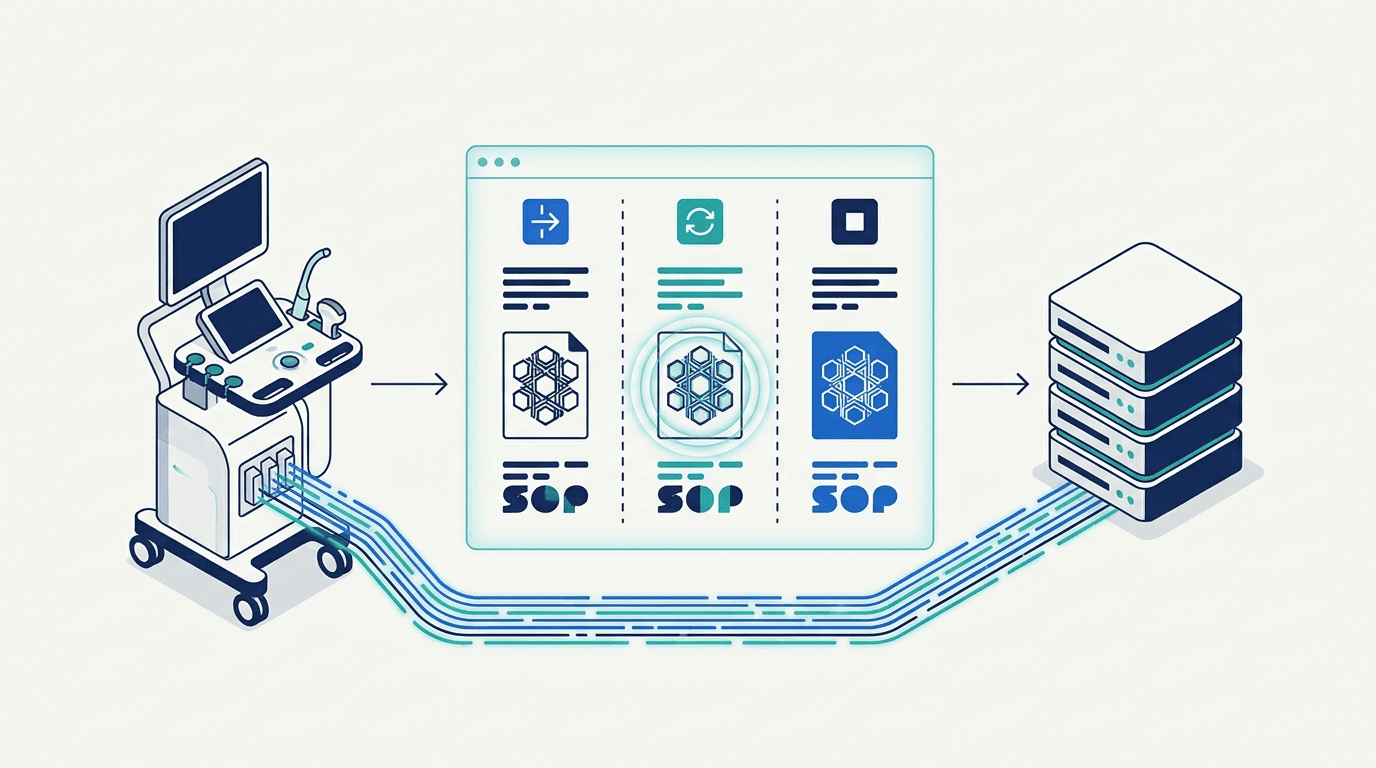
Why does a resent ultrasound study appear duplicated in PACS?
An ultrasound console may show an unconfirmed transfer while the picture archiving and communication system (PACS) already holds some or all of the sent objects. A later retry can then produce unexpected counts, an unchanged image or a duplicate-looking study entry. Those observations describe different problems. Record which one occurred: two study entries, repeated series, extra image tiles, an error message, or missing changes after a successful resend.
For hospital healthcare technology management (HTM), clinical engineering and independent service teams, the immediate decision is who needs which evidence. The scanner supplier investigates source generation; the archive owner investigates ingestion and indexing; the facility’s clinical owner decides whether required records are complete and usable. Without that separation, an ambiguous display problem can become an unnecessary repair order or an unsafe record change. This guide does not estimate how often either software or hardware is responsible.
Keep the original send and retry distinct in the incident record. “We sent it twice” does not establish that both attempts contained the same objects. Note the exact console action: an automatic retry, a queued-job retry, a fresh export from review, or an export after adding content. Do not infer a scanner’s UID behavior from the button label. Preserve any available outbound copies and correlated receiver logs before routine log rotation removes them.
This article addresses object identity after a resend. If the problem is specifically retrieval of prior studies through C-MOVE, use the separate guide to trace the retrieve connection. Successful outbound image delivery and a failing retrieve are different paths; neither alone establishes why the viewer shows duplicate entries.
Which identity changed between the original send and the retry?
DICOM (Digital Imaging and Communications in Medicine) uses unique identifiers (UIDs) for studies, series and individual Service-Object Pair (SOP) instances at different levels. A single multiframe cine object can contain many frames, so a count of displayed frames is not necessarily an instance count. Use the following fields for the comparison; do not substitute filenames, series labels or accession numbers for UIDs. 1 2 3
- Study Instance UID (0020,000D): identifies the study. Accession Number and Study ID are separate fields; matching their displayed values does not establish equal Study Instance UIDs. 2
- Series Instance UID (0020,000E): identifies the series within the study. Series Number (0020,0011) is a separate attribute and should not be used as a substitute. 3
- SOP Instance UID (0008,0018): identifies the individual object. Compare each required still, cine or report object rather than treating the study as one file. 1
- SOP Class UID (0008,0016): identifies the class of object. When class and instance values are encoded in the dataset, they must agree with their corresponding DIMSE and file-meta identities. A conflicting representation needs investigation. 1
Three possible workflows illustrate why the actual payload matters. These are investigation cases, not claims about every ultrasound model or software release. The standard defines identifier meaning; the installed scanner’s conformance statement and captured transaction establish what its resend function actually did.
Queued retry: If the queue retransmits the same stored objects, the identifiers should compare equal. Establish that from the actual retry payload or available logs. A missing response at the sender does not prove that the receiver discarded the first object. Avoid calling the two files “bit-for-bit identical” unless they were actually compared.
Fresh export from review: Compare its object set with the initial send. If different study, series or instance identifiers appear, ask the scanner supplier whether the documented export or correction workflow explains them. A new UID is evidence of a different identity, not by itself proof of a scanner fault. If patient attribution differs, route that issue through the facility’s patient identity and issuer reconciliation process before discussing record consolidation.
Additional saved content: An examination with added images can contain both previously sent and new instances. Account for each set separately. Do not assume that reopening an examination must create a new series, or that every resend must preserve the original study identity. The supported behavior depends on the exact workflow and release.
Use Table 1 as a joint evidence record. Fill unavailable cells explicitly rather than copying a receiver value into the original-send column. A file retrieved now from PACS is evidence of the retained stage; it is not automatically an untouched copy of what originally left the scanner. Keep patient-linked identifiers, network details and files within approved facility systems.
| Evidence item | Original send | Actual retry | Receiver-retained object | Difference or missing evidence | Owner and next check |
|---|---|---|---|---|---|
| System and route | Model, software build, sending application and destination | Exact resend action, build and destination | Receiver product/version and ingestion endpoint | Any route or version change | Scanner/PACS owners: identify every intermediary |
| SOP Class and Instance UIDs | (0008,0016) and (0008,0018) in outbound evidence | Same fields in actual retry | Same fields in authorized retrieved copy | Exact match, mismatch or unavailable | PACS/scanner supplier: compare dataset and available command/file-meta identities |
| Study and Series UIDs | (0020,000D) and (0020,000E) | Hierarchy of resent objects | Hierarchy retained by archive | Changed grouping or documented mapping | PACS owner: separate source hierarchy from viewer grouping |
| Object and content scope | Required stills, cine objects and report objects | Repeated objects versus new objects | Which objects are retrievable; which content was checked | Frame, annotation or report differences; untested objects | Clinical/PACS owners: define completeness and comparison scope |
| Event time and provenance | Send time, offset and available original reference | Retry time and actual trigger | Ingestion/retrieval time and transaction reference | Clock uncertainty or missing original | IT/scanner owners: correlate records without treating timestamps as identity |
| Operation and response | Actual request/response, or no response observed | Actual operation, status and error comment | Correlated receiver event | Warning, failure, timeout or missing log | PACS owner: interpret the service-specific status; timeout is not a DIMSE status code |
| Transformations | Original values where available | Any documented correction or derived export | Coercion/conversion record and before/after mapping | Explained versus unexplained changes | Integration/scanner owners: identify the transforming system |
| Disposition and owner | What the first send is known to have delivered | Active policy applicable to this transaction | Earlier object kept, replaced, additionally stored or unresolved | Documentary evidence for that conclusion | PACS owner: supply policy/version and retained-object evidence |
Source: Editorial evidence form based on the cited identity and Storage documentation; not a DICOM-mandated form.
What did the archive retain after the resend?
DICOM identity definitions do not establish the configured disposition of a repeated object at a particular receiver. Ask the PACS administrator for the product/version, active rules, relevant transaction record and an authorized copy of what is now retrievable. Keep the stored object separate from database metadata and viewer presentation: a change in one is not proof that all three changed.
Two primary implementation references demonstrate the need for that check. They are examples, not a PACS ranking, compatibility list or instruction to change production settings. The documentation is public; no installed archive was tested for this article.
The dcm4che Archive 5 Storage narrative documents several repeat-handling policies. The same documentation site describes relational-mismatch controls separately in its Archive Network Application Entity (AE) configuration reference. Treat policy names below as summaries of those documents, not a configuration recipe; confirm the deployed release and effective controls with its owner. 8 12
- Separate policy from outcome: record the setting applicable at the event time, not only today’s setting. Ask whether an intermediary applied its own rules before the final archive.
- Separate replacement from display: ask which object was kept or replaced and what database or viewer updates occurred. A newer ingestion timestamp alone does not establish newer clinical content.
Orthanc adds another identity consideration: its instance identifier is a hash of Patient ID, Study Instance UID, Series Instance UID and SOP Instance UID. The Book describes keeping the first object by default when that Orthanc identifier matches, with replacement available through OverwriteInstances. Comparing SOP Instance UID alone therefore does not reproduce Orthanc’s indexing key. 9
If the incident also raises a retention decision, review archive responsibility before changing retention. Neither a duplicate message nor an unchanged thumbnail authorizes removal of the local copy or a clinical archive record.
| Documented example | Matching condition | Documented disposition | What still needs evidence |
|---|---|---|---|
| dcm4che Storage narrative: NEVER | Equal SOP Instance UID | Incoming repeat ignored; success returned | Which earlier content remains retrievable 8 |
| dcm4che Storage narrative: ALWAYS | Equal SOP Instance UID | Subsequently received instance replaces previous instance | Effective controls, transformations and actual outcome 8 12 |
| dcm4che Storage narrative: SAME_SERIES | Equal SOP Instance UID; Study and Series UIDs also equal | Overwrite when hierarchy matches; otherwise store additionally | Do not interpret this as a documented C000 rejection; check relational-mismatch controls 8 12 |
| Orthanc Book | Equal Orthanc identifier, using all four inputs | First object kept by default; OverwriteInstances=true allows replacement | Installed setting and actual response; this page supplies no universal DIMSE status table 9 |
Source: dcm4che Archive 5 documentation labeled 5.35 and Orthanc Book, reviewed 3 November 2026. Actual configuration and responses require local verification.
Does the error describe image Storage or a different DICOM operation?
The DICOM Message Service Element (DIMSE) operation must accompany any status. Record whether the response concerns image Storage C-STORE, Modality Performed Procedure Step (MPPS) N-CREATE or another service, and identify the affected object. A study-level “failed” label may combine several tasks; it is insufficient evidence of which image or report failed.
PS3.7 C.5.8 defines 0111H as Duplicate SOP Instance. PS3.4 Table B.2-1 separately lists Storage C-STORE responses: 0000H success, warnings including B000H coercion, and failure ranges such as A7xx, A9xx and Cxxx. It does not list 0111H as a standard duplicate C-STORE outcome. Do not turn the generic status definition into a universal image-resend rule. If that code appears in a Storage log, preserve it and consult the receiver’s exact implementation documentation. 5 6
Philips Lumify R5.0, document HSDP-1299212, provides a useful ultrasound-specific example. Its Table 18 lists 0111H under MPPS N-CREATE responses. That table does not establish the outcome of an image C-STORE. An MPPS object and an image instance are different records. Use the related guide to separate procedure-step status from image delivery; verify image delivery independently rather than assuming success or failure from MPPS. 10
Apply the same object-level discipline when a send includes both images and a Structured Report (SR). Identify the failing SOP Class and SOP Instance instead of assuming that every object followed the same path. This article does not infer discrete-measurement availability from image thumbnails or prescribe a particular SR class for all ultrasound systems.
How should matching identifiers with different content be investigated?
A same-identity content difference is a reason to preserve evidence and investigate its origin. First establish what differs: file encoding, patient/study metadata, pixel content, a frame count or report values. Record which comparison was actually performed. A screenshot can reveal a display difference; it cannot establish the contents of every stored instance.
A whole-file checksum can identify byte equality in the copies compared, but unequal checksums do not by themselves prove altered clinical content. File-meta information, encoding or documented attribute changes can differ. Equally, matching UIDs or thumbnails do not prove equivalence. The facility’s qualified system owners must interpret content differences using supported tools; this guide supplies no universal checksum or pixel-difference acceptance threshold.
DICOM explicitly accommodates some receiver-side changes. PS3.4 B.4.1.3 permits coercion into the receiver’s query model, specifies a Warning response for such modification and cautions about reference integrity. PS3.3 also describes optional records of coercion, correction or conversion. Therefore an explained transformation and an unexplained source-content change should not be classified together. 1 7
- Check the exact scope: Table B.4-1 names Patient ID, Issuer of Patient ID, Other Patient IDs Sequence, Study Instance UID and Series Instance UID. The section also discusses code-sequence conversion and notes that other attributes may be corrected. It is not a blanket permission for field engineers to edit clinical records. 7
- Compare warnings with configuration: the standard requires a Warning for the specified coercion. The dcm4che narrative says its B000 return is disabled by default. Absence of that warning therefore cannot establish that no change occurred in a deployed receiver. 6 7 8
- Ask for a before/after record: Original Attributes Sequence and Instance Coercion DateTime may help where populated; do not assume they exist. Study/series changes can invalidate references, so ask the responsible system owner how related objects were reconciled. 1 7
If the changed export involves compression or derivation, use the separate guide to trace compression history. Keep that analysis distinct from a repeat-policy decision. The fact that the negotiated transfer syntax changed does not, by itself, establish a new clinical acquisition or a corrupt object.
The following cases are hypothetical comparison outcomes. They identify the next evidence request and responsible owner; they do not authorize a merge, a queue purge, a UID rewrite or a repeat transmission.
| Observed case | What it supports | What remains uncertain | Next owner and evidence |
|---|---|---|---|
| Same identity and same inspected content | Consistent with a repeat in the checked scope | Uninspected objects and actual receiver disposition | PACS owner: reconcile expected/retained object lists and investigate viewer grouping |
| Same SOP identity, unexplained content difference | A discrepancy needing preservation | Source change, documented transformation or comparison artifact | Scanner/PACS owners: preserve available copies and trace before/after provenance |
| Different study/series/instance identity | Objects are identified differently | Legitimate export/correction versus unintended regeneration | Scanner supplier: document workflow; PACS/clinical owner: assess required records without forced merging |
| Original or actual retry unavailable | Only a partial comparison is possible | Whether first or later content was retained | PACS/scanner owners: seek remaining transaction evidence; leave missing stage unresolved |
| Duplicate status belongs to MPPS | Procedure-object response needs its own interpretation | Image-delivery outcome | Integration owner: investigate MPPS; PACS owner: verify image objects separately 10 |
Source: Editorial decision aid informed by the cited standards and implementation examples; no clinical dataset or validation study.
What can an authorized synthetic acceptance check establish?
Where an incident cannot be resolved from existing records, the scanner supplier and facility owners can agree a non-patient test through their approved change process. Use a designated test environment or a specifically authorized destination with controlled test-record handling. Do not interrupt a clinical network or inject test objects into live care records merely to reproduce a resend.
Agree the question before testing. For example: does the documented queued retry preserve the observed object identities, and what does this receiver retain? A fresh export after a supported edit is a separate test case. The following is a planning checklist, not a manufacturer procedure or a clinical acceptance standard:
- Name the configuration and owners. Record scanner/build, receiver/version, route, effective repeat policy, approved destination and who controls test records. Obtain the exact supported resend procedure.
- Define the expected object set. Use facility-approved synthetic or phantom material appropriate to the system. List expected stills, cine and report objects where relevant; this guide specifies no arbitrary frame count, phantom setting or measurement tolerance.
- Preserve the first-send evidence. Capture the available outbound identity/content record and operation results before a retry. Check receiver-retained test copies separately. If the source payload cannot be accessed through supported means, document that limit.
- Run only the agreed retry case. Use the supported workflow under the owners’ supervision. Failure simulation requires a separate approved method; do not unplug a production network cable or change security controls based on this article.
- Complete the three-stage ledger. Compare identities, scoped content and actual disposition. Record warnings, failures and unavailable evidence. If supported editing/re-export is also tested, preserve that as a separate event.
- Close with a bounded result. State what was demonstrated for this version, route, object set and configuration, what remains untested, and who approves the next action. The facility retains authority over test-record disposition and clinical return to service.
A successful test demonstrates only the tested transaction. It cannot reconstruct a lost original clinical payload or prove behavior for every operator workflow, SOP Class or future release. Recheck after scanner/archive updates, migrations or policy changes. No scanner, PACS installation or patient image corpus was tested in preparing this guide.
What evidence belongs with PACS, and when is scanner hardware service relevant?
Hardware service becomes relevant when qualified investigation supplies independent scanner-side fault evidence. A duplicated study display, a newly generated UID or a timeout alone does not identify a failed I/O board, drive or motherboard. Keep supported diagnostics separate from the clinical-record investigation, and preserve logs before any authorized software recovery or parts work.
Use Table 4 to assign the next question. These are proposed handoffs, not remote diagnoses or promises about which component can be repaired.
| Observation | First owner | Evidence to request | Hardware-service implication |
|---|---|---|---|
| Two study entries or repeated tiles | PACS/clinical owner | Actual identities, retained object inventory and viewer grouping | No component diagnosis from display alone |
| Changed identity after an export | Scanner supplier and integration owner | Exact action/build and documented generation or correction behavior | Do not infer defective memory or a processor board |
| Same identity with changed content | PACS/scanner owners | Authorized copies, transformation records and comparison method | Resolve provenance before recovery or replacement |
| Recurring transport interruption | Facility IT and clinical engineering | Correlated endpoint logs and supported network/system diagnostics | May justify scanner service if independent evidence localizes a fault |
| Verified scanner-side fault | Qualified ultrasound service provider | Model, software, diagnostic results and accessible part label | Case-specific board/assembly diagnosis may be relevant 11 |
| Missing original/retry evidence | PACS/scanner owners | Remaining logs and explicit description of the lost stage | Do not substitute a hardware theory for unavailable evidence |
Source: Editorial responsibility aid; company capability bounded by Rongtao’s published service scope.
Where Rongtao fits — and where it does not
Rongtao Medical offers ultrasound board and assembly repair, probe service and system-level diagnostics. A hardware enquiry is appropriate when the incident record supports scanner-side service rather than merely a duplicate-looking PACS display. Ask for a case-specific assessment; this guide establishes no component compatibility, stock, repairability, price or guaranteed turnaround. 11
For this investigation, archive administration and clinical-record reconciliation stay with the facility and its system suppliers. Rongtao’s repair service is not evidence that an archive has accepted a particular instance or preserved the correct content. OEM names identify equipment; they do not imply OEM authorization or endorsement.
Before an external enquiry, prepare a sanitized summary of the observation and the facility’s findings. Keep original DICOM objects, patient-linked UIDs, accession numbers, images, network addresses and raw clinical logs inside the facility’s approved support channels. Removing a visible patient name alone does not make an export suitable for an ordinary quote form.
If hardware service is supported by those findings, review ultrasound repair services and submit equipment details for intake review. Provide:
- OEM, exact scanner model and host software version.
- Manufacturer part number and revision, if already identified through authorized service; clear label and both-side board photos only when safely available from qualified personnel.
- Sanitized symptom and exact error/status text, with the operation and event sequence. Keep patient information and private network details out of the quote.
- Supported diagnostics already performed and what the PACS/IT owners established; identify missing evidence rather than guessing.
- Requested quantity, destination country and timing needs, for a case-specific quote and service terms.
Frequently Asked Questions
Do equal study numbers or image counts prove a duplicate?
No. A study label or equal count can conceal different object sets. Compare identifiers and scoped content across original, retry and retained stages. If only a sample was examined, say which objects were checked and which remain unverified. Patient matching, object identity and clinical completeness are separate conclusions.
Does 0111 always mean that a C-STORE resend failed?
No. Preserve the operation and affected object. The standard’s generic duplicate definition does not establish a universal Storage outcome, and the cited Lumify table concerns MPPS N-CREATE. The status alone proves neither complete image delivery nor safe retention; ask the archive owner to verify the required objects. 5 6 10
Can a successful send leave the earlier object in place?
Yes—the dcm4che NEVER example explicitly returns success while ignoring the repeat. Request evidence of the retained content and applicable policy. “Sent successfully” is not enough to determine whether a later annotation or report version replaced an earlier one. 8
Should we generate new UIDs to get the study accepted?
Do not improvise new UIDs to bypass rejection. DICOM cautions against deriving new identifiers by adding suffixes to UIDs assigned elsewhere. Legitimate correction or derivation belongs to supported workflows controlled by the responsible system owners, with provenance and references maintained. This is different from a field workaround that conceals the original discrepancy. 4
What if the original outbound object is no longer available?
Mark that stage unavailable. Seek remaining sender and receiver logs, but verify what they actually contain: logging scope, retention and identifiers vary. A transaction record may help reconstruct timing and disposition without preserving the original payload. If it cannot establish what changed, leave that conclusion unresolved rather than inferring it from the current screenshot.