
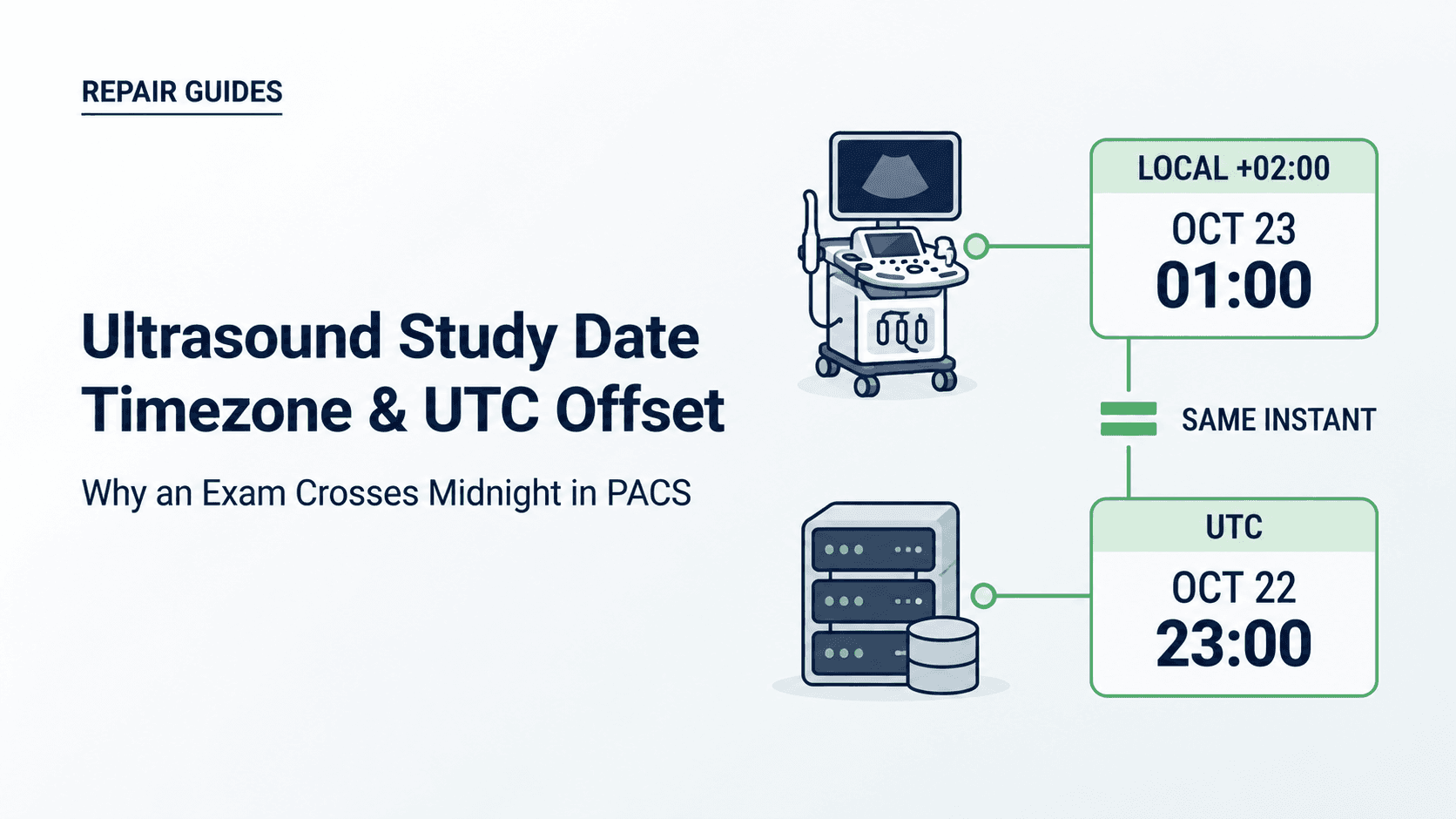
Which date does the screen actually represent?
Consider a fictional service ticket: an ultrasound exam appears on October 23 at the scanner but October 22 in the picture archiving and communication system (PACS). The requester suspects the scanner clock. A screenshot from each system records a disagreement, but does not yet locate its cause.
For a hospital clinical-engineering team or independent service organization, the first decision is who should investigate. Establish which event and representation each screen shows before treating the calendar difference as a hardware symptom. The scanner's current clock, an exam's start time, and an archive's receipt time answer different questions.
Begin with the event definitions. DICOM Study Date and Study Time describe study start. Acquisition DateTime describes the start of the data acquisition that resulted in the instance. Neither definition makes a timestamp a measured guarantee of clock accuracy. 7 8
- Study start: Compare
(0008,0020)and(0008,0030)with the documented exam-start event for the installed scanner release. - Acquisition start: If
(0008,002A)is present, identify the acquisition it describes. Do not substitute freeze, save, end-exam, or network-send time. - Instance creation:
(0008,0012)and(0008,0013)concern creation of the SOP instance and assignment of its UID, rather than archive receipt. 2 - Receiver and display: Ask the PACS owner what a list column, overlay, or portal date represents. Record any conversion policy and the user or customer timezone context separately from the source values.
Two dates can describe the same instant correctly after conversion. They can also describe different events, or reflect incorrect source data. Treat each as a hypothesis until values, event meanings, and system settings support an explanation. A plausible two-hour difference alone does not verify the entire record.
What should the evidence ledger record before settings change?
Preserve a baseline before changing settings. Otherwise a later comparison may mix an older exported object with a newly corrected clock or a different display profile. Record who collected each observation, from which system, and when. Keep the original patient-bearing evidence inside facility-approved channels; a service enquiry should use sanitized findings or a synthetic example.
Use the ledger below to organize an authorized read-only comparison. For each row, retain the raw string, whether it is absent or empty, the object it came from, and the interpretation being proposed. A tag inspector can help, but a displayed header view should not automatically be treated as an unchanged copy of the originally transmitted object. When needed, ask the system owners to compare retained source and received instances.
| Value to compare | Event or role | Context to retain | What remains unproven |
|---|---|---|---|
Study Date / Time(0008,0020) / (0008,0030) | Study start; DA / TM. | Original values and source offset context. | Individual acquisition time or receiver receipt time. |
Acquisition DateTime(0008,002A) | Acquisition start; DT, if present. | Complete value, including any inline offset; applicable object and release. | Freeze time, every frame time, or external clock synchronization. |
Timezone Offset From UTC(0008,0201) | Context for DA / TM and DT without its own offset. | Signed value, or explicit record that it is absent or empty. | A named timezone, historical transition rule, or accurate source clock. |
Instance Creation Date / Time(0008,0012) / (0008,0013) | Instance creation and UID assignment. | Original object and creation context. | Acquisition or network delivery time. |
| Source and received object | Comparison across an intermediary or archive boundary. | Facility-approved object identifiers and any authorized modification history. | Which system changed a value unless the boundary evidence shows it. |
| Viewer column / date filter | Application presentation or selection. | Field label, product release, displayed zone and filter bounds. | The original stored value or successful archival of the complete exam. |
Source: Editorial ledger using DICOM definitions in sources 1, 2, 7 and 8; not a prescribed standard form.
A useful comparison states a finding and its limit: “The same received instance shows Study Date 20261023 in the tag view and October 22 in the study list; the list timezone is not yet confirmed.” That is stronger than calling the header corrupt. It also tells the PACS owner exactly what evidence is missing.
How do separate date and time fields differ from an offset-bearing datetime?
DICOM value representation (VR) determines how a field is encoded. The three relevant forms are Date (DA), Time (TM), and DateTime (DT). Keep encoding syntax separate from proof that the clock was correct. 1
- DA: A calendar date such as
20261023, without an inline UTC offset. - TM: A time such as
010000, without an inline date or offset. - DT: A date/time value that can include a signed offset, such as
20261023010000+0200. Precision can vary. Without a suffix, the creator-local interpretation applies unless the separate offset attribute specifies otherwise. 1
Study Date and Study Time therefore need context to support comparison with a UTC display. Keep the raw pair together, then identify the applicable offset from the object or verified source configuration. Do not infer a zone from the hospital name, the receiver location, or the workstation clock at the time of investigation.
In SOP Common, Timezone Offset From UTC is optional (Type 3). It supplies context for DA/TM and for DT values without an explicit offset. A DT value with its own offset retains that context independently. 2
If the separate offset is absent, that attribute does not identify the local offset. Absence is not a declaration of UTC. Equally, a receiver fallback is an implementation question: establish the documented policy and the actual source context before deciding that it interpreted the value incorrectly. 2
An offset is a numeric relationship to UTC, not a timezone name or a complete daylight-saving policy. Two identical local clock readings can describe different instants if their offsets differ. If the required context cannot be recovered, preserve that uncertainty rather than reconstructing a precise chronology from a date string alone.
The separate Timezone Module makes the offset Type 1 within that module. Its requirement must be read in the context of the applicable information object definition and implementation. Neither that row nor the optional SOP Common row, by itself, proves that an entire ultrasound object is compliant or noncompliant. 3
Can a correct conversion move an ultrasound study across midnight?
Yes. Compare a single fully specified instant before diagnosing a fault. The following examples use fixed numeric offsets only. They do not represent a named city, an actual daylight-saving transition, a patient event, or behavior tested on a particular PACS.
In a fictional test record, study start and acquisition start are both October 23, 2026 at 01:00 with offset +02:00. The illustrative values are:
- Study Date
(0008,0020):20261023 - Study Time
(0008,0030):010000 - Timezone Offset From UTC
(0008,0201):+0200 - Acquisition DateTime
(0008,002A):20261023010000+0200
If a receiver displays that instant in UTC, subtracting the two-hour offset gives:
2026-10-23 01:00:00 (+02:00) minus 2 hours = 2026-10-22 23:00:00 (UTC)
The calendar date becomes October 22, while the instant is unchanged. The conversion is two hours; it is not a 24-hour change in elapsed time. A correct UTC display and a correct local display can therefore show adjacent days. Whether a particular application performs this conversion must be established from its documentation and configuration.
| Case | Input and context | Comparison result | Decision limit |
|---|---|---|---|
| A. Prior day in UTC | 20261023010000+0200 | 2026-10-22 23:00 UTC | Same instant; source and UTC calendar dates differ. |
| B. Different events | Study start: Oct 22, 23:45; acquisition start: Oct 23, 00:15; both +00:00. | Study and acquisition have different dates. | Verify the actual event mapping; no timezone conversion is needed to explain this example. |
| C. Next day in UTC | 20261023223000-0500 | 2026-10-24 03:30 UTC | Same instant crosses into the next UTC day. No jurisdiction or seasonal rule is implied. |
| D. Unknown offset | 20261023 and 011500; source offset unavailable. | No unique UTC instant can be established from this pair alone. | A receiver fallback must be checked against verified source context; absence alone does not prove corruption. |
| E. Repeated local reading | 20261023013000-0400 versus 20261023013000-0500 | 05:30 UTC versus 06:30 UTC on Oct 23. | Identical local text with different offsets describes instants one hour apart. This is not a dated DST-transition example. |
Source: Editorial synthetic arithmetic using fixed offsets; no patient or installed-product data.
Case D needs a different outcome from the other cases: leave the UTC interpretation unresolved. Ask for the source timezone configuration and the receiver fallback policy. A guessed offset can produce a tidy conversion while still being wrong. Record whether each offset was encoded, documented in configuration, or merely assumed.
Could study start and acquisition simply be different events?
Different event dates can also explain the observation without any timezone conversion. Study start is not acquisition start, and neither is archive receipt. The following fictional sequence uses a fixed +00:00 offset throughout. 7 8
Assume the test implementation records the following events. The example illustrates event meaning; it does not claim that all scanners assign timestamps at the same button press.
- Study start is recorded at 23:45 on October 22.
- Acquisition of data for a later instance starts at 00:15 on October 23.
- The receiver records receipt later still. That receipt timestamp belongs to the receiver event.
The first two dates can both be correct. Verify which field the user interface labels as the exam date and which field its filter uses. Do not assume that a list date, image overlay, and reporting portal all select the same event. The Lumify example below shows why release-specific event mapping matters.
If the records instead suggest an impossible order of clinical events, route that question to the responsible clinical and records owners. This technical ledger cannot establish what happened to a patient. A service team should report the observed values and uncertainty without silently relabelling the study to make two screens agree.
Why might a date-filtered query miss an existing record?
When an exam is absent from a date-filtered list, first identify the search path. An application worklist filter may be a local database operation; an archive query may use DICOM Query/Retrieve (Q/R); a scanner retrieving scheduled orders may use Modality Worklist (MWL). Calling all three a “worklist query” conceals the evidence needed.
Within an approved investigation, a known study found through another search can show that a date filter excluded it. It does not establish why. Preserve the requested bounds, field being searched, response and any additional client filtering. Ask the owner to reproduce the selection with a synthetic record before changing a production query.
For Q/R single-value matching, PS3.4 C.2.2.2.1.3 requires adjustment when Timezone Query Adjustment is negotiated and the offset is supplied in the identifier. The conformance statement describes implementation behavior. There is no general rule that every unnegotiated query compares literal strings. 4
- Range matching: A TM range cannot span midnight. DT ranges account for encoded offsets. Negotiated combined DA/TM matching can treat the paired bounds as a continuous interval; the range rules also permit offset adjustment regardless of other extended negotiation. Check the supported keys and exact implementation. 5
- Negative-offset DT queries: A negative offset conflicts with the hyphen used for single-value-versus-range matching. This is a query-syntax restriction, not invalidity of negative-offset DT in stored objects. Query construction belongs with the integration owner. 4
- Evidence request: For a DICOM query, retain the service/SOP Class, supported keys, raw request and response, offset and relevant negotiation. For a user-interface filter, retain its field and zone policy. A screenshot alone cannot establish either matching algorithm.
MWL has separate request/response offset conditions in K.4.1.1.3. K.6 specifies a continuous scheduled-start interval when both scheduled date and time keys use range matching. Do not transplant the Q/R negotiation rule to MWL, or assume that a viewer filter implements either service. 6 15
What do the exact Lumify and PACS documents establish?
The documents below establish selected behaviors at different layers. They are not a compatibility ranking or a tested sender/receiver pairing. A product name without its release is insufficient: retrieve the statement matching the installed software and ask the system owner to confirm the local configuration.
Use the documented behavior to formulate a testable question. Keep the unknowns beside the facts, especially when reading historical material. A conformance statement describes an implementation; it does not certify the condition of an installation.
| Product and document | Documented behavior | Evidence boundary | Question for the owner |
|---|---|---|---|
| Philips Lumify R5.0, HSDP-1299212 9 | Table 41, p. 38 maps Study Date/Time to performed-step start. Table 43, pp. 40–41 records that start at closure of Patient Data Entry. | Separate DA/TM fields; this mapping does not establish image-offset omission. | Does the installed release use this event mapping, and what offset context accompanies its output? |
| Philips IntelliSpace PACS 4.4.551.0, 31 March 2017 (historical) 10 | MWL Note [3], pp. 89–90 uses the request offset, then DMWL configuration, then server offset as fallback; scheduled values are returned for the client zone, without returning the offset attribute. | This is MWL behavior for a historical release, not image-storage normalization policy. | Which request and configured offset actually applied? |
| Dedalus DeepUnity PACSonWEB 3.4.300 manual, 3 March 2026 11 | User-facing dates and filters use the user zone; customer-zone interpretation is documented. Raw-tag display is unconverted, with an offset added; birth dates are an exception. | The tag dialog is an application view, not independent proof that stored bytes were never modified. | Which user/customer zone and field produced the displayed date? |
| Lifetrack LifeSys support, March 2019 (historical) 12 13 | Support distinguishes modality-set Study Date from other default UTC timestamps and addresses wrong-study-date enquiries. | One historical support lineage; no prevalence estimate or universal correction procedure. | Does the installed version follow this distinction? |
Source: Named primary product documents; selected examples across different workflow layers.
A useful countercheck is the Dedalus manual: it already explains timezone presentation clearly for its own application. The practical contribution here is the cross-system evidence packet and ownership decision. For a real incident, compare the source, receiver, and display stages rather than treating any single manual as a universal explanation.
Who owns display, source-metadata, and clock investigations?
The following routing matrix is an editorial aid for a joint investigation. It does not assign a remote diagnosis or replace facility responsibilities. Local teams may allocate these roles differently; identify a named owner and the next evidence request before closing the ticket.
Route on the verified observation. Where a row still permits several explanations, keep them open until the next comparison distinguishes them.
| Observed evidence | Next comparison | Limit on the conclusion | Suggested owner |
|---|---|---|---|
| Received raw value and viewer date differ. | Compare the displayed event, user/customer zone and presentation policy; then source versus received values if needed. | Presentation conversion is a hypothesis until the policy and arithmetic agree. | PACS administrator / vendor support |
| Study start and acquisition carry adjacent dates. | Identify each event and its offset; check the installed event mapping. | Different events can explain the difference, but do not by themselves prove correct source clocks. | Imaging informatics / modality specialist |
| A date filter excludes a separately located record. | Identify viewer filtering, Q/R or MWL; retain keys, bounds and applicable negotiation. | Exclusion alone establishes neither loss nor a timezone fault. | PACS integration engineer |
| Scanner clock drift or reset is independently observed. | Record the symptom and existing time-sync configuration; arrange qualified model-specific assessment. | Configuration, synchronization, software and hardware remain possible domains. No part is identified by this observation alone. | Clinical engineering / qualified scanner service |
| Identity or clinical event order remains uncertain. | Preserve the records and refer the uncertainty through the facility incident workflow. | Do not force a match, alter dates or infer clinical chronology. | Authorized identity, records and clinical owners |
Source: Editorial routing framework informed by the source comparison; not an approved Rongtao protocol.
A scanner-side clock symptom can justify further assessment without justifying a replacement board. Avoid improvised power-disconnection or battery-voltage procedures from a generic article. Use the existing guidance to separate an output problem from an I/O-board question, and route actual startup or clock-retention symptoms to the qualified host-system service path.
How should a synthetic acceptance check preserve the record?
For acceptance or a software/configuration change, agree a synthetic test with the modality and PACS owners. Use an approved test environment and facility test identity, keeping test records out of clinical worklists unless the facility has an explicit controlled workflow. A simulation can test arithmetic without changing a production scanner clock.
The checklist below proposes evidence to retain. It is not an OEM procedure, a clock-tolerance standard, or proof of fitness for clinical use. Scope, permitted actions, acceptance criteria, and sign-off belong in the facility-approved plan.
| Stage | Record | Acceptance question | Hold or escalation |
|---|---|---|---|
| 1. Baseline | OEM/model, software, matching documents, source clock/zone and supported time-sync configuration. | Are the source and receiver contexts known and recorded? | Leave unknown offsets unresolved; do not invent a universal clock tolerance. |
| 2. Controlled input | Approved test identity, event sequence and synthetic values or authorized phantom exam. | Can the input be traced without patient data or production clock changes? | Use the approved model-specific test procedure; no universal frame count is required. |
| 3. Object comparison | Original and received values, offsets and relevant object identities. Record absence separately from empty fields. | Does each value match its documented event and intended interpretation? | Do not fail the test merely because a local date differs from a UTC display. |
| 4. Display and search | Viewer field/zone, displayed result, filter bounds and query-service evidence where applicable. | Does the observed output follow the documented policy, including boundary cases? | Unexplained conversion or exclusion goes to the appropriate integration owner. |
| 5. Disposition | Finding, remaining uncertainty, changes authorized, retest result and accountable sign-off. | Has the owner resolved the original observation within the agreed scope? | A persistent scanner symptom goes to qualified assessment; this checklist cannot authorize clinical return. |
Source: Editorial acceptance-record proposal; apply facility and OEM procedures.
Preserve the original clinical record. Do not use ad-hoc tag rewrites, deletion, or resending as a shortcut to make a date match a screen. A confirmed correction needs the authorized records owner and the institution’s governed process.
DICOM provides mechanisms for recording earlier attribute values and modification context. Those mechanisms do not supply a complete legal or institutional amendment policy. A technical explanation of the discrepancy should accompany any authorized correction, including what changed, why, and what remains uncertain. 2
Keep adjacent decisions separate. Identity uncertainty requires the patient-identity reconciliation path. A completed order that remains open has an MPPS state investigation. Archive responsibility and local retention require storage-commitment evidence; a date-filter result cannot settle that decision.
Where Rongtao fits—and where it does not
Rongtao’s published services include ultrasound board/assembly repair, system-level diagnostics, and tested replacement parts. This report helps prepare the technical evidence for a service assessment; it establishes no particular RTC repair capability, part availability, or successful timezone case. 14
Where Rongtao Medical fits:
- When scanner service remains relevant: Send the independently observed device symptom and installed configuration so the proposed scope can be assessed. Model, board revision and fault evidence must precede a part recommendation.
- When the evidence belongs elsewhere: Archive display policy, worklist integration and clinical-record amendments need the facility’s responsible teams and vendor support. This report is not an offer to administer those systems.
- Before a quote: Review the documented service process and agree the assessment, testing and deliverables for the actual item. Do not infer compatibility or repairability from a one-day date difference.
Rongtao is an independent service and parts supplier. OEM names here identify documented equipment or software; they do not imply OEM authorization or endorsement.
- Keep identifiable studies, headers and logs within facility-approved channels. A removed patient name alone does not make a complete DICOM object suitable for a commercial enquiry.
- Provide existing label or board photos only when safely available through qualified handling. Do not dismantle equipment merely to obtain a quote photograph.
For a sanitized system-service enquiry, provide OEM, exact model, installed software, symptom/error text, when the discrepancy occurs, which event each screen displays, and the known offset context. If hardware is implicated, include manufacturer part number/revision and safely available label or both-side photos. State quantity and destination country. Request assessment of the observed symptom rather than naming an unverified failed board.
Frequently asked questions
Does an absent timezone-offset field mean UTC?
No. Do not infer zero offset from absence. An explicit DT suffix may provide context; otherwise obtain source context and check the receiver’s documented interpretation before converting.
Can a study start before midnight and contain later acquisitions?
Yes. They are different events. Check their definitions and offsets before calling the dates inconsistent. Acquisition start is not automatically the instant of image freeze or save.
Does a successful image send prove the displayed date is correct?
No. Transfer status does not validate the event selected for display or its conversion. Confirm the actual values and presentation policy separately; use the archive-responsibility guidance for retention decisions.
Do Modality Worklist and archive Query/Retrieve use identical date matching?
No. They have distinct matching provisions. A viewer’s date filter may be different again. Identify the actual service and configuration before applying any query rule.
Can changing today’s clock repair dates already stored in PACS?
Changing the source clock alone does not rewrite previously generated instances. Future behavior also depends on configuration and event mapping. Historic corrections need the authorized records workflow, rather than an assumption that a clock change updates old studies.
Should a one-day difference trigger a board replacement?
No. It is insufficient evidence of a failed component. Establish whether the issue concerns event meaning, offset interpretation, a query, or an independently observed scanner symptom. A qualified assessment must determine any repair need.