
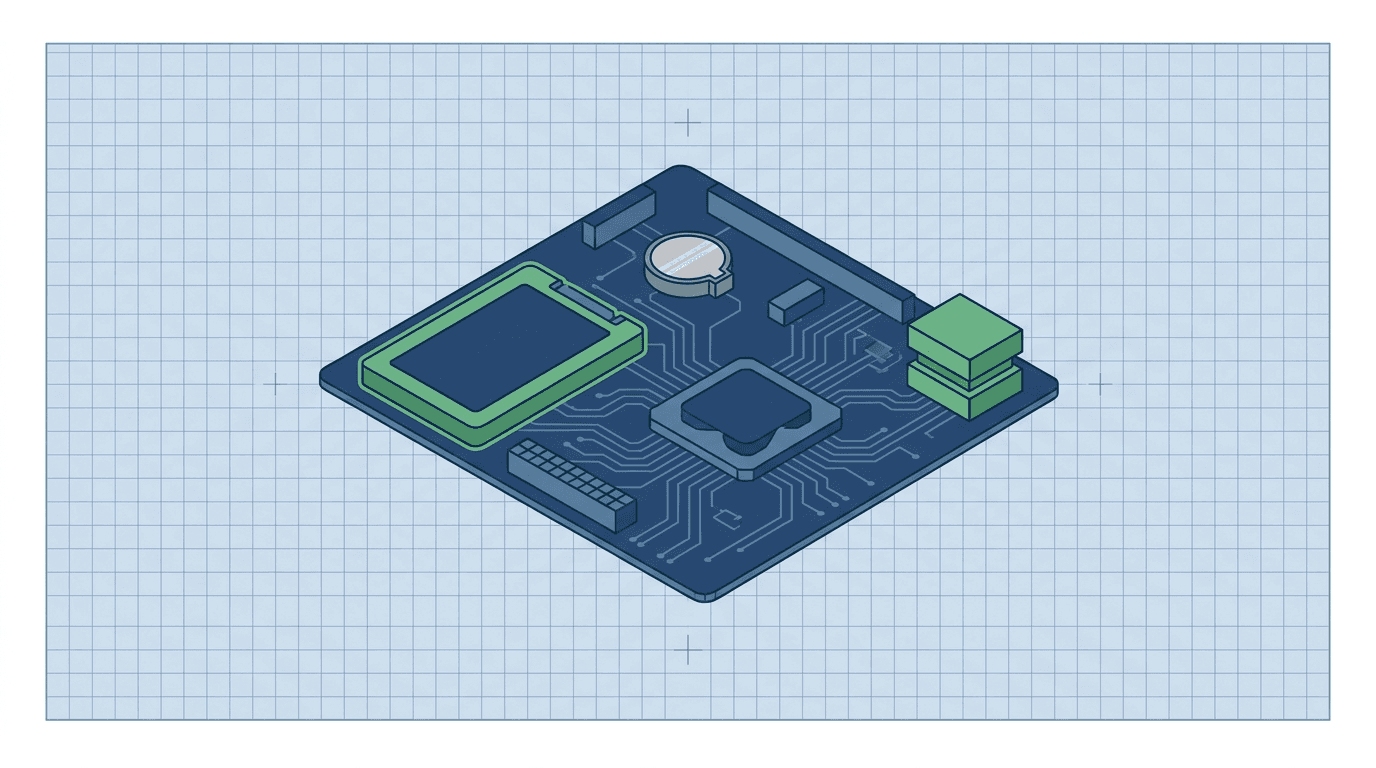
- Why Power-Present / No-Scanning-UI Is Four Products, Not One Motherboard Order
- When Is It the PSU After All? Case 011 and the No-Power Parent vs Fans-and-LED-On
- HDD/SSD and OS-Image Faults: CX50 0x000000ED, LOGIQ P6 OS-Load Freeze, and Microsoft UNMOUNTABLE_BOOT_VOLUME
- Hard Drive Full Is Not Hard Drive Failed: Portable Capacity vs Unmountable Volume
- CMOS and Config Loss After Unplug: LOGIQ S GFS Coin-Cell Gate Before 5371196-2 or COM Express 7324562
- PC/Host Motherboard Registry: AIMB-563, SYSCONML, GFS, CX50 453561239048, and Verified Catalog
- Naming Collisions That Waste the First PO: AIM vs AIMB, DRFM/RFS vs PC Host, CX50 Dual Part Numbers, Aloka SSD-3500, and DBM64
- FDA and Standards Rule-Outs: IYN/IYO, NovaSignal Tablet HDD Recalls, Philips Review-Mode Lock-Up, and PHI Hard Stops
- Repair the Identified Drive/Image, Repair the Identified Host Board, or Stop: Licenses, Connectors, and Electrical Safety
- Where Rongtao Fits — and Where It Does Not
- Quote-Ready Handoff: Information and Photos Required for Immediate Diagnosis
- Frequently Asked Questions
Why Power-Present / No-Scanning-UI Is Four Products, Not One Motherboard Order
In clinical equipment maintenance, one of the most frequent and costly misdiagnoses occurs when an ultrasound scanner turns on physically but fails to load the clinical imaging application. The service ticket typically reads: 'Ultrasound will not boot — screen black / stuck on logo — replace motherboard.' Facilities and independent service organizations (ISOs) often order a multi-thousand-dollar PC host motherboard or back-end processor board, only to discover that the replacement board leaves the system in the exact same non-booting state 4, 6.
Modern diagnostic ultrasound systems are dual-architecture hybrid devices: they combine a high-speed digital/analog acoustic acquisition engine (beamformers, transmitter/receiver boards, front-end power supplies) with a standard or embedded industrial PC workstation (host motherboard, CPU, RAM, storage drive, operating system, and clinical application software) 1, 5. When the system has incoming AC power and initial front-panel response, but halts before displaying the clinical scanning user interface (UI), the failure originates in one of four fundamentally distinct hardware categories:
- 1. Storage Media & OS Image: A mechanical 2.5" SATA hard disk drive (HDD) or solid-state drive (SSD) with bad sectors, corrupted file system metadata, damaged Master Boot Record (MBR) / GUID Partition Table (GPT), or missing system files (e.g., Windows blue-screen
STOP 0x000000ED). The host PC hardware is fully intact, but the storage subsystem cannot mount the boot volume 5, 8. - 2. Real-Time Clock & CMOS Coin-Cell Battery: An exhausted 3V lithium coin cell on the host or carrier board. When AC power is removed during cart transport, the system can lose its hardware clock, volatile BIOS/UEFI configuration, and boot-device priority, causing a BIOS setup prompt or a POST hang on the next power-up. Cell type and location are board-specific; match the cell actually fitted.
- 3. PC Host Motherboard / Back-End CPU Assembly: Physical silicon, chipset, RAM, or power-management IC failure on the dedicated host motherboard—such as the GE LOGIQ E9 AIMB-563 (5155024), GE LOGIQ P6 SYSCONML (5252250-3), Philips CX50 motherboard (453561239048), GE LOGIQ E11 PC motherboard (5823770-2), or COM Express modules (
7324562) 4, 5. - 4. Power Supply Unit (PSU) Secondary Rail Drop: The main power supply delivers stand-by and primary 12V rails (allowing cooling fans to spin and power LEDs to glow), but fails to deliver clean, regulated secondary DC rails (such as +3.3V, +5V, or -12V) or drops power under load when the PC host processor attempts to initialize 5.
When search engines or basic troubleshooting guides aggregate all startup complaints under a generic 'no power' or 'check outlet and fuses' checklist, they miss the critical power-present diagnostic split 6. Systematic fault isolation requires establishing exact screen signatures, ruling out simple CMOS exhaustion, testing storage integrity, verifying voltage rails, and confirming exact part numbers from the main computer and back-end repair hub before placing purchase orders.
When Is It the PSU After All? Case 011 and the No-Power Parent vs Fans-and-LED-On
Before diagnosing the host PC, storage drive, or CMOS battery, service engineers must confirm whether the failure represents a true host-computer halt or an upstream power supply collapse. The distinction between 'zero power' and 'power present but no application UI' governs which diagnostic decision path applies:
- Zero Power / Immediate Shutdown (Power Supply Parent): If pushing the console power button produces zero response—no cooling fans, no status LEDs, no relay click, or the system powers on for 2 seconds and immediately cuts off in a continuous boot-loop—the breakdown belongs in the ultrasound power-supply failure and boot-loop decision path. A documented instance is Rongtao GE_CASES Case 011 (Voluson E10 main power supply), where a collapse of internal PSU voltage rails prevented the operating system from ever loading 5.
- Power Present / Fans & LEDs Active (This Decision Path): If cooling fans spin continuously, front-panel standby LEDs illuminate, and internal power indicator lights remain lit, but the primary display remains black or halts on an early boot screen, the system has passed initial AC power delivery. Troubleshooting proceeds through the storage, CMOS, and host motherboard gates. If the scanning UI is already up and the complaint is image processing, leave this page for the back-end and image-processing board path. If a Siemens X300 reaches the UI but takes many minutes to get there, the documented archive path is a control-panel boot delay, not an automatic HDD condemnation.
However, service engineers must remember that spinning fans do not prove that all power rails are healthy. Cooling fans and LEDs typically operate on raw +12V DC lines. If the power supply suffers from degraded electrolytic filter capacitors or failing DC-DC regulators, the +12V fan rail may stay up while digital logic rails (+3.3V, +5V, +1.8V Vcore) drop below operational thresholds when the CPU attempts to boot. If a cart spins its fans indefinitely with a completely blank screen, qualified service checks the secondary DC test points before assuming the motherboard chipset is dead.
HDD/SSD and OS-Image Faults: CX50 0x000000ED, LOGIQ P6 OS-Load Freeze, and Microsoft UNMOUNTABLE_BOOT_VOLUME
When an ultrasound cart powers on, completes basic Power-On Self-Test (POST), displays the OEM splash logo, and subsequently halts, freezes, or crashes with a blue screen, the storage drive and operating system file system are the primary suspects 5, 8.
Diagnostic ultrasound systems in clinical service endure mechanical shock, vibration during transport, and hard power-downs when operators disconnect wall AC without a clean software shutdown. Mechanical 2.5-inch SATA hard disk drives — GE Service Shop lists 5459671 as a 500GB unit in that form factor, with body copy also saying 250GB to 500GB — can develop bad sectors in the operating-system partition; SSDs can suffer NAND wear or file-system corruption 7.
| Screen Signature / Error Prompt | Underlying Fault Mechanism | Documented Clinical Platform Example | Targeted Service & Decision Action |
|---|---|---|---|
| Blue Screen STOP 0x000000ED (UNMOUNTABLE_BOOT_VOLUME) | I/O subsystem failed to mount boot volume due to bad sectors or file-system structure corruption | Philips CX50 (Archive Case); CX50 Decision Path | Isolate storage drive. In the documented CX50 archive case, repairing HDD bad sectors restored boot; motherboard 453561239048 was not replaced |
| System freezes indefinitely during OS progress bar / loading animation | Host PC bus intact; storage drive hangs attempting to read damaged application binaries | GE LOGIQ P6 (Family Report) | Motherboard SYSCONML 5252250-3 bus verified intact; resolved by software reload onto replacement industrial SSD |
| Blue screen with 'Missing or Corrupt System File' prompt after splash | File-system metadata corruption or recurring read errors in Windows system directory | GE Voluson E8 (Archive Case) | Software reload recurred within one week; archive then replaced the drive |
| 'No Bootable Device Found' / 'Insert Boot Media' BIOS text prompt | BIOS cannot detect SATA drive on controller, or partition table completely lost/wiped | Can appear after POST on carts that use a host SATA/OS volume | Inspect SATA data/power cabling under qualified service; verify the drive is detected before condemning the host board |
| Repetitive mechanical clicking or high-pitched screeching from card cage | Physical head-stack assembly failure or spindle motor seizure inside a 2.5" SATA drive | Mechanical-HDD carts; GE 5459671 is one OEM 2.5" SATA listing, not a universal drive | Immediate shutdown; preserve the failed drive for the facility data-handling policy; replace only with an authorized image for that chassis |
According to official Microsoft developer documentation for bug check 0xED, UNMOUNTABLE_BOOT_VOLUME indicates that the I/O subsystem attempted to mount the boot volume and failed, typically related to failure of the OS boot storage device 8. This aligns with Rongtao's documented service archive on the Philips CX50 blue-screen case, where the cart threw 0x000000ED during startup. Testing the drive revealed bad sectors; resolving the storage fault restored operation without replacing the CX50 motherboard (453561239048) 4, 5.
Hard Drive Full Is Not Hard Drive Failed: Portable Capacity vs Unmountable Volume
A major source of search confusion and misdirected service tickets occurs when search engine AI Overviews and commercial aggregators conflate 'hard drive full' capacity warnings with physical storage hardware failure 6, 7.
On compact portable ultrasound systems—such as the GE LOGIQ e and Vivid e—the default uncompressed RAW cine/export settings can fill local storage with multi-gigabyte studies 7. Probo documents the resulting operational pattern: a 'hard drive full' warning, freeze or slowdown after saving, and USB/DICOM export that stalls or remains pending. Those systems still reach a patient screen; the drive hardware has not necessarily failed.
- Capacity & Study Management (Not a Hardware Failure): If the scanner boots into the clinical UI but warns that disk space is exhausted, or slows down when saving or exporting studies, treat that as study-management first: export completed studies to PACS/DICOM, review compression presets with the facility's PACS owner, and purge local archives under hospital data-retention rules 7. Ordering GE
5459671or a host motherboard does not answer a full-disk ticket. - Physical / Logical Storage Failure: If the cart cannot mount the boot partition, halts with
0x000000ED, clicks repetitively, or fails to detect the storage controller during BIOS POST, the drive has suffered hardware degradation requiring replacement and authorized software reinstallation.
CMOS and Config Loss After Unplug: LOGIQ S GFS Coin-Cell Gate Before 5371196-2 or COM Express 7324562
Many ultrasound host and carrier boards use a 3-volt lithium coin cell to hold BIOS/UEFI settings, hardware configuration, and the real-time clock when AC power is removed. Cell type and location are board-specific; match the cell actually fitted rather than assuming one coin-cell part number across GE, Philips, Siemens, and Mindray.
In clinical environments where ultrasound carts are routinely unplugged and wheeled between patient rooms, an exhausted CMOS coin cell causes distinct startup anomalies:
- Date and Time Reset to Epoch: The system clock reverts to 2000-01-01, 2008-01-01, or factory default every time the cart is disconnected from wall power, causing DICOM connection failures, invalid study timestamps, and software license certificate errors.
- BIOS Setup Prompt on Boot: The scanner halts during POST with messages such as 'CMOS Checksum Error — Defaults Loaded', 'Press F1 to Resume / Press F2 to Enter Setup', or 'Real-Time Clock Error', preventing automated loading of the clinical imaging application.
- Corrupted Boot Sequence: The BIOS loses custom boot device priorities, attempting to boot from unpopulated network PXE or USB ports instead of the primary internal SATA storage drive.
On platforms such as the GE LOGIQ S7 and LOGIQ S8, public BMET practice and Rongtao's published family guidance treat a coin-cell check on the GFS carrier (5371196 / 5371196-2 / 5455247 / 7471196) as a cheap gate before condemning GFS or the inventory COM Express module 7324562 (labeled LOGIQ S8/E8; not a 2026-08-29 photo-backed catalog SKU, and not the LOGIQ E9 AIMB-563 5155024) 4, 5. This is not a Rongtao photo case. Qualified service only; do not open the electronics bay as an unqualified procedure.
PC/Host Motherboard Registry: AIMB-563, SYSCONML, GFS, CX50 453561239048, and Verified Catalog
When power supply rails are verified stable, storage drive integrity is confirmed, and the CMOS battery is healthy, but the system halts on CPU/chipset initialization, freezes during internal PCI bus enumeration, or suffers from hardware component damage, the fault isolates to the PC host motherboard or back-end CPU assembly 4, 5.
In Rongtao's documented case archive, GE_CASES Case 005 (Voluson E8) presented with a system that powered on but hung indefinitely before reaching the scanning UI. Component-level diagnosis isolated the fault to damaged boot ROM firmware and electrostatic discharge (ESD) degradation on the system control board, restored via component rework within 5 days 5. In Case 003, mid-scan system freezes isolated to degraded BGA solder balls on the motherboard chipset, restored via precision reflow 5.
| OEM & Model Family | Board / Module Designation | Verified Part Number(s) | Catalog & Ground Truth Lineage | Technical Role & Hardware Scope |
|---|---|---|---|---|
| GE LOGIQ E9 | PC Motherboard (AIMB-563) | 5155024 | Catalog SKU logiq-e9-motherboard-aimb-563-5155024; LOGIQ E9-E11 Path | Primary industrial ATX/Micro-ATX host motherboard for LOGIQ E9. Industrial PC platform managing OS and backend bus. Exclude front-end AIM board. |
| GE LOGIQ P5 / P6 | SYSCONML / SYSCONPM Motherboard | 5252250-3 (catalog); 5177848-3 (family/archive SYSCONPM, not a 2026-08-29 photo SKU) | Catalog SKU logiq-p6-sysconml-motherboard-5252250-3; Inventory 5252250-3 (90-day warranty field); LOGIQ P Path | Host PC motherboard and system controller for LOGIQ P6/P5. Handles CPU, RAM, boot storage bus, and system sequencing. |
| GE LOGIQ E11 | PC Motherboard | 5823770-2 | Catalog SKU logiq-e11-pc-motherboard-5823770-2; LOGIQ E9-E11 Path | Dedicated host workstation motherboard for premium LOGIQ E11 cart. High-speed PCI Express interface to acquisition back-end. |
| GE LOGIQ P9 / P7 | MCB (Main Computer Board) | 6494666-2 / 7494666 | Catalog SKUs logiq-p9-mcb-motherboard-6494666-2 and logiq-p9-motherboard-7494666; LOGIQ P Path | Main computer board for LOGIQ P7/P9 architecture. Do not confuse with combined P10 motherboard/TI assembly 8494666-2. |
| GE Voluson P6 | Main Motherboard | 5364094 | Catalog SKU voluson-p6-motherboard-5364094 | Primary host motherboard for Voluson P6. GE Service Shop lists 5459671 against Product Family Voluson P6; still match the drive label and software image to the chassis, and do not treat that SKU as a fleet-wide drive. |
| Philips CX50 | Host Motherboard (Catalog) / Main Board (Inventory) | 453561239048 / 453561495821 | Catalog SKU cx50-motherboard-453561239048; Inventory row 453561495821; CX50 Path | Compact host motherboard for CX50 portable. 453561239048 and 453561495821 are distinct hardware revisions in circulation; verify physical etched 12NC. |
| Philips HD5 | PC Motherboard | 454110649321 | Catalog SKU hd5-pc-motherboard-454110649321 | Host PC processing board for Philips HD5 economy cart. Verify label before ordering. |
| Mindray DC-70 | Main Motherboard | 051-001451 | Catalog SKU dc-70-motherboard-051-001451; Mindray DC/Resona Path | Primary host motherboard for Mindray DC-70 platform. Do not confuse with DC-70 4D motor board 051-001467-01. |
| GE Voluson S6 / S8 | CPU Board | 013170 | Catalog SKU voluson-s6-cpu-013170 | Central processing board for Voluson S6. Exclude front-end RF boards DRFM 5497712 and RFS 5364098. |
| GE LOGIQ S8 / E8 | COM Express Module / GFS Carrier | 7324562 / 5371196-2 | Inventory COM Express 7324562; LOGIQ S7/S8 Path (GFS 5371196-2 OEM/family) | Modular COM Express computer-on-module and GFS carrier. Apply the CMOS coin-cell gate on GFS before swapping this COM Express module. |
| GE Voluson E6 / E8 / E10 | GEB800 / GBE610 / GEB3110 Host Carrier | KTI301089-7 / KTI300744-2 / 5747700-6 | Inventory rows GEB800, GBE610, GEB3110 5747700-6; Case 005 | Back-end host processing and carrier boards for Voluson E-series engines. High-density digital interconnects. |
View chart data
| Category | Verified PC/host SKUs |
|---|---|
| GE Healthcare | 9 |
| Aloka / Hitachi Aloka | 4 |
| Philips Healthcare | 3 |
| Hitachi | 1 |
| Mindray | 1 |
| Samsung Medison | 1 |
Count of clean, photo-backed PC host motherboard SKUs verified in the August 2026 Rongtao catalog. Front-end RF/beamformer boards (DRFM, RFS, DBM64) and combined IO/TI boards are excluded.
Source: Rongtao Medical parts catalog snapshot (August 2026)
The verified catalog distribution underscores that while PC host motherboards exist across major ultrasound manufacturers (19 clean photo-backed SKUs in the August 2026 catalog snapshot after excluding combined LOGIQ P10 motherboard/TI 8494666-2, Voluson S10 DRFM 5497712, Voluson S8 RFS 5364098, and Juniper IO 11268439), zero photo-backed HDD/SSD SKUs exist in the parts catalog 4. Remaining photo-backed host rows not expanded in the table above include LOGIQ V5 5490324-5, Vivid S6, Philips CV350 453561441344, Aloka Alpha 10 EP535300AA, Alpha 6/7 EP537000AA, F75 EP563201BB, SSD-3500 EP525601FF, Hitachi PA03381-B799, and Samsung HM70A MI9202587A. Stock turns; confirm live availability on the catalog or a quote. Storage drives are commercial or industrial media loaded with OEM-authorized operating system images and software options; host motherboards are proprietary or specialized industrial carrier boards that need component-level repair and testing 4, 5.
Naming Collisions That Waste the First PO: AIM vs AIMB, DRFM/RFS vs PC Host, CX50 Dual Part Numbers, Aloka SSD-3500, and DBM64
Purchasing departments and clinical engineers frequently waste critical budget and equipment uptime by ordering incorrect boards due to confusing acronyms, overlapping part numbers, and marketplace mislabeling. Service teams must enforce strict exclusion rules before generating purchase orders:
| Confusing Label / Marketplace Title | True Hardware Identity & Function | Mistaken Component / Ordering Error | Disambiguation & Verification Rule |
|---|---|---|---|
| GE AIMB-563 (PN 5155024) | Industrial ATX PC Motherboard for LOGIQ E9 host | Acoustic Interface Module (AIM / TI Board) | AIMB-563 is an Advantech industrial PC motherboard (5155024). It has zero acoustic transducer channels. Do not order it for probe-not-recognized faults. |
| GE Voluson S10 DRFM (5497712) / Voluson S8 RFS (5364098) | Front-End RF / Digital Receiver and Master Beamformer Boards | PC Host Motherboard / CPU | Cataloged historically under motherboard categories, DRFM and RFS are acoustic front-end RF processing boards. Ordering them will not fix an OS boot freeze or STOP 0x000000ED. |
| Philips CX50 Motherboard 453561239048 vs 453561495821 | Two distinct physical board revisions for CX50 host architecture | Assumed silent drop-in interchangeability | Catalog SKU is 453561239048; Inventory row is 453561495821. They reflect distinct hardware and backplane revisions. Inspect etched 12NC on physical board. |
| Aloka SSD-3500 (Motherboard EP525601FF) | Complete Ultrasound System Model Name (SSD-3500) | Solid-State Storage Drive (SSD) | 'SSD-3500' is an Aloka ultrasound scanner model designation. EP525601FF is the motherboard. It is not a solid-state flash disk drive. |
| GE HealthCare Service Shop HDD 5459671 (Equiv 5393432) | OEM 2.5" 500GB SATA HDD listed specifically for Voluson P6 | Universal Fleet-Wide Ultrasound Hard Drive | GE Service Shop lists 5459671 for Product Family Voluson P6, equivalent 5393432. The same page also shows other GE families as compatible products and uses generic 250GB–500GB body copy. It is not a Rongtao catalog SKU, not a Philips CX50 drive, and not a software-image license. |
| Marketplace 'Ultrasound Motherboard DBM64S' | 64-Channel Digital Beamformer Board | PC Host Workstation Motherboard | Marketplace listings frequently mislabel DBM64S as a motherboard. DBM64S is a beamformer card. It does not run the OS or BIOS. |
| Siemens Acuson Juniper IO(Motherboard) 11268439 | Combined Backplane I/O and Interconnect Assembly | Standard ATX PC Workstation Motherboard | Labeled 'IO(Motherboard)', this is a specialized signal routing backplane. Match physical part numbers before ordering. |
| GE LOGIQ P10 Assembly 8494666-2 | Combined Motherboard and Transducer Interface (TI) unit | Standalone PC Workstation Motherboard | P10 combines host and TI functions in a single chassis sub-assembly. Distinct from P9 standalone MCB 6494666-2. |
FDA and Standards Rule-Outs: IYN/IYO, NovaSignal Tablet HDD Recalls, Philips Review-Mode Lock-Up, and PHI Hard Stops
Before finalizing hardware repairs or decommissioning storage media, clinical engineering managers must evaluate regulatory classifications, recall precedents, and data-handling legal obligations:
- FDA Device Classification (IYN / IYO vs ITX): Diagnostic ultrasound systems are regulated by the U.S. FDA as Class II medical devices under product codes IYN (Pulsed Doppler System, 21 CFR 892.1550) and IYO (Pulsed Echo System, 21 CFR 892.1560) 1. Host computers, storage drives, and motherboards are regulated as integral sub-assemblies of the system (IYN/IYO), distinct from ultrasonic transducers (ITX, 21 CFR 892.1570) 1.
- Bounded FDA Recall Analysis (NovaSignal vs Cart SYSCON): A bounded scan of FDA recall and enforcement snapshots (July/August 2026; 58,785 recall rows and 39,539 enforcement rows; ITX 147 / IYN 298 / IYO 82) found two ultrasound-code HDD/SSD actions: Z-1049-2023 and Z-1050-2023 (Class II Ongoing, initiated 2022-12-16, event 91467) 2. Those actions involved NovaSignal Lucid TCD 2.0 and NovaGuide transcranial-Doppler tablet computers whose internal drives caused freezes and reboots 2. They do not condemn general cart SYSCON, GFS, AIMB, or CX50 host motherboards. The same bounded method cannot prove the absence of every host-storage action outside those product codes. Philips recalls Z-2483-2021 and Z-2484-2021 (Class II Completed, initiated 2021-08-06) were Review-Mode application lock-ups, not boot-storage failures 2.
- Calibrated Absence of Quoted MAUDE Boot Records: Bounded openFDA MAUDE queries executed against product code IYN with quoted phrases 'hard drive', 'blue screen', 'will not boot', and 'CMOS' returned
NOT_FOUND3. Passive-surveillance reports do not measure incidence and do not establish causality or comparative safety; do not invent event statistics 3. - Protected Health Information (PHI) & Failed Storage Media: A failed hard drive or SSD may contain patient studies, cine loops, and diagnostic reports. Treat it as Protected Health Information under the facility's data-handling policy 8. Do not send an unencrypted failed drive to an unauthorized third party, and do not use unapproved disk-cloning utilities to copy unverified patient data 8. Decommissioning methods belong to the facility's privacy and IT procedure (see PMC5308389); this page is not a wipe or clone recipe 8.
- FDA Servicing vs. Remanufacturing Boundaries: FDA's May 2024 final guidance on remanufacturing of medical devices (docket FDA-2018-N-3741) distinguishes activities that return a device to original specifications and intended use from activities that may constitute remanufacturing 8. Replacing a failed drive and reloading an authorized software image can raise that question, especially if OS architecture or licensed options change. This page does not give a site-specific legal conclusion; see FDA ultrasound servicing vs remanufacturing.
Repair the Identified Drive/Image, Repair the Identified Host Board, or Stop: Licenses, Connectors, and Electrical Safety
Once the fault has been accurately isolated across the four domains, service managers must determine the appropriate technical remediation pathway:
- Path A: Storage Media Replacement & Authorized Software Reload. If the failure isolates to HDD bad sectors, unmountable volume
0x000000ED, or file-system corruption, replace the drive with media specified for that chassis and perform a clean operating system and clinical-application installation using authorized OEM software media matching the cart serial number and installed hardware options. Restore backed-up clinical presets and network DICOM configurations under the facility's software and PHI rules. - Path B: Component-Level Host Motherboard Repair. If the host motherboard suffers from power rail short circuits, damaged boot ROM EEPROMs, degraded BGA solder joints on CPU/chipsets, or blown interface ICs, remove the board and send it to a qualified repair laboratory. Rongtao provides component-level motherboard rework, replacing damaged silicon, re-flashing corrupt system firmware, and subjecting the repaired board to a 48-hour continuous real-machine diagnostic test under full clinical scanning load 4.
- Path C: CMOS Battery Replacement (Qualified Service). If the fault is clock loss and BIOS configuration reset upon AC disconnection, qualified service replaces the fitted 3V lithium coin cell, restores BIOS defaults and boot priority, verifies date/time, and re-tests after an unpowered rest. Unqualified readers should not open the electronics bay.
- Path D: Hard Stop — Defer Clinical Return. Never return an ultrasound scanner to clinical service if software option certificates mismatch the chassis serial number, if backplane connectors exhibit physical pin damage, or if the cart has not passed comprehensive electrical safety testing (IEC 62353 / NFPA 99 chassis leakage and ground resistance testing). If the host OS is an obsolete, unpatched platform, consult our guide on legacy ultrasound cybersecurity to implement network segmentation and VLAN isolation.
Where Rongtao Fits — and Where It Does Not
Rongtao Medical provides specialized component-level repair and inventory support for hospital clinical engineering departments, independent service organizations, and medical equipment distributors worldwide 4:
- Where Rongtao Fits:
• Component-Level Motherboard Repair: Comprehensive circuit-level diagnostics, BGA reflow/reballing, power-management IC replacement, and boot ROM firmware restoration across GE (AIMB-563, SYSCON, GFS, COM Express), Philips (CX50, HD5, EPIQ, iU22), Siemens (X300, S2000), Mindray (DC-70), and Aloka/Hitachi platforms 4, 5.
• Rigorous 48-Hour Real-Machine Testing: Repaired host boards and back-end modules undergo 48 hours of continuous operation on authentic OEM test fixtures under thermal and clinical processing stress 4.
• Standard 5-8 Business-Day Turnaround: Predictable repair timelines with typically 90-day warranty coverage on repaired assemblies 4.
• Photo-Backed Part Inventory: Access to verified, tested replacement boards from our active inventory catalog 4. - Where Rongtao Does Not Fit:
• We do not provide unverified generic hard drives with pre-cloned third-party clinical data or unlicensed software options.
• We do not perform DIY bench tricks, unauthorized BIOS bypass jumpering, or chassis-open repairs on energized systems.
• We do not imply OEM authorization or represent ourselves as GE HealthCare, Philips, Siemens Healthineers, Mindray, or Canon. OEM names are used strictly to identify equipment compatibility.
Quote-Ready Handoff: Information and Photos Required for Immediate Diagnosis
To receive an immediate, accurate repair evaluation or parts quote from Rongtao Medical, compile the following diagnostic packet before submitting an inquiry via our contact portal:
- 1. System Model & Software Version: Exact OEM console model (e.g., GE LOGIQ E9, Philips CX50, Siemens Acuson X300) and current base system software release.
- 2. Exact Boot Error Screen / Stop Code: High-resolution photograph of the primary display showing the exact BIOS error prompt, Windows blue screen stop code (e.g.,
STOP 0x000000ED), or loading freeze screen. - 3. Power-Present Evidence: Confirmation that cooling fans spin continuously and status LEDs remain illuminated when the power button is pressed.
- 4. CMOS & Clock Behavior: Does the system lose its date and time or prompt for BIOS setup when disconnected from wall AC power?
- 5. High-Resolution Photographs of Board Labels: Clear photos of both front and back of the suspect host motherboard, capturing etched part numbers, 12NC barcodes, revision suffixes, and firmware PROM labels.
- 6. Hard Drive / SSD Label Photos: If storage is suspect, photos of the storage drive label showing manufacturer, model number, capacity, and interface.
- 7. Logistics & Destination: Required quantity, urgency, and destination country for bonded shipping and customs clearance.
Frequently Asked Questions
The power LED is on but the screen is completely black. Should I replace the motherboard first?
No. A black screen with power LED illuminated can be caused by three separate issues before condemning the motherboard: (1) Power supply failure where +12V fan power is present but secondary +3.3V/+5V logic rails have collapsed under CPU load; (2) Display interface or back-light inverter failure (connect an external diagnostic monitor to verify if the PC host is outputting video); or (3) Video processing / control panel interface board faults (see our guide on ultrasound control panel and display failures). Only when power rails and video cabling are verified intact should the host motherboard be diagnosed.
Is Philips CX50 blue screen STOP 0x000000ED a reason to order motherboard 453561239048?
No. Microsoft documents 0x000000ED as UNMOUNTABLE_BOOT_VOLUME, which indicates that the operating system cannot mount the boot file system, typically due to failure of the OS boot storage device. In Rongtao's documented CX50 service archive, isolating and repairing the storage drive resolved the blue-screen failure; the CX50 motherboard (453561239048) was not replaced 4, 5, 8.
Will GE hard drive 5459671 work in a Voluson E8, LOGIQ S8, or Philips CX50?
Not as a drop-in software image, and not as a Rongtao catalog SKU. GE HealthCare Service Shop item 5459671 (equivalent 5393432) is a 2.5" SATA HDD whose Product Family field is Voluson P6 7. The same public page also lists other GE families among compatible products and uses generic 250GB–500GB body copy. That listing is not a Philips CX50 or Voluson E8 interchange, and even on a listed GE chassis the raw drive still needs the authorized OS image and options for that serial. Match the physical drive label and software media to the console; do not treat 5459671 as a fleet-wide ultrasound hard drive.
The clock resets every time we unplug the cart. Is that GFS 5371196-2?
Not initially. When an ultrasound cart loses its date, time, and custom presets upon AC disconnection, the first cheap gate is an exhausted 3V lithium coin cell on the GFS carrier or host board. In published LOGIQ S-series guidance this is public BMET practice, not a Rongtao photo case. Qualified service should check that cell before condemning the GFS board (5371196-2) or COM Express module 7324562 4, 5.
Is a NovaSignal Lucid TCD hard drive recall a reason to condemn my cart SYSCON or AIMB board?
No. FDA recall actions Z-1049-2023 and Z-1050-2023 (Class II Ongoing) were limited to NovaSignal Lucid TCD 2.0 and NovaGuide transcranial-Doppler tablet computers whose internal drives caused freezing and reboot 2. Those actions do not condemn general cart SYSCON, GFS, AIMB, or CX50 host motherboards 2.
What photos and technical details should I send to get a host-board or storage repair quote?
Submit clear photographs of: (1) The exact error screen, BIOS prompt, or blue screen stop code; (2) The console serial number plate and software version; (3) Both sides of the suspect host motherboard showing etched OEM part numbers (e.g., 5155024, 5252250-3, 453561239048), 12NC barcodes, and firmware labels; and (4) The label of the suspect storage drive. Include your shipping destination for an immediate quote from Rongtao Medical 4.