
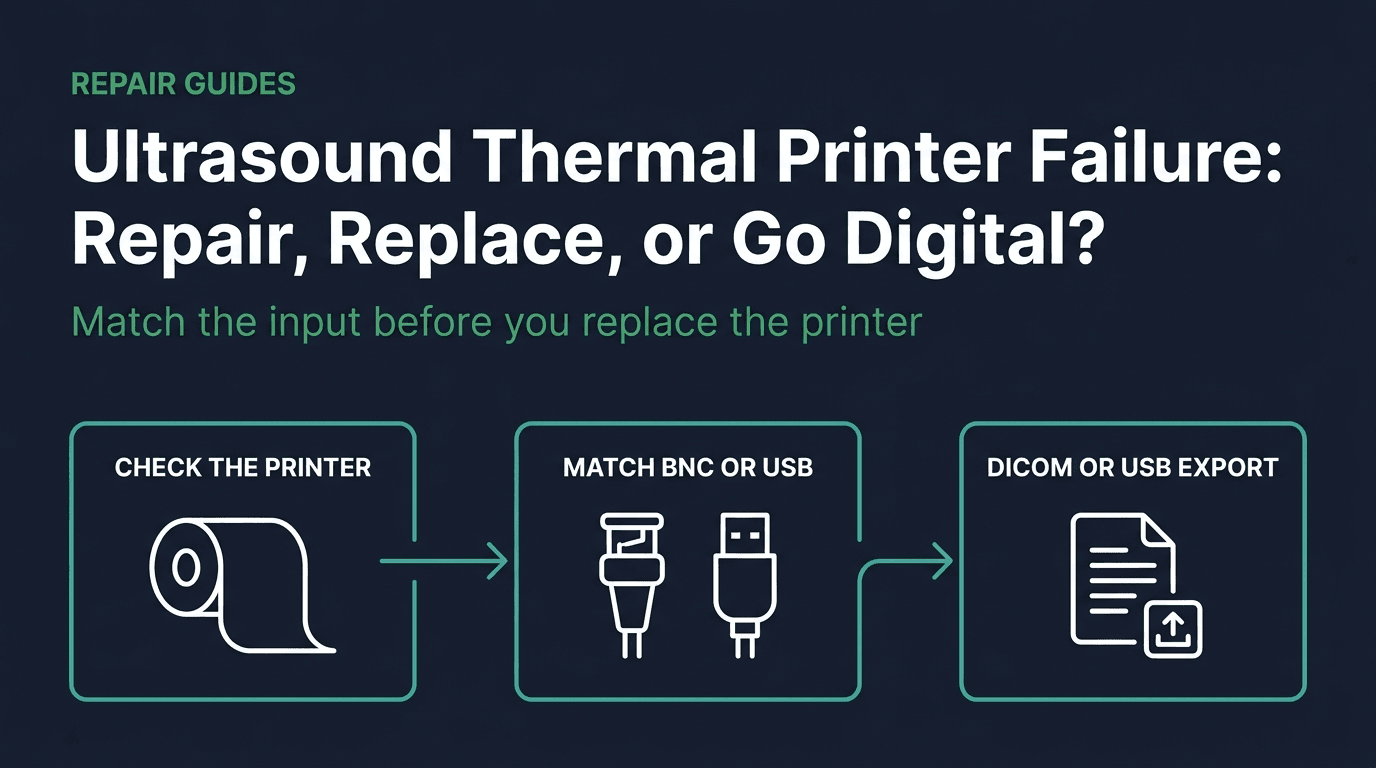
- 1. Is it the printer or the console's output path?
- 2. What does the UP-897MD manual allow your team to do?
- 3. Which printers are still listed, and which page says discontinued?
- 4. Which input must the replacement match?
- 5. Which supply channel matches the terms you need?
- 6. When do DICOM or USB export replace the printer?
- 7. Where Rongtao fits, and where it does not
- 8. Frequently asked questions
Is it the printer or the console's output path?
A print button that does nothing, or a sheet that comes out black, blank, or crossed by one dark line, is a sorting problem. The printer is the last device on a chain that already includes the console's image path, a cable, and either a composite-video output or a USB driver. Replacing the printer first is how a good spare gets condemned for the same fault.
Start with the live image. If the diagnostic monitor shows tearing, a missing colour plane, or a frozen frame, the print path is the wrong job. Stop and use the control-panel, touch, and display failure guide. A photographed catalog example of a console video board is the GE E95 IO video board 9-1301-3707. That label is a Vivid E95 part. It is not the board inside every cart that has a bad print.
Next, store one still or cine the way that cart already stores studies. If DICOM store and a front-panel USB export both succeed, the acquisition path and the network path are alive, and the failure is at the print interface: the composite output, the USB port, the cable, the driver, the trigger, or the printer. If DICOM store fails as well, treat it as a back-end or network fault and use the DICOM and network IO board decision path. Do not open the cart to chase that fault from this page.
Then compare a printer-generated pattern with a console-triggered print, but only when that model actually has a test pattern and you know how to start it from its own manual. This review did not find a power-on FEED self-test in the UP-897MD manual that was read. What that manual does say, before any print, is to confirm the connection, the paper load, the menu, and that a video source is connected. 3
The useful field report is the opposite of a dead head. On 18 September 2023 a MedWrench post about a Sony UP-895MD said every connection looked fine, the console print came out all black, and the test-print pattern was fine. The thread had no reply when it was read on 28 September 2026. A normal test pattern with a black console print means the print engine can still make an image. Look at the video signal, termination, and console output before you scrap the head. 15
The UP-897MD manual gives three paper-and-signal checks that do not require a theory of the head driver. If the paper advances and no image appears, ask whether the roll is in the wrong way up. If the print has black edges or missing parts, the manual says the video signal into the unit can cause that, and it points to the SCAN menu. If the head has been printing dark images continuously, the manual says the head can overheat and that the remedy is to wait until it cools, not to open the chassis. 3
Two other threads show how easy it is to blame the printer. On a LOGIQ P5, a UP-D897 would not print an image. The reply asked whether the ultrasound had the driver installed. It did not record that a driver change fixed the cart. On a Philips iU22, the poster said staff had changed printer settings, PACS send still worked, and the UP-D897 kept printing older studies that were no longer in the patient database. That thread also had no reply. Treat both as reports of a driver question and a setup change, not as closed repairs. 16 18
| What was reported or written | Where it comes from | What it does not prove | Next check that stays inside the source |
|---|---|---|---|
| Console print is all black. The printer's test pattern is fine. Connections look intact. | UP-895MD post, unanswered. 15 | It does not prove a shorted thermal head. The pattern shows the engine can print. | Compare the pattern with the console print. Inspect the video cable and the console output before replacing the printer. |
| Paper advances and the sheet stays blank. | UP-897MD manual: paper may be loaded the wrong side up. 3 | It does not by itself prove a lost head-drive voltage. | Reload the roll the way that manual shows, then print again. |
| Black edges or missing parts of the image. | UP-897MD manual: the video input can cause this; change SCAN. 3 | It is not a thermal-head element count. | Check the video source and the SCAN setting named in the manual. |
| A black horizontal line, and another printer shows the video is present. | UP-897 post. Replies mention the roller and a possible bad head. 17 | The replies are not a Sony procedure, and they do not close the case. | Clean the platen the way the UP-897MD manual describes. If the line remains, the printer needs qualified service. |
| USB printer on a LOGIQ P5 produces no image. | UP-D897 post. The reply asks about the driver. 16 | It does not record that installing a driver fixed that cart. | Confirm the console's printer list and driver before buying another digital printer. |
| Printer keeps printing older studies after a setup change. PACS send still works. | iU22 post, unanswered. 18 | It is the poster's account, not a verified fix. | Treat continuous printing after a settings change as a console-setup question, and power the printer off until that is checked. |
| Live display is damaged, or DICOM store fails with the print. | Isolation rule for this guide, routed to the existing board pages. | A printer replacement does not answer a display or network fault. | Stop printer work and follow the display guide or the DICOM board guide. |
What does the UP-897MD manual allow your team to do?
The maintenance steps below are translations from the Danish UP-897MD operation manual on Sony Support, read 28 September 2026. They apply to that model. A Mitsubishi P95DW, a UP-D899MD, or a Fukuda FVP-800 has its own sheet. An unanswered MedWrench post about error E001 on an FVP-800 is a reminder of that limit, not a code table. 3 19
Paper type and paper side. The UP-897MD specification sheet lists three media grades: UPP-110S/5 standard, UPP-110HD high density, and UPP-110HG high gloss. Sony's current print-media page still describes UPP-110HG, UPP-110HD, and UPP-110S. On the UP-D899MD accessories, Sony labels UPP-110S as type I, UPP-110HD as type II, and UPP-110HG as type V, and it marks each roll for the UP-899, UP-898, and UP-897 series. The UP-897MD manual says the front display shows which paper is selected. Match the roll in the tray to the paper the display shows. On that accessory page, high gloss is type V, not a type III setting. 2 5 7
If the first prints from a new roll show small white spots, the manual attributes them to paper dust and says to hold FEED and advance about 15 to 20 cm of paper. If the paper moves and the image does not, check the coated side before you diagnose a power rail. 3
Platen roller. The manual says a dirty platen makes the paper eject unevenly, jam, and change print quality, and that pulling paper out by hand makes the roller dirty. Clean it with a soft cloth moistened with ethyl alcohol. Do not spin the roller with your fingers. Press FEED for about a second to feed paper, and hold FEED to bring the next section of the roller around, then let that section dry before you load paper again. 3
A December 2013 forum reply on a UP-897 with a black horizontal line suggested cleaning the roller and also mentioned 99 percent alcohol and a loose or bad head. The poster had already checked the video on another printer. Keep that reply as a field hint that the line can be the printer rather than the console. Do not promote 99 percent isopropyl alcohol to the status of the manual. The manual's solvent word is ethyl alcohol. 17
Thermal head. The specification sheet lists a thermal-head cleaning sheet as a supplied accessory. The manual says to clean the head only when necessary, because cleaning it too often can cause a malfunction, and it describes inserting the cleaning sheet in the slot above the slide switch in the tray. It does not authorize metal tools, acetone, or abrasive pads. If a white void line remains after the cleaning the manual allows, stop. Head replacement is qualified printer service. 2 3
Cables and the remote. The specification sheet's video input is a BNC connector, EIA or CCIR composite, 1.0 Vp-p, with 75 ohm or high impedance selectable, and a BNC loop-through output. The remote terminal is a stereo mini-jack. Optional accessories on that sheet are an FS-20 wired foot switch and an RM-91 remote thumb button. Check that the BNC centre pin is straight and that the remote plug is seated. The manual also says FEED cancels the print job in progress, which is the first stop if a cart will not stop feeding paper. 2 3
Hard stops. Do not open the printer's enclosure while it is on mains, and do not discharge or probe internal supplies. The manual's user tasks are the paper door, the platen, the cleaning sheet, the menu, and the external cables. If the unit was moved from a cold place to a warm one, the manual says to switch it off and wait one to two hours before printing again. If the head has overheated from dark images, wait for it to cool. Blown internal fuses, a cracked head, and board-level printer repair are not bedside jobs. 3
Which printers are still listed, and which page says discontinued?
Sony's milestone page dates an A6 thermal video printer for ultrasound, the UP-811, to 1986, and the UP-897MD to 2011. That is product history. It is not a count of how many carts still have a printer bay, and it is not a reason to treat every later Sony printer as interchangeable. 10
Status has to be read off a named page on a named date. On 28 September 2026 the Belgium UP-897MD page was headed Discontinued and titled an A6 analog black-and-white thermal printer. The same day's Belgium printers index did not list the UP-897MD or the UP-D897. It did still list UP-D898MD, UP-X898MD, UP-D898DC, UP-D899MD, UP-X899MD, UP-D899DC, UP-971AD, and UP-991AD, and it told the reader to consult qualified Sony service personnel for models not on the list. A regional Sony site can show a different card order. Re-open the page for the country you buy in before you tell a customer a model is gone. 1 4
The UP-D897 needs a narrower sentence. Sony's 2011 medical catalog titles it a digital graphic printer, direct thermal, 325 dpi, and a history line introduces the UP-D897 and UP-897MD together at about two seconds a print. This review did not find the UP-D897 on the current Belgium index, and it did not find a current specifications table that states the connector. A USB bullet in that catalog extract belongs with the UP-D55 description, so it is not repeated here as a UP-D897 fact. 11 4
The 898 generation is not a footnote that has left the catalog. FDA K141454 cleared the UP-D898MD as digital-only and the UP-X898MD as a hybrid that accepts analog and digital inputs. Both are Class II medical image hardcopy devices under 21 CFR 892.2040, product code LMC, with the UP-850 (K890826) as predicate, for integration into systems such as mobile C-arm, ultrasound, and cardiac catheterization systems. K141454 does not clear the 899 models. On 28 September 2026 the 898 cards were still on the Belgium index, while the UP-X899MD page calls itself the successor to the UP-898 series. Successor language and a still-listed predecessor can both be true. 13 4 6
View chart data
| Category | Models in Table 2 |
|---|---|
| Analog composite only | 1 |
| Analog and digital | 4 |
| Digital, no analog input stated | 5 |
A count of models whose cited page or clearance names the interface, read 28 September 2026. It is not an installed-base share and it is not a sales ranking. Analog composite only: UP-897MD. Analog and digital: UP-X898MD, UP-X899MD, UP-971AD, UP-991AD. Digital, with no analog input in the cited description: UP-D897, UP-D898MD, UP-D899MD, UP-D899DC, P95DW.
Source: Sony product pages, K141454, the 2011 Sony catalog heading for the UP-D897, and the Mitsubishi P95DW service manual
| Model | What the cited page says about the input | Speed and media, only where stated | Status on the page that was read |
|---|---|---|---|
| Sony UP-897MD | A6 analog. Specification sheet: BNC composite in and out, EIA or CCIR, 75 ohm or high impedance, stereo mini-jack remote. 1 2 | About 2.0 seconds in high-speed mode. 325 dpi. 1,280-dot head. UPP-110S/5, UPP-110HD, UPP-110HG. AC 100–240 V. 2 | Discontinued on the Belgium product page. Not on the current printers index. 1 4 |
| Sony UP-D897 | 2011 catalog heading: digital graphic printer, direct thermal, 325 dpi. Connector not restated from a current specifications table. 11 | Introduced with the UP-897MD at about 2 seconds in the catalog history line. 11 | Absent from the Belgium current-model index on 28 September 2026. No Discontinued badge was read, because the product URL was not a live model page. 4 |
| Sony UP-D898MD | K141454: digital signal inputs only. 13 | Not copied from K141454 into a speed cell. | Still listed on the Belgium index. Class II, 21 CFR 892.2040, under K141454. Not cleared by that file as a 899-series printer. 4 13 |
| Sony UP-X898MD | K141454: analog and digital signal inputs. 13 | Not copied from K141454 into a speed cell. | Still listed on the Belgium index. The UP-X899MD page calls itself the successor to this series. 4 6 |
| Sony UP-X899MD | Analog composite video and digital USB. Compatible mode: select the 898/897 driver. Windows 10 and 11. 6 | UPP-110 series named on the product image. Print time was not in the feature text that was read. 6 | Listed. Page text: successor to the UP-898 series, and an example of IEC 60601-1. Optional UPA-WU10 wireless accessory. 6 |
| Sony UP-D899MD | Hi-Speed USB 2.0, Type-C. No video-input line in the specifications that were read. Compatible mode selects the 898/897 driver. Windows 10 and 11. 7 9 | 325 dpi. High-speed about 2 seconds; normal about 3.8 seconds. UPP-110S type I, UPP-110HD type II, UPP-110HG type V, marked for 899/898/897 series. AC 100–240 V. 7 | Listed. K260398 adds this model as an accessory on LOGIQ e. That is an ultrasound clearance, not a printer 510(k). 14 |
| Sony UP-D899DC | Index card: A6 digital, with a DC power input. The DC voltage was not read from a specifications table. 4 | Not read. | Listed on the Belgium index. Confirm the product page before you specify the cart's DC bus. 4 |
| Sony UP-971AD | A4 analogue and digital. BNC video input, NTSC or PAL composite, 75 ohm, plus Hi-Speed USB. 8 | 325 dpi. About 8 seconds an image in standard mode. UPP-210SE and UPP-210HD, not the UPP-110 roll. 8 | Listed. A4 paper and an 8-second print are a different bay and a different workflow from an A6 UP-897MD. 8 |
| Sony UP-991AD | Index card title: A4 analogue and digital. Connector detail was not opened. 4 | Not read. | Listed. Do not copy the UP-971AD timing onto this model without its own page. 4 |
| Mitsubishi P95DW / P95DE | Service manual: digital monochrome printer connected to a host computer by USB Series B, Hi-Speed USB 2.0. No analog video input in that description. 20 | 1.9 seconds standard. 1,280 × 960 pixels standard. 100 × 75 mm standard. AC 100–240 V. 20 | Driver table lists P95DW/E through Windows 10 and says a later OS is not supported. No Macintosh driver is listed. 21 |
Which input must the replacement match?
Ultrasound consoles do not behave like an office PC that can fetch a driver. Many of them run a sealed image. The practical gate is the cable already in the printer bay, plus the printer list the console actually shows. This review did not read a GE, Philips, or Siemens user manual that assigns a factory printer to each cart, so Table 3 is not a compatibility matrix. It is the order of checks.
If the cable is BNC composite, the replacement has to be a printer whose own page names an analog or composite video input. The UP-897MD specification sheet does. K141454 says the UP-X898MD accepts analog and digital inputs. The UP-X899MD page says it accepts analog composite video and digital USB. The UP-971AD page names a BNC video input, and it is an A4 printer with UPP-210 media, so it is not a drop-in roll or a drop-in bay. A printer whose cited description is digital-only is the wrong cable: K141454 says the UP-D898MD accepts only digital inputs, the UP-D899MD specifications that were read list USB Type-C and no video input, and the P95DW manual lists USB Series B and no video input. 2 13 6 8 7 20
If the cable is USB, the console has to already know the printer. Sony's sentence, on both the UP-X899MD page and the UP-D899MD page, is: when choosing compatible mode, you can select the 898/897 driver. The same pages say drivers are provided for Windows 10 and 11. Sony Support lists a UP-D899MD Windows 10 and 11 installer released 16 April 2026. Read that as a PC-driver choice. It does not say the printer changes its USB identity, and it does not say a Windows XP Embedded cart, or any sealed ultrasound image, will print without a software change. The LOGIQ P5 thread is the field version of the same gate: the only technical reply asked whether the driver was installed. 6 7 9 16
The optional UPA-WU10, described on the UP-X899MD page, is a wireless link between compatible Sony printers and a transmitter, and the page says that link does not need a Wi-Fi router or a software driver. That is Sony's description of the accessory. It is not evidence that an old console's print button will drive a new printer. 6
Two OEM pairings were on primary pages in this review. GE HealthCare's service shop item KTZ220507 is titled Sony B/W Printer UP-897MD, and the compatible-product cards are Voluson E6 and Voluson E8. That is a parts-channel statement for those two families, not a statement that every Voluson uses a UP-897MD, and not a statement about LOGIQ, Vivid, Philips, or Siemens. Console-side faults on an E8 still belong on the Voluson E8 board decision path. FDA's K260398 letter, dated 26 May 2026, clears the trade name LOGIQ e under 21 CFR 892.1550. The summary's accessory list adds the SONY UP-D899MD printer. The LOGIQ e ES 2026 report is the place for the rest of that clearance. K260398 does not say every LOGIQ e in the field already contains that printer. 12 14
| What you can see on this cart | Printer descriptions that match that cable | What still has to be true before purchase | What this review did not establish |
|---|---|---|---|
| A BNC composite cable, and no USB print path | UP-897MD sheet (BNC). UP-X898MD per K141454 (analog and digital). UP-X899MD page (analog composite and USB). UP-971AD page (BNC), if an A4 bay and UPP-210 media are acceptable. 2 13 6 8 | The console still outputs composite video, and the bay fits the chassis. | A factory printer model for Voluson 730, LOGIQ 5/7, X300, or any other named cart. Those manuals were not read. |
| A USB cable into a digital printer | UP-D898MD per K141454 (digital only). UP-D899MD page (USB Type-C, Windows 10/11, 898/897 driver choice). P95DW manual (USB Series B) if the host OS is inside Mitsubishi's driver table. 13 7 20 21 | The console's printer setup lists that model, or you have written confirmation that compatible mode is enough for that software revision. | That compatible mode makes a sealed ultrasound image recognize the printer without a vendor software change. |
| GE Voluson E6 or E8, and you want the original analog printer through GE | Service shop item KTZ220507, page title Sony UP-897MD, compatible cards E6 and E8. 12 | Confirm condition, warranty line, and return rule on the live shop page at order. | That the same item number is the exchange part for other GE families. |
| A LOGIQ e whose clearance file is K260398 | The accessory line adds the SONY UP-D899MD. 14 | Match the console software and the physical USB port to that printer's Type-C data connector and driver. 7 | That K141454 is the 510(k) for the UP-D899MD. It is not. K141454 is the 898 generation. |
Which supply channel matches the terms you need?
Once the input matches, the remaining choice is the channel's own terms. Read them on the day you order. The notes below are what those pages said on 28 September 2026, and they are not a price survey.
GE HealthCare Service Shop, item KTZ220507. The page title is Sony B/W Printer UP-897MD, and the compatible-product cards are Voluson E6 and Voluson E8. The parts-warranty statement printed there says each non-GE HealthCare part is free from defects in material under normal use for 90 days when the part is new, refurbished, or repaired, and for 30 days when it is used. A Sony printer is not a GE detector, probe, tube, or image intensifier, so the specialty-component table on the same page is the wrong section unless GE tells you otherwise at order. The return text accepts items that are still in new condition, unworn and unaltered, for 30 days from receipt, with a 15 percent restocking fee, and it requires an RMA. This review did not see a purchase-type label that said Exchange - Return Defective, so that phrase is not repeated as a fact. 12
Specialist sellers, in their own words. Ampronix's black-and-white video-printer collection said it held 74 products from Sony, Mitsubishi, and others, with new sales, service and repair, and replacement exchange. Porter Electronics' UP-897MD listing said the unit is professionally refurbished, cleaned, and fully tested, and it offered a 90-day exchange warranty. Neither page was read as an IEC 62353 certificate, and neither page sets a one-year term that you can quote for the other seller. Use them as evidence that a refurbisher channel exists, then read that seller's current warranty. The parts warranty and RMA checklist is the list of terms to ask for. The used ultrasound buying guide is the acceptance habit for a used accessory: identify the model, power it, and do not treat an unknown head as a tested one. 22 23
As-is listings. Marketplace offers for these printers include parts-only and no-return sales. They are evidence that used hardware circulates. They are a poor clinical spare: you cannot see head wear, gel ingress, or leakage current from the listing title. Keep them off a patient cart unless your own incoming inspection accepts the unit.
Paper is not the reason to retire the printer. UPP-110HG, UPP-110HD, and UPP-110S were still described on Sony's print-media page on 28 September 2026, and the UP-D899MD accessories still point the 897 series at those three rolls. The keep-or-retire decision is the printer, the driver, and whether anyone still needs a paper copy. 5 7
| Channel | What the page identified | Term printed on that page | What to confirm at order |
|---|---|---|---|
| GE HealthCare Service Shop KTZ220507 | Title: Sony B/W Printer UP-897MD. Compatible cards: Voluson E6 and Voluson E8. 12 | Non-GE parts: 90 days for new, refurbished, and repaired; 30 days for used. Unused returns: 30 days, 15 percent restocking, RMA. 12 | That the warranty line applied to this SKU is the non-GE sentence, and whether a core return is required. The page extract did not show an Exchange - Return Defective purchase type. |
| Porter Electronics UP-897MD listing | Seller says refurbished, cleaned, and fully tested. 23 | 90-day exchange warranty, in the seller's words. 23 | What exchange excludes, and whether the unit is the analog UP-897MD rather than a similarly numbered digital model. |
| Ampronix B&W collection | 74 products; new sales, repair, and replacement exchange, across Sony, Mitsubishi, and others. 22 | No warranty length was stated on the collection page that was read. | The warranty and return rule on the specific product, not the collection banner. |
| Current Sony model through a medical distributor | UP-X899MD or UP-D899MD, if Table 3's input and driver gates pass. 6 7 | Not a warranty duration. The pages describe the product, the driver, and, for the UP-X899MD, an IEC 60601-1 example. | Bay size, cable, and a print from the console's own setup screen before the return window closes. |
| As-is marketplace | Parts-only and no-return offers appear in this search. | Often none. | Do not put an untested unit on a clinical cart. |
When do DICOM or USB export replace the printer?
A paper strip is a copy. Where the department reads on a PACS display, the diagnostic record is the stored study, not the thermal sheet. Retiring the printer is reasonable when that store already works and the remaining use is a bedside note or a patient copy you can replace with a file. It is not reasonable when a protocol, a referring clinic, or a patient-copy workflow still requires a sheet and nobody has agreed a substitute.
Run the migration in this order.
- Prove the store. Send a still and a cine to PACS and open them on the reading display with the identifiers and the aspect ratio the department expects. If the store fails, fix that path with the DICOM and network IO board guide before you remove the printer.
- Decide the patient copy. If obstetrics or a clinic still hands someone an image, map the print key to a controlled USB export or to the portal the facility already uses. Do that in the console's own setup, and do not assume every cart has a spare print key.
- Change the button, then watch one list. The iU22 post is the caution: after a settings change, PACS send worked and the printer kept producing older studies. Any remap should be checked against one known study, with the printer powered, before the bay is emptied. 18
- Use up the rolls you already have. UPP-110 media was still on Sony's page. Move remaining stock to the carts that still print, instead of discarding it because one model is discontinued. 5
- Edit the maintenance record. The preventive maintenance checklist already has a peripherals line that includes thermal printers. If the printer leaves the cart, take that task off the work order so the next inspection does not fail a device that is no longer installed.
- Remove it as a powered accessory. Switch the cart off, disconnect the printer mains lead from the cart's accessory outlet, and remove the BNC or USB lead. Keep one tested unit as a spare only if incoming inspection accepts it. Do not leave an unknown printer in the bay "just in case."
Where Rongtao fits, and where it does not
Rongtao Medical repairs ultrasound boards and related assemblies for hospitals, independent service organizations, and distributors, and it states service across 140 or more countries and regions. Brand names in this guide identify the equipment. Rongtao is not Sony, Mitsubishi, GE HealthCare, Philips, or Siemens, and it is not their authorized service channel.
Rongtao does not fit the printer. The public catalog does not list Sony or Mitsubishi printers, thermal-paper rolls, or printer drivers. Do not send a UP-897MD, a UP-D899MD, or a P95DW to Rongtao for head replacement or refurbishment. Buy the printer, when you still need one, from the OEM parts page or a printer specialist, under the terms in Table 4.
Rongtao fits the console side of Table 1. When the printer's own pattern or the manual's paper and platen checks are normal, and the console still will not put an image on that cable, the remaining work is the console output. That can be a video or IO board, a back-end board, a network module when DICOM store has failed with the print, or the supply that feeds those boards. The Vivid E95 IO video board linked above is one photographed example. Match the etched label on the board you remove. Repaired boards go through a 48-hour run in an ultrasound system before they leave. The quality page states ISO 13485:2016, ISO 9001:2015, and a typical 90-day warranty, confirmed for the item. Standard board repair runs 5 to 8 business days from intake to sign-off. 24 25
For a console-output quote, use the contact form and include:
- Console manufacturer, model, and software revision.
- Printer model and the cable in use: BNC composite or USB.
- Whether a printer test pattern, if that model has one, is normal.
- Whether the live display, DICOM store, and USB export still work.
- Photographs of both sides of the console board you want checked, including the etched part number.
- Quantity, destination country, and the turnaround you need. Intake timing is on the process page.
Frequently asked questions
Why does my ultrasound printer print all-black pages?
Do not start with a head-driver diagnosis. On a UP-895MD report, the console print was all black and the test pattern was fine, which puts the fault upstream of a dead head. On the UP-897MD, the manual instead points a blank sheet to paper loaded the wrong side up, and black edges or missing parts to the video input and the SCAN menu. Run the pattern only if that model's manual tells you how. 15 3
Is the Sony UP-897MD discontinued, and can I still get one?
The Belgium product page was marked Discontinued on 28 September 2026, and the model was not on that day's current printers index. GE's service shop still listed item KTZ220507 under the UP-897MD name for Voluson E6 and Voluson E8, with the warranty and 30-day unused-return terms above. Porter's listing offered a refurbished unit with a 90-day exchange warranty. Check the live page before you order, and do not treat an as-is marketplace unit as the same thing. 1 12 23
Will a new Sony printer work with my old ultrasound console?
Only if the input matches and the console can drive it. A BNC cart needs a printer page that names analog or composite video, such as the UP-897MD sheet or the UP-X899MD's analog composite input. A USB cart needs a driver the console already has. Sony's compatible-mode line lets you select an 898/897 driver and is written next to Windows 10 and 11 drivers. Confirm it on the console's printer setup. It is not a promise for every sealed ultrasound image. 2 6 7
What is the difference between analog and digital medical printers?
On the pages read here, the UP-897MD takes composite video on a BNC connector and does not ask the console for a print driver. K141454 describes the UP-D898MD as digital-only and the UP-X898MD as hybrid. The UP-D899MD specifications list a USB Type-C data port and no video input. The UP-X899MD page offers both analog composite and digital USB. The P95DW manual describes a USB link to a host computer. Class II hardcopy status for the 898 pair is K141454, under 21 CFR 892.2040. That file is not the clearance for the 899 series. 2 13 7 6 20
Is ultrasound thermal paper still available?
Sony's print-media page, read 28 September 2026, still describes UPP-110HG, UPP-110HD, and UPP-110S. The UP-D899MD accessories label those rolls type V, type II, and type I, and they name the UP-897 series among the printers that use them. UP-971AD uses UPP-210 media, not UPP-110. Match the roll to the paper type on the printer's display. 5 7 8
Can I use DICOM or USB export instead of replacing the printer?
Yes, when the stored study is the record you need and a paper copy is optional. Prove DICOM store or the USB export first, remap the print control, and watch one study so you do not repeat the iU22 pattern of a settings change that kept the printer running. K260398 shows that a current clearance can still add a UP-D899MD, so digital export and a supported printer are both live options. Choose from the workflow, not from the age of the discontinued model alone. 14 18